Lovable AI builder review in 2026
Our team of experts and researchers rigorously test and evaluate website builders through transparent, in-depth testing procedures and methods using both in-house and industry-approved tools.
Drawing on cybersecurity insights, we provide unbiased, empirical rankings and analysis to help users make informed digital platform choices.
Learn more
Lovable is an AI-driven website and app builder. It was launched in Stockholm in 2024 and rapidly found its place among established AI website builders. It simplifies the web creation by turning simple text commands into a working, interactive, and publication-ready website or app.
If you want to create your side project or develop your product website with limited or no coding knowledge, the Lovable AI website builder can be of great help. Similarly, it gives startups and AI-powered coding savvies a fast, collaborative way to prototype polished websites.
For this Lovable review, I collaborated with our research team to build both a website and an application. Our goal was to measure generation speeds, evaluate workflow efficiency, and identify the platform's practical limitations. Also, I cover everything you need to know about Lovable’s pricing, features, pros, and cons.
My verdict for Lovable AI website builder in 2026
Lovable AI is a complete software factory where users can generate portfolios, internal business dashboards, online stores, blogs, and more with AI. I tested this platform to create a website and an app to measure its capabilities and limitations. Overall, I am impressed with how Lovable AI handled tasks, generating user-friendly websites and an intuitive app. I’d recommend Lovable to startups or enterprise-level projects.
| ⭐ Rating: | |
| 🥇 Overall rank: | #7 out of #45 |
| 💵 Price: | From $21.00/month |
| 🪄 Ease of use: | AI prompts and visual editing; no coding needed to get started |
| 🎨 Templates: | 200+ customizable website and app templates |
| 🏢 Business features: | SEO tools, analytics, team collaboration, and custom domains on paid plans |
| 👨💻 24/7 live support: | - |
| 🔥 Coupons: | Lovable coupon for 16% OFF |




Our in-house research team and expert writers work hand in hand to regularly test website builders and provide accurate and fact-checked information. Discover the ins and outs of how we test and evaluate website builders.
Lovable AI pros and cons
I put Lovable AI through several tests to figure out where it works smoothly and where it might have limitations. Read what I liked and didn’t like about Lovable to get a general idea of whether this website builder fits well into your workflow.
Lovable pricing and features in 2026
Lovable AI website builder is a paid platform, but offers an ongoing free version without requiring credit card information. For more functionality, you can select from 3 paid plans and billing options. Each plan comes with 100 monthly credits by default, but you can also choose an extra credit tier scaling from 100 to 10,000 per month.
Compared with Hostinger AI Builder ($2.24–7.19/month) and Wix AI ($11.75–79.00/month), Lovable AI website builder may seem to be on the more expensive side. While this is true, the cost is justified by its capabilities and ease of use.
This value is especially clear in the Business and Enterprise plans. Built-in automated tools like code scans, credential leak protection, and regional code residency reduce manual work, accelerating development in companies.
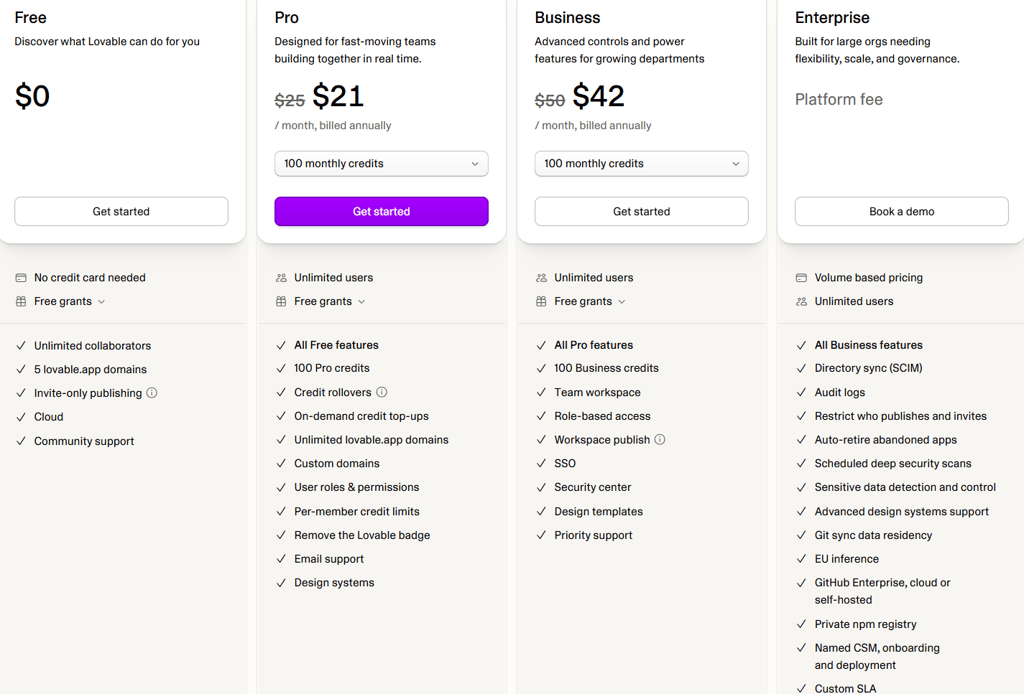
Lovable free plan
You can access Lovable’s basic AI features in the free plan. Unlike other platforms, you don’t need to fill in card information. Although its features are limited, this plan has useful offerings:
- Unlimited collaborators. Invite as many members as you want, allowing them to comment, view, test, and contribute to the project.
- Lovable.app domains. You can host 5 websites with lovable.app domains.
- Cloud. Get a free built-in database and file storage.
Lovable Pro plan
Select Lovable’s Pro plan at $21.00/month when billed annually or $25.00/month with monthly billing for ambitious personal projects or help ship projects faster with real-time team collaboration. This plan comes with the following features:
- Credit rollovers. Unused credits don’t go to waste but roll over to the next billing cycle.
- Credit top-ups. You can purchase additional credits for more AI prompts without waiting for the next billing cycle.
- Custom and lovable.app domains. Launch multiple projects with standard .lovable.app subdomains or connect your existing, production-ready URL.
- Remove badge. For a more professional and custom-built appearance, allows you to remove the Lovable badge.
- Pre-member limits. Lets you give workspace members granular control and manage credit consumption per member.
Lovable Business plan
Lovable’s Business plan costs $42/yearly or $50/monthly, and is suitable for growing teams needing more powerful tools. It gives control over deployment, security, and SEO/AEO benefits to build and publish collaboratively. Here's what this plan features:
- Security center. Provides admins with complete visibility using audit logs, visitor and internal policy monitoring, as well as data access controls.
- Single sign-on (SSO). Faster and secure login for team members with their existing company accounts, like Google Workspace.
- Priority support. While the Pro plan includes email support, the Business plan upgrades you to priority support, meaning technical issues skip the queue for fast resolution.
- Team workspace. Your team gets a shared environment where they collaborate with the same assets and settings.
- Workspace publish. Allows deploying internal tools restricted to your team only without public access.
Lovable Enterprise plan
For big companies, Lovable offers Enterprise at custom pricing to help manage permissions, secure sensitive code, and keep the deployment lifecycles running smoothly. On top of standard plan benefits, custom add-ons are available with this plan. Here's what it has to offer:
- Audit logs. Lets you track user actions, changes, and deployment activities.
- Security scans. Automatically hunts and flags security holes to cover before your project goes live.
- GitHub sync and code residency. Connects to your company’s GitHub setup and allows you to store your data within your preferred location to meet privacy regulations.
- Advanced design systems. Automatically applies your company’s exact style and interface guidelines to every project to stay strictly on-brand.
- Private npm library. Allows your team members to share custom code modules without exposing them to the public.
Lovable interface and ease of use
At first glance, Lovable is very simple to use, with a sleek, distraction-free interface. Once you land in the dashboard, there is a familiar prompt bar in the center with three prompting modes – Plan, Build, and Chat (free).
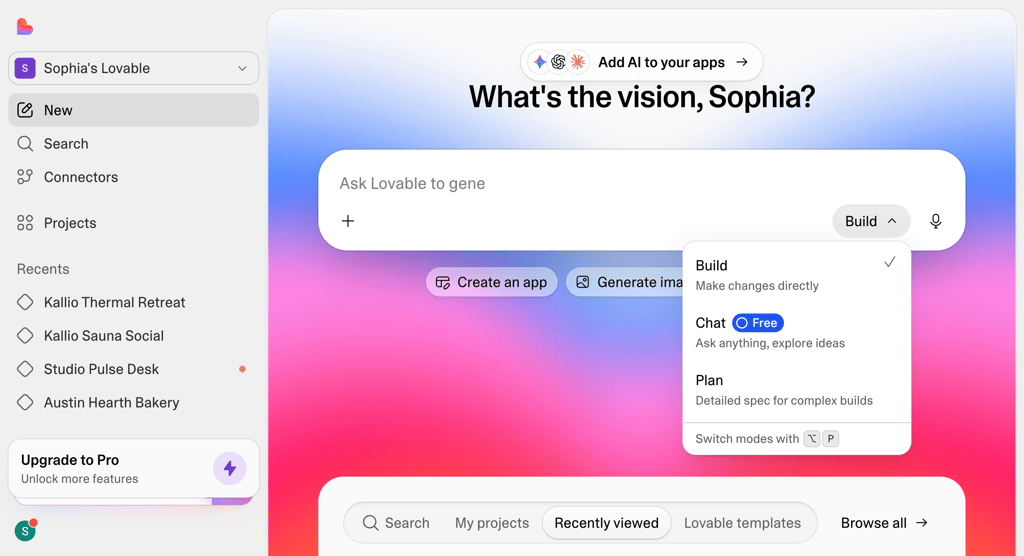
Behind this clutter-free surface, there is a powerful full-stack code running continuously with every prompt input. Check the left sidebar to switch between projects, track credit usage, manage workspace teams, and browse third-party integrations in the Connectors directory.
Building a website with Lovable
Nothing reveals how a platform works quite like using it yourself. To put Lovable AI to the test, I decided to build a landing page for Kallio Bathhouse, a fictional Nordic thermal retreat. I chose a modern aesthetic with muted slate grays, warm cedar accents, sharp typography, and AI-generated imagery.
I selected the Plan mode on the prompt dashboard and gave Lovable detailed instructions on how I want my website to be designed, including fonts, page layout, UI components, and fi
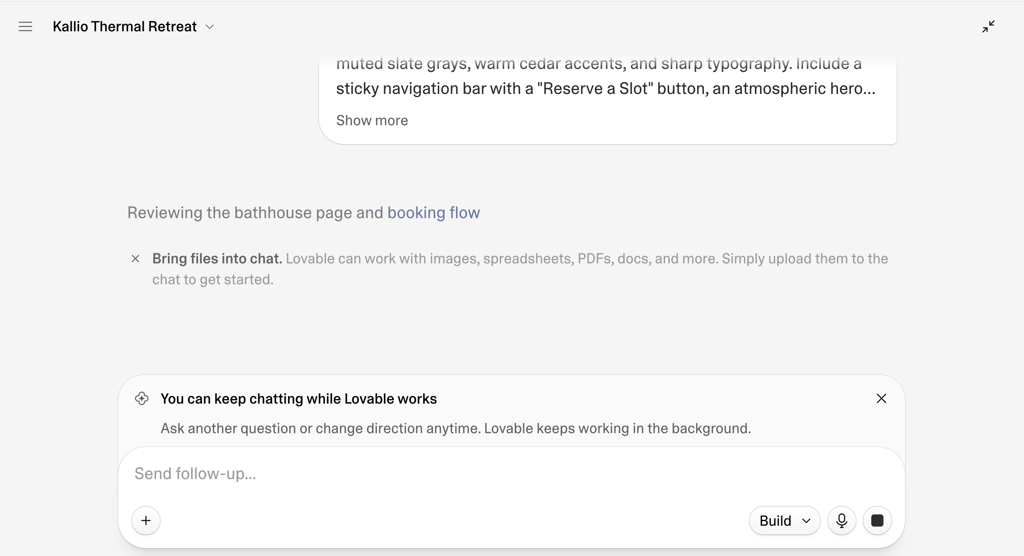
Before jumping straight into generating code, Lovable produced a structured build plan. The interface allowed me to highlight and tweak any part of the plan before approving it, ensuring I didn’t waste generation credits.
Once I approved the plan, Lovable took 3 minutes to give me the first draft of my future website landing page. It included custom spa images in a grid showing four distinct rooms with temperature badges and a full webpage layout. It also added a working slide-out booking panel with a date picker, time selection, and guest counter.
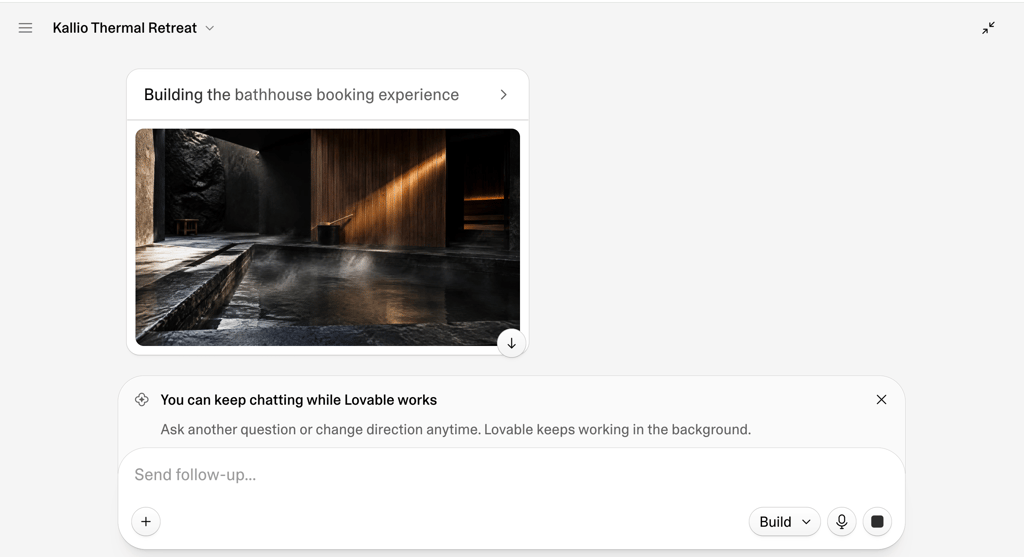
While I liked the first draft and the seamless creation process, I understand that AI doesn’t always meet your visual and aesthetic expectations. The initial color palette seemed a bit chilly for a comfortable bathhouse landing page.
Thus, I prompted Lovable to change the color scheme. The platform altered the whole color palette to warm brown and sand shades, while still keeping important badges easy to see.
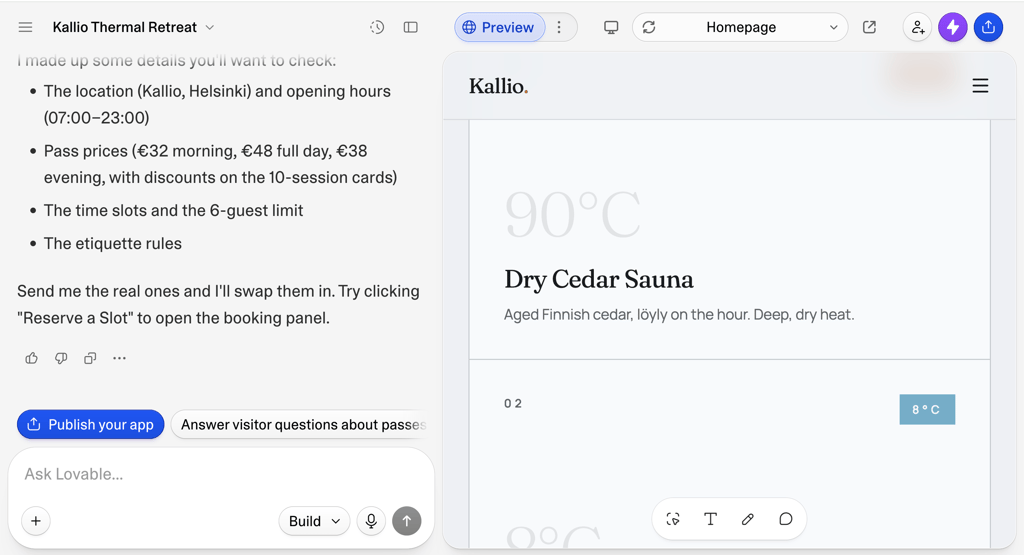
All in all, I really enjoyed how fast and collaborative Lovable makes AI website generation. I liked its structured planning mode and uninterrupted building process, as well as the quality of AI-generated imagery, UI elements, and website layout.
Post-generation editing is also easy. You can use mobile preview mode to inspect and edit the layout before launching your project.
Building a website app with Lovable
In general, website app creation is more complex compared to a static website landing page. Applications should have database states, conditional UI, filtering, and third-party integrations for better functionality.
To test how Lovable AI manages this type of project creation, I decided to build PulseDesk, a client portal and project milestone tracker for freelance creative studios. This time, I started directly in the Build mode, where Lovable generated both frontend and backend logic immediately without planning first.
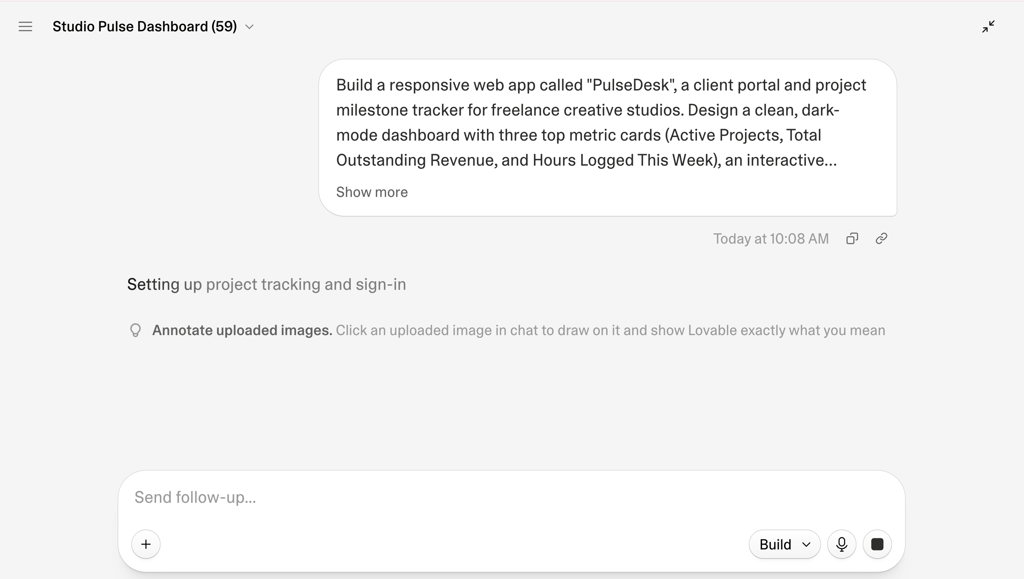
Lovable automatically created the basic foundation and visual setup for a user login system. After logging in, users were directed to the dashboard, where metric cards were found. I asked Lovable to set up data persistence (CRUD) with its Cloud/Supabase so users could create, edit, delete, and track project entries.
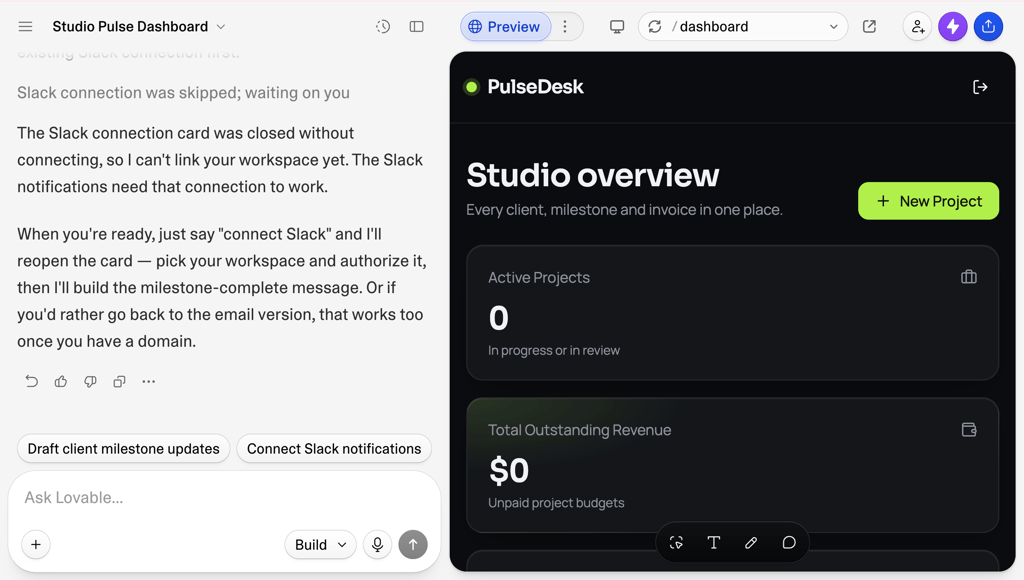
To move this dashboard beyond static presentation, I prompted Lovable to integrate Slack and Resend for automated notifications. Instead of adding the connectors immediately, Lovable asked me 3 questions about whether notifications should be handled through email, Slack, or both. When I selected Slack, Lovable displayed a native authorization card to connect the Slack workspace.
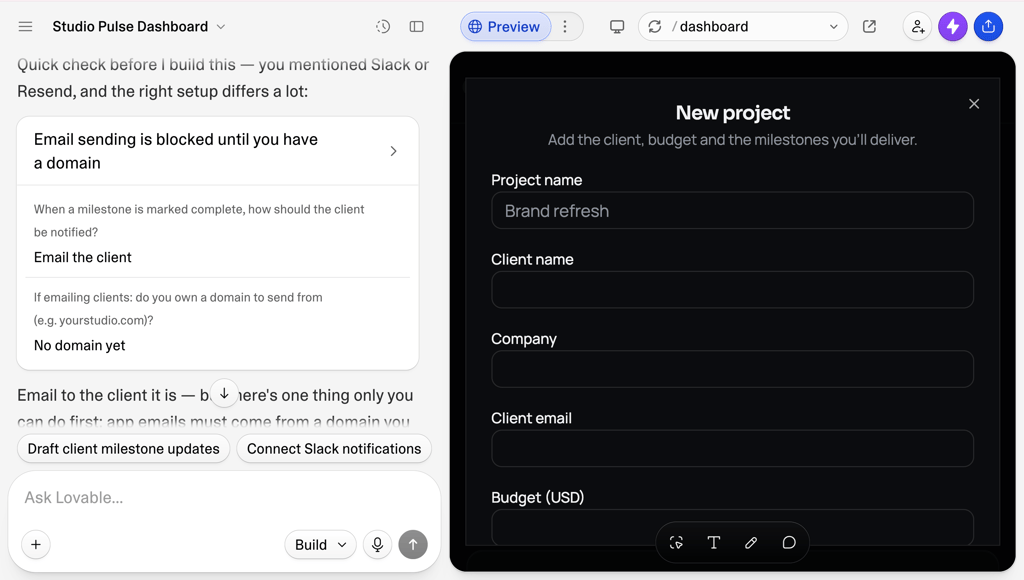
After testing it myself, I can say that Lovable AI is an enjoyable and easy platform for app creation. It automatically sets up things like protected routes, database, and authentication logic, and real-time state updates without needing manual code. I liked how Lovable, instead of continuing to code and guess, stopped to ask multiple-choice questions about my integration request.
Final thoughts: is Lovable worth it?
Wrapping up, I can confidently say that Lovable AI builder is worth it, as it can turn weeks of manual coding into hours of work with AI generation. It allows both solo creators and developer teams to launch MVPs, prototypes, or personal projects fast.
Big enterprises can leverage this platform instead of spending weeks writing manual code for tests and turn complicated project ideas into interactive websites. It’s a great tool to centralize team workflow with Lovable’s collaboration features.
If you have a complicated project requiring frequent edits, you will burn your credits faster, leading to extra-cost top-ups, which makes Lovable costly compared to similar platforms.As with any AI-generated project, human expertise is still essential before publishing your website for public use. Plus, custom business logic and complex setups may still require a developer's oversight.
FAQ
What is Lovable AI?
Lovable is a full-stack AI development platform that turns simple prompt text into a working website or app.
Is Lovable AI app builder free?
No. However, Lovable offers a permanent free version that comes with credit and feature limitations.
Who is Lovable designed for?
Lovable is designed for non-technical creators, developers, small teams, and enterprises who want to turn plain text into production-ready applications with AI.
Do I need coding knowledge to build with Lovable?
No. Anyone, with or without coding experience, can create with Lovable, as it uses AI prompts to generate websites and apps. However, more technical customizations require developer knowledge.