Best website builders our team has tried and tested in 2026
Our team of experts and researchers rigorously test and evaluate website builders through transparent, in-depth testing procedures and methods using both in-house and industry-approved tools.
Drawing on cybersecurity insights, we provide unbiased, empirical rankings and analysis to help users make informed digital platform choices.
Learn more

Building a website used to feel overwhelming, especially if you didn’t have any technical skills. Staring at a blank template with no idea where to start was frustrating at best. Thankfully, things have changed.
At Cybernews, we’ve spent over 6 years testing website builders, reviewing 37 providers and putting in more than 558 hours of hands-on research. That experience has shown us which platforms actually make the process simple, affordable, and genuinely user-friendly.
In this guide, I’ll walk you through the 8 best website builders for 2026. Whether you’re launching a small business, setting up an online store, building a portfolio, or starting from scratch, these tools help you create a professional site without the usual headaches.
Best website builders in 2026 according to the Cybernews research
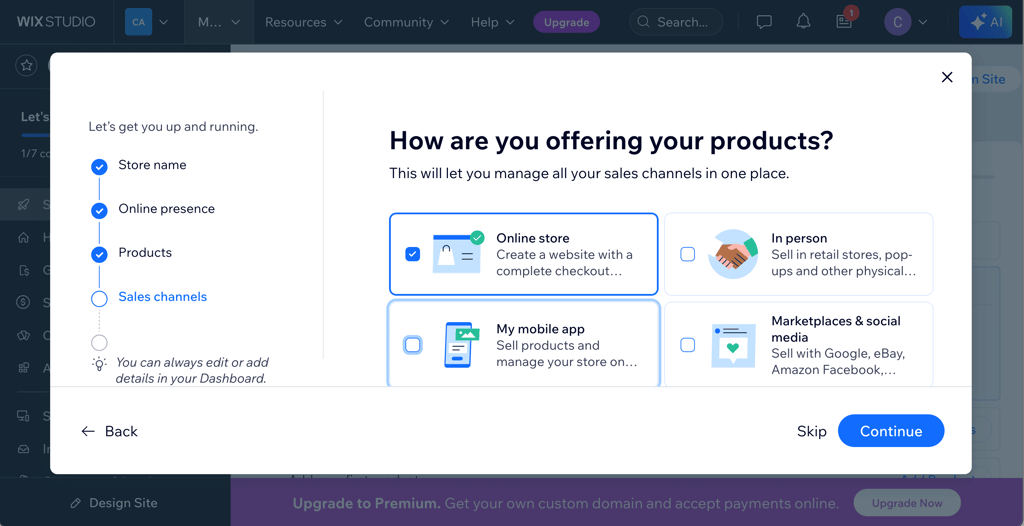
- Wix (free or from $17.00/month) – best for beginners. With its intuitive drag-and-drop interface and extensive template library, Wix makes it easy for anyone to build a professional-looking site with zero coding.
- Hostinger Website Builder (from $2.69/month) – best for AI features. Affordable builder with powerful AI tools. Its AI site wizard builds initial pages in seconds. It comes with 430+ templates, a free domain, and blazing-fast hosting.
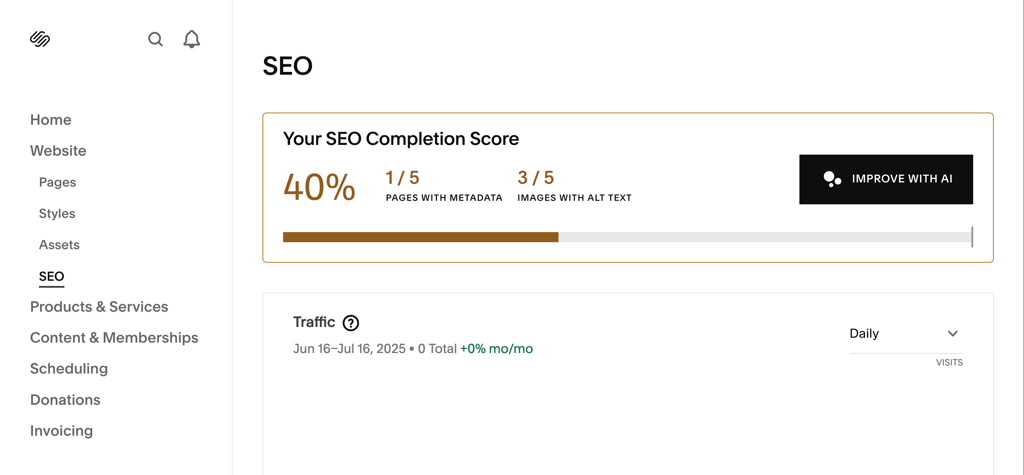
- Squarespace (from $15.20/month) – best for portfolio. Design-focused builder with beautiful templates, global style controls, and a mobile-friendly layout. Ideal for creatives and professional portfolios.
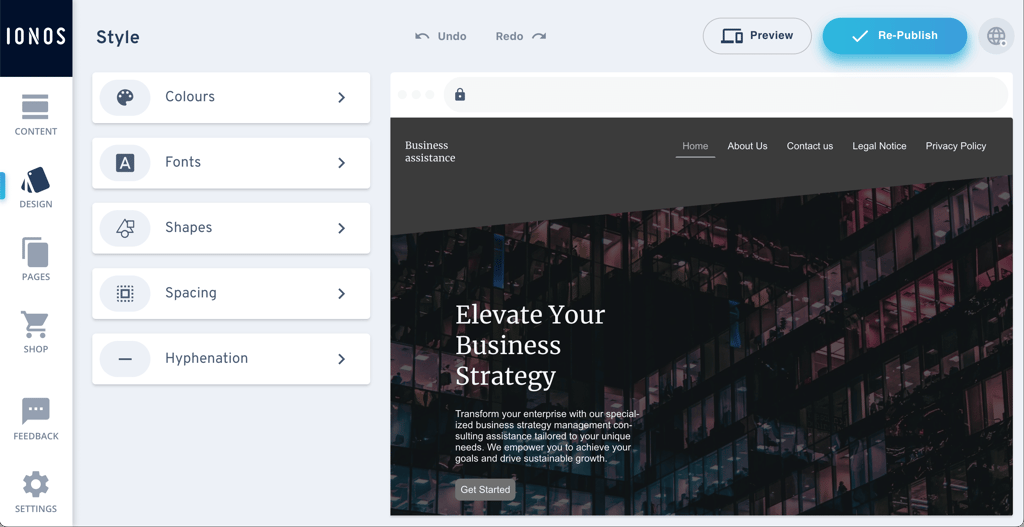
- IONOS (from $1.00/month) – cheap website builder for small businesses. Affordable plans with free domain and email, plus AI templates and personal support for small businesses starting online quickly.
- Shopify (from $39.00/month) – best for eCommerce. It has built-in inventory, payments, shipping, and marketing features. It costs more but excels at serious online selling.
- SITE123 (free or from $5.50/month) – best free or low-budget option. Totally free tier available, quick setup, and essential features without overwhelming extras.
- WordPress.com (free or from $2.75/month) – simple web builder with a free version. Accessible to users who are just starting and don’t have a big budget.
- Webflow (free or from $14.00/month) – best for developers. Focused on large and complex projects, it offers a lot of flexibility to create the website you want.




Our in-house research team and expert writers work hand in hand to regularly test website builders and provide accurate and fact-checked information. Discover the ins and outs of how we test and evaluate website builders.
Testing methodology
Here at Cybernews, we’ve been testing web builders for over 6 years, but in this article, I rely on the last 3 months of hands-on testing. Together with the Cybernews research team, I collected the primary testing data from June to September, during which we reviewed 37 top providers in real-world conditions. Next, I assessed their performance based on our testing methodology.
We used real domains and built actual websites – from small blogs to eCommerce stores and business sites – to simulate everyday use. Below are the criteria I used to evaluate and rank each web builder:
- Ease of use (25%). I tracked how quickly I could go from signing up to having a published site. Platforms with true drag-and-drop editors, actually helpful AI features, and clear guidance scored highest. Builders that buried essential features behind menus or made setup confusing ranked lower.
- Price-to-value ratio (25%). I compared what each plan offered at every pricing tier. This included checking whether SSL, domains, email, or eCommerce tools were bundled or locked behind paywalls. Builders with generous free or cheap plans and essential tools upfront scored best.
- Features and tools (20%). I tested core functionality like blogging, store setup, SEO controls, and marketing integrations. I also evaluated performance tools and AI builders to determine whether the platform could realistically support long-term growth and higher traffic.
- Templates and design flexibility (20%). I looked at both quality and control. I rated how stylish and responsive the templates were, and how much freedom I had to customize layouts, fonts, colors, and mobile responsiveness without breaking anything.
- Overall experience (10%). I reached out to support, read the help docs, and noted how smooth the process felt. Builders that combined helpful support with a clear, frustration-free workflow scored better overall.
Top website builders for 2026 – my detailed overview
Below are my personal favorites, each of which I spent months using on real projects. These 8 are the ones that impressed me the most during my hands-on tests.
1. Wix – best website builder for beginners

| Cybernews rating: | 4.8 |
| Pricing: | Free or from $17.00 |
| Templates: | 3100+ |
| Free domain: | ✅ Yes (with a paid plan) |
| AI features: | ⚙️ Broad selection |
| Best deal: | Get Wix with 50% OFF |
Wix is ideal for blogs, portfolios, and small business websites that need strong SEO and eCommerce tools. Due to its easy-to-use and intuitive editor, building a site is simple. Wix also gives you creative freedom, allowing you to adjust the website to reflect your brand best. I built a demo website in under 10 minutes, and it looked professional and polished.
Wix is the most balanced, beginner-friendly builder I tested. Its flexible editor, wide template selection, and helpful AI tools made building a professional site feel easy, even with a zero design background.
What’s new on Wix as of July 9th, 2026
Wix has introduced dynamic item pages with multiple layout variants, enhanced product filters and subscription cancellations in Wix Stores, WhatsApp notifications for restaurant orders, and improved marketing insights. Wix Groups now supports scheduled posts and draft saving on web and mobile.
Wix features
Wix makes it incredibly easy to build a site that looks exactly how you want. From first click to final publish, everything feels fast, intuitive, and refreshingly flexible. Here’s what stood out:
- Drag-and-drop editor. I could place elements exactly where I wanted them, with zero limitations or clunky controls.
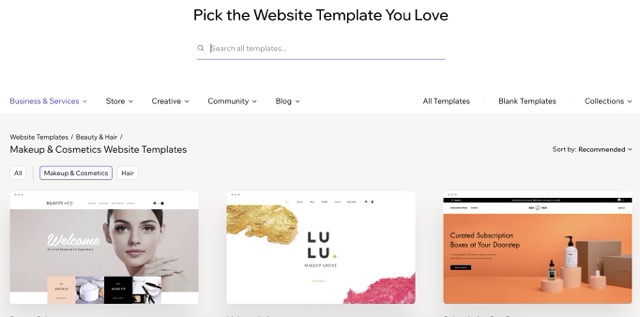
- 3100+ templates. With thousands of modern templates, it took seconds to find one that fit my brand. Far easier than with platforms like IONOS, which only offers 49 options.
- AI website builder. Wix’s AI website builder built a sleek homepage for me in under a minute, no manual setup required.
- Step-by-step SEO tools. Wix’s SEO setup walked me through optimizing my titles and meta tags without any guesswork.
- App Market. Live chat and newsletter tools were built right in, so I launched both without any external add-ons.
- Built-in eCommerce. My small store was up and running right away, without needing to upgrade or switch to a separate plan.
My overall experience with Wix
I was genuinely thrilled when I hit Publish and saw a clean, modern site that felt like something a professional would design.
The editor never lagged, no matter how many images and sections I added, and the 24/7 chat support answered my question in minutes.
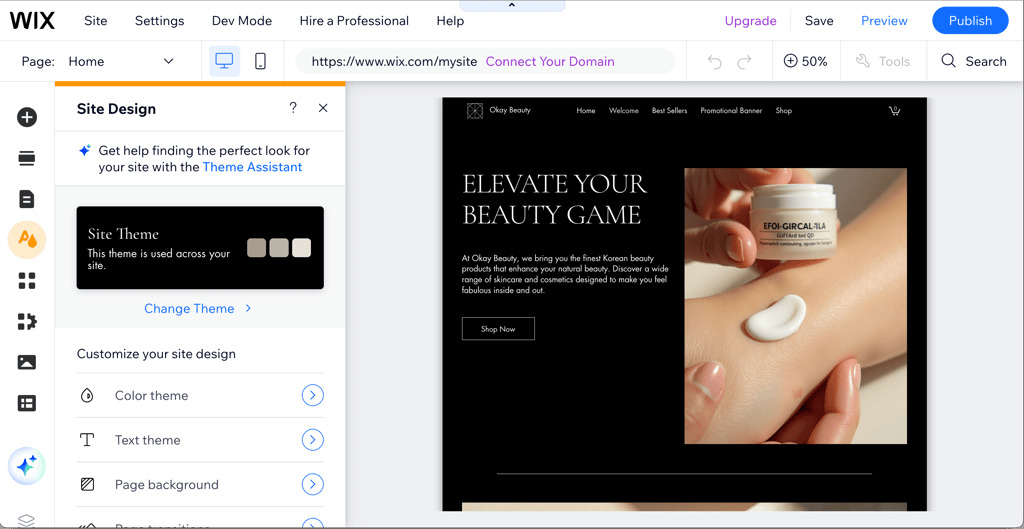
My only frustration came when I realized that switching templates after launch meant rebuilding the website from scratch.
On the eCommerce front, Wix lets you build and manage online stores with features like product galleries, multiple payment options, inventory tracking, and abandoned cart recovery. You can sell physical or digital products, and even integrate booking systems or subscription plans.
Overall, compared to Hostinger’s smaller app library and Shopify’s commerce‑only focus, Wix struck the perfect balance between creative freedom, powerful AI helpers, and rock‑solid performance. If you want to learn more, read our full Wix review.
2. Hostinger Website Builder – best website builder for its AI features

| Cybernews rating: | 4.6 |
| Pricing: | From $2.69/month |
| Templates: | 430+ |
| Free domain: | ✅ Yes (with a paid plan) |
| AI features: | ⚙️ Extensive AI tools suite |
| Best deal: | Get Hostinger Website Builder, 82% OFF + free months |
Hostinger Website Builder is ideal for beginners. It has an extensive AI tools suite that can assist you with creating the website, SEO, and generating sections. I built an online shop in a matter of minutes and could always count on the AI assistant for any help.
Hostinger’s AI website builder felt like having a design assistant. Unlike typical AI tools that some providers offer, I typed in a short description, and Hostinger Website Builder built a full site with content, layout, and branding that actually made sense. Although an already affordable website builder, you can save even more with Hostinger promo code CNHOSTINGER. If you're a first-time user, use the Hostinger code CNHOSTFIRST.
What’s new on Hostinger Website Builder as of July 9th, 2026
Hostinger’s Website Builder now features a unified hPanel-style dashboard for domains, email, marketing, and store metrics, WhatsApp “Chat on WhatsApp” buttons on product pages, and wording that makes sending transactional emails appear from your own domain. The builder also offers Kodee-assisted navigation for quick edits, simplified payment setup with country-specific defaults, and improved notifications when checkout issues block sales.
Hostinger Website Builder features
Hostinger Website Builder blew me away with its lightning-fast AI Site Builder. I just typed a quick description of my clothing store, and it created a full website in under a minute. Here’s what else stood out:
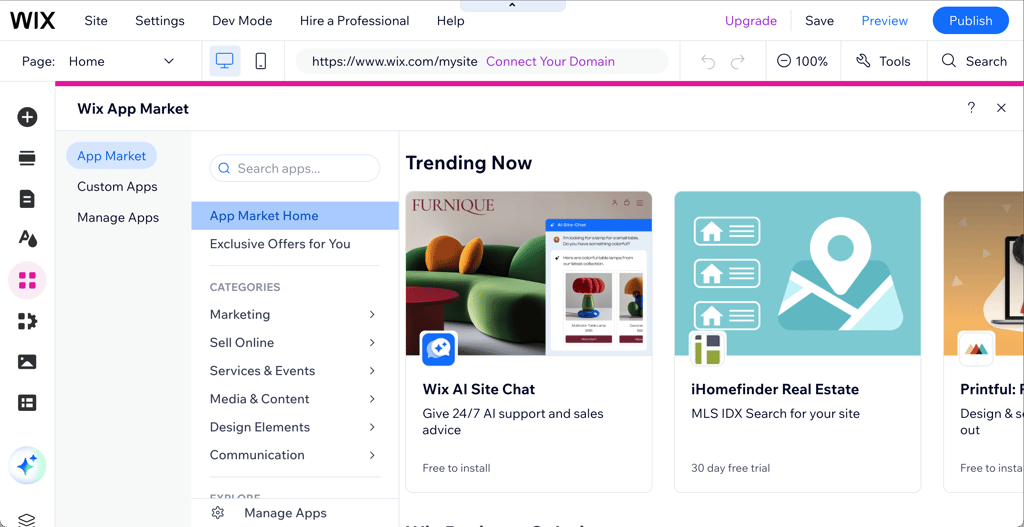
- Powerful AI toolkit. The dashboard includes an AI site and page generator, section builder, blog creator, product description writer, image generator, logo maker, heatmap insights, plus business name and slogan creators.
- Built-in AI SEO and visuals. Hero images and optimized SEO tags were generated right inside the dashboard, so I didn’t have to juggle multiple tools.
- Store manager with no fees. You can sell up to 5600 products with 100+ payment methods and zero transaction fees, a huge plus for small businesses.
- Appointment booking and analytics. Basic analytics come by default, plus you can enjoy easy integrations with Google Analytics, Tag Manager, and Facebook Pixel directly from the editor.
- 430+ quality templates. While not as many as Wix, each design felt polished and professional.
- Unlimited pages and a free domain. I built a multi-page site without worrying about extra costs and claimed a free domain for a year.
- Fast hosting speeds. Every speed test showed load times under 2 seconds, keeping my site quick and responsive.
My overall experience with Hostinger Website Builder
I was impressed by how fast the AI builder generated a professional draft, and it felt even quicker than Wix’s AI website builder. The editing process felt smooth and clean, with a grid system that made layout simple without getting in the way.
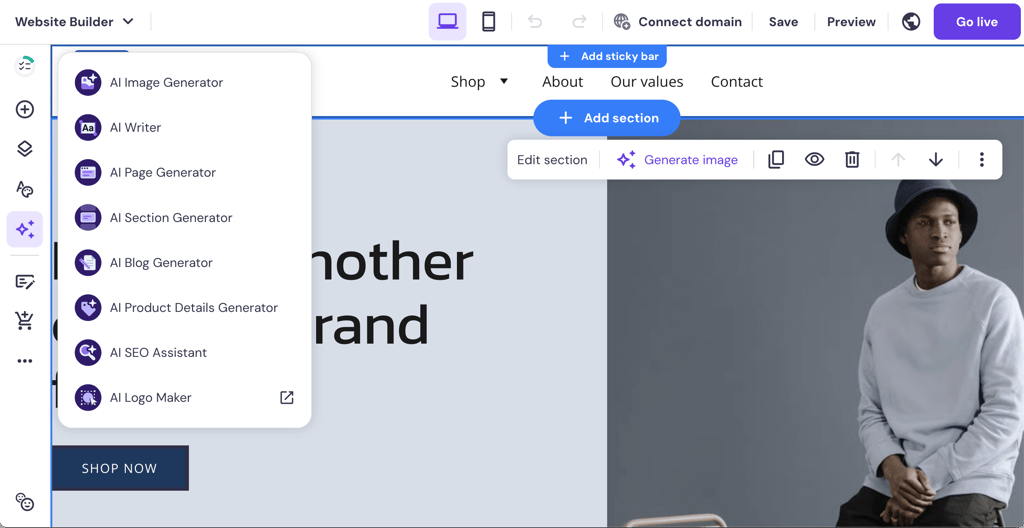
The AI SEO Assistant provided me with quick, practical tips, such as shortening meta titles and adjusting headings, which helped improve my site’s structure.
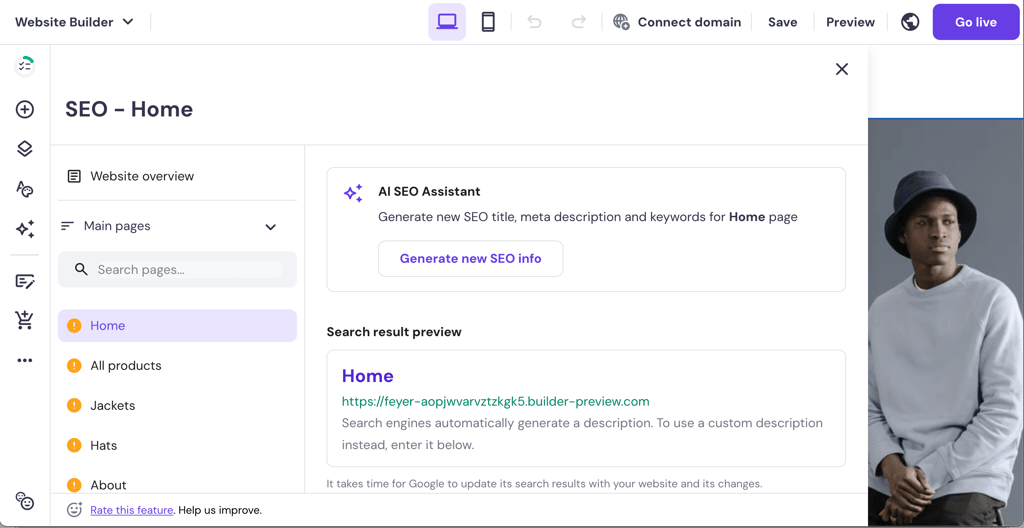
A few AI-generated sections needed reworking, but overall, it’s a fast, beginner-friendly way to get online quickly. To learn more about its capabilities for creating websites, read our detailed Hostinger Website Builder review.
Other minor gripes were that Hostinger offers a smaller app ecosystem compared to Wix, and while its 24/7 live chat replied in under 60 seconds, the responses felt a bit scripted at times. Still, for $2.69/month, Hostinger’s blend of AI automation and blazing performance is hard to beat.
3. Squarespace – best web builder for portfolios

| Cybernews rating: | 4.4 |
| Pricing: | From $15.20/month |
| Templates: | 200+ |
| Free domain: | ✅ Yes (with a paid pan) |
| AI features: | ⚙️ Elaborate AI tools |
| Best deal: | Get up to 28% OFF Squarespace |
Squarespace makes a perfect website builder for photography and design portfolios. It has stunning templates for a beautiful-looking website with minimal effort, built-in galleries, and video backgrounds to make your portfolio shine. I built a demo website using a pre-made template, which I could further customize with Squarespace’s drag-and-drop editor.
Squarespace is ideal if you want to showcase your photography or design portfolio. Be prepared for a steeper learning curve and a slower interface.
What’s new on Squarespace as of July 9th, 2026
Squarespace’s website builder now features Mobile Overrides for Fluid Engine (7.1), letting you fine-tune mobile layouts without changing desktop designs and customize Finish Layer settings like Transforms, Animations, and Stacks by device. Store pages now support Quantity Limits for physical products and services to manage inventory and demand, while shoppers see limits from product pages through checkout, and email campaigns can be built as multi-step drip sequences with reusable templates and bulk actions.
Squarespace features
Squarespace makes creating a stylish, professional site simple. Its design tools and built-in features gave me everything I needed from day one:
- Global style editor. Set fonts, colors, and buttons once, and watch those changes apply automatically across the entire site.
- 200+ designer templates. Building polished, responsive layouts with a grid-based editor was easy with zero coding or manual mobile tweaks needed.
- Helpful AI tools. The SEO assistant offered quick fixes for page titles and descriptions, while the writing tool jumped in to spark ideas for blog posts and product descriptions.
- All-in-one business suite. Scheduling, invoicing, email marketing, and analytics came built-in without the need for extra plugins or outside services.
- Built-in blogging and eCommerce. Running a shop and blog under the same URL was seamless, unlike platforms like SITE123 that kept them separate.
My overall experience with Squarespace
I felt genuinely inspired by how design‑focused Squarespace is. Editing my portfolio felt like working inside a design tool instead of a basic website builder, and the templates really do shine once your content is in.
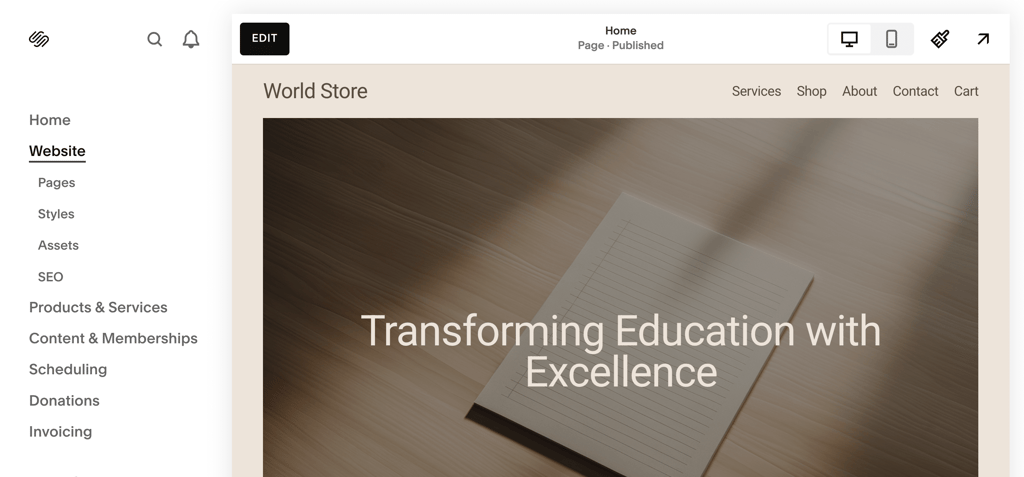
The block structure kept things neat, but I couldn’t always move elements exactly where I wanted, which sometimes limited creativity.
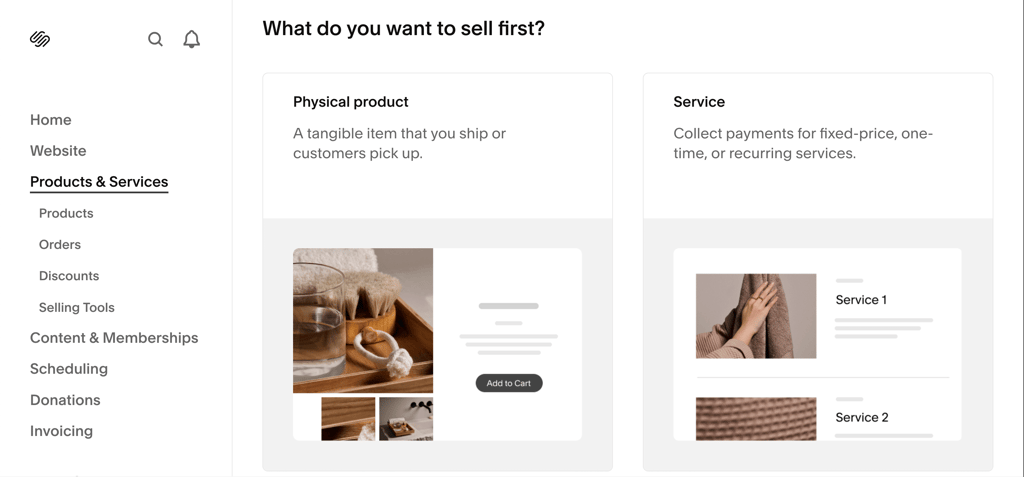
Compared to Wix’s total layout freedom and Shopify’s intense commerce focus, Squarespace sits right in the middle. It’s the sweet spot for creatives who want a visually impressive site without wrestling with plugins, code, or overwhelming options. Read our full Squarespace review to learn more.
4. IONOS Website Builder – affordable website builder for small businesses

| Cybernews rating: | 4.5 |
| Pricing: | From $1.00/month |
| Templates: | 49+ |
| Free domain: | ✅ Yes (with paid plan) |
| AI features: | ⚙️ Basic AI functionalities |
| Best deal: | Get up to 96% OFF IONOS website builder |
IONOS is a great option for small businesses with limited budgets. It offers a free domain and some essential tools, including email, booking, and a simple shop, for only $1.00/month. When I built my test website with IONOS, I was content with its section-based editor, which was easy to use. However, compared to Wix, it lacked flexibility.
IONOS gave me a working business site, domain, and email for $1.00/month – you seriously cannot make this up. While it isn’t as good as Wix or Hostinger, I’d say that for small businesses on a tight budget, IONOS does the job well.
What’s new on IONOS as of July 9th, 2026
IONOS has expanded its Website Builder with the AI App & Site Builder, letting users generate complete, customizable web apps and websites via natural language chat. The broader IONOS Momentum AI ecosystem now includes an autonomous AI Receptionist that handles calls and appointments 24/7.
IONOS features
IONOS won me over with an unbeatable $1.00/month first-term deal that included a free .com domain and an email address. Here’s more of what stands out:
- AI-powered website builder. I just entered my business name and industry, and it generated a clean, professional design tailored to my niche in no time.
- Built-in SEO tool. RankingCoach gave real-time optimization tips as I edited, helping boost visibility without needing extra plugins.
- Section-based editor. Easy for beginners to customize content, though design flexibility is a bit limited compared to Wix or Squarespace.
- Personal consultant. Unlike most platforms where you get stuck with live chat or tickets, IONOS offers direct access to a real support agent for faster, more reliable help.
- Marketing tools included. IONOS offers email marketing and AI-powered content creation. I could build and send newsletters, manage contacts, and track campaign performance all in one place.
- Smaller template library. While offering fewer options than Wix, the templates were easy to work with thanks to the structured editor.
- Clean and beginner-friendly layouts. The rigid layout system keeps things neat and simple without overwhelming new users.
- SSL and hosting included. Secure SSL comes standard, hosting is bundled, and templates are mobile responsive without extra setup.
My overall experience with IONOS
After answering a few questions, the AI builder quickly created a website for me. I was pleasantly surprised by the depth of IONOS’s features given its bargain price.
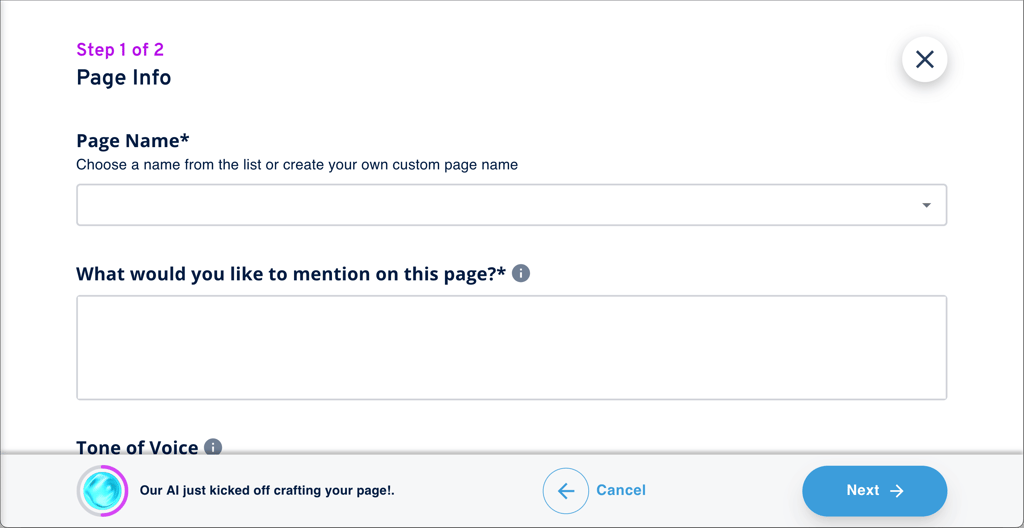
What I liked most was how smoothly the AI setup flowed and how clearly the editor was laid out. Site analytics and built-in SEO tips were also helpful right away.

However, the builder itself felt limited in flexibility, especially on the Starter plan, where you can’t freely rearrange elements. Compared to Hostinger or Wix, customization options were far more restricted.
Performance was stable, though load times in some regions (like the US and India) were slower than with Hostinger. Read our IONOS review to learn more.
5. Shopify – ideal platform for eCommerce businesses

| Cybernews rating: | 4.4 |
| Pricing: | From $39.00/month |
| Templates: | 1200+ |
| Free domain: | ✅ Yes (via paid plan) |
| AI features: | ⚙️ Limited AI-tool capabilities |
| Best deal: | Try Shopify for 3 months for $1 |
Shopify is a superior choice for building and running an online store. It works equally well for both one-person startups and growing brands. Shopify offers payment and shipping options, making it easy to sell your products nationwide and internationally. I found building pages with Shopify simple due to its drag-and-drop editor. As a result, I had a simple eCommerce store ready in 20 minutes.
Shopify is made for selling, plain and simple. I added products fast, set up shipping without headaches, and got payments rolling smoothly. Working with Shopify felt right and easy, including keeping track of orders, although at a cost.
What’s new on Shopify as of July 9th, 2026
Shopify’s core commerce platform now features EU import customs duty support, automatic staff attribution in POS enabled by default, and self-serve returns with order cancellations. The Summer ’26 Editions shift extensibility to native tools like Functions and Checkout Components, replacing legacy customizations, while Checkout extensibility is now fully available for merchants and developers.
Shopify features
From the moment I selected Shopify’s store‑focused theme, I could see it was built for selling: products front and center, intuitive inventory tracking, and a checkout flow customers recognize and trust. Here’s what stood out:
- 1200+ themes. With 23 free options and a powerful drag-and-drop editor, I could easily build pages with product grids, banners, and carousels.
- POS system included. I could accept in-person payments with my phone or card reader, syncing sales instantly with my online store.
- Built-in SEO tools. Titles, alt text, and clean URLs were easy to manage, and Shopify auto-generated my sitemap and canonical tags.
- All-in-one sales engine. Marketing tools, emails, analytics, and shipping settings were ready to go without installing extra plugins.
- Transaction fees. Unless you use Shopify Payments, additional fees are charged per sale. Hostinger is the opposite, as it avoids transaction fees, which can save smaller stores money.
My overall experience with Shopify
Shopify’s all‑in‑one sales engine blew me away. Adding demo products was effortless, and setting up shipping rules felt like second nature.
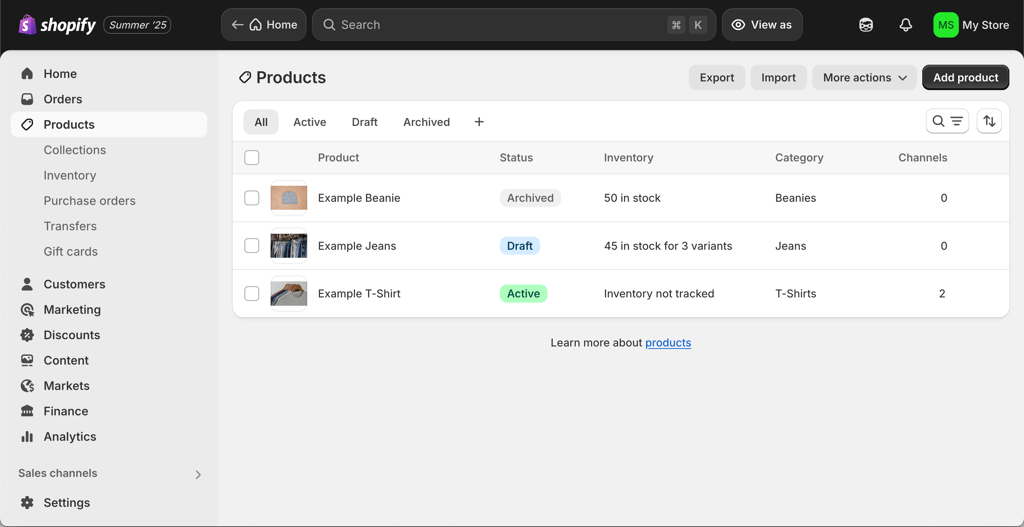
There are 1200+ themes, and the drag‑and‑drop editor made it easy to build pages with product grids, carousels, and banners.
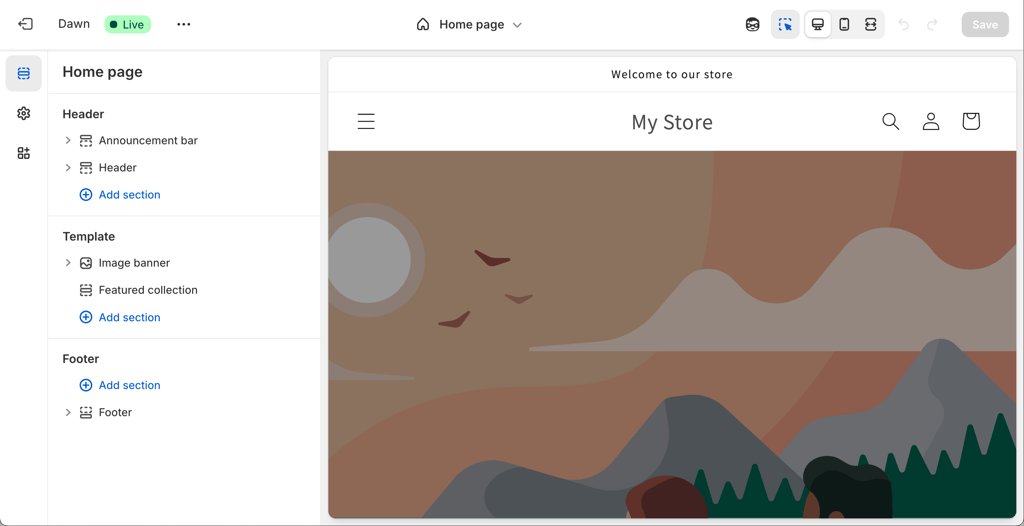
SEO settings like titles, alt text, and URLs were built in, and Shopify auto‑generated my sitemap and canonical tags. If you’re interested in learning more about its SEO capabilities, read our full Shopify review.
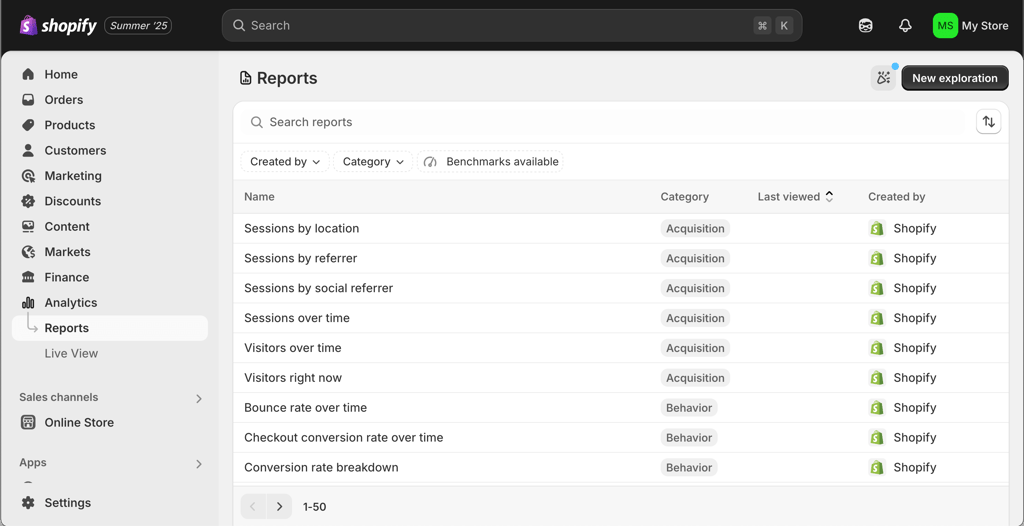
Most features like marketing, analytics, and shipping are built in, but unfortunately, Shopify charges transaction fees unless you use Shopify Payments. Hostinger Website Builder, by contrast, has no transaction fees, which is a big cost-saver for smaller stores.
6. SITE123 – top choice for free or inexpensive website building

| Cybernews rating: | 4.2 |
| Pricing: | Free or from $5.50/month |
| Templates: | 1200+ |
| Free domain: | ✅ Yes (with a paid plan) |
| AI features: | ⚙️ Rather basic |
| Best deal: | Get SITE123 now 50% OFF |
SITE123 is a good option for beginners who need a simple personal or business site fast. It has a free tier, includes free SSL, built-in SEO and marketing tools, and has a minimalistic dashboard. I built and published a website in 30 minutes, proving how beginner-friendly SITE123 is.
If you’re trying to get a website online without spending much, SITE123 is one of the best places to start. You can get hosting, easy templates, basic email tools, and a personal website online in minutes without paying anything.
What’s new on SITE123 as of July 9th, 2026
SITE123 has added AI-powered image generation and editing via Gemini in its Image Library, plus AI-generated, per-page meta tags for better SEO. Design updates include a new Color Palettes system with 120 curated combinations, Font Favorites for typography, logo-based palette generation, and smooth Shape Dividers site-wide. Invoicing and business tools let you create and send professional invoices directly from your site, connect via API to billing apps, and track all payments in one place. Mobile upgrades include a customizable homepage, custom backgrounds/logos for app installs, and mobile visitor pop-ups, while new plugins add accessiBe for accessibility and Privy for email marketing and abandoned cart tracking.
SITE123 features
SITE123 keeps things simple and structured, perfect for users who prefer ease over endless customization. While it’s not as flexible as some builders, here’s what worked well:
- Section-based editor. Unlike Wix’s drag-and-drop freedom, SITE123 uses over 160 pre-designed page sections that keep layouts clean and consistent.
- Mobile-ready by default. Every section I added was instantly optimized for smartphones and tablets without extra effort.
- SEO essentials built in. Meta tags, alt text, and an auto-generated sitemap were all included; no need for external plugins.
- Built-in email marketing. SITE123's basic email tool makes it easy to create and send campaigns directly from the dashboard.
- Free SSL certificate. All plans include SSL by default, adding security and trust to the site without setup hassles.
- Minimal, user-friendly dashboard. The interface felt clean and focused, ideal for quick builds without getting overwhelmed.
My overall experience with SITE123
With SITE123, I built and published a functional website in under 30 minutes, which speaks to the platform's exceptional beginner-friendliness.
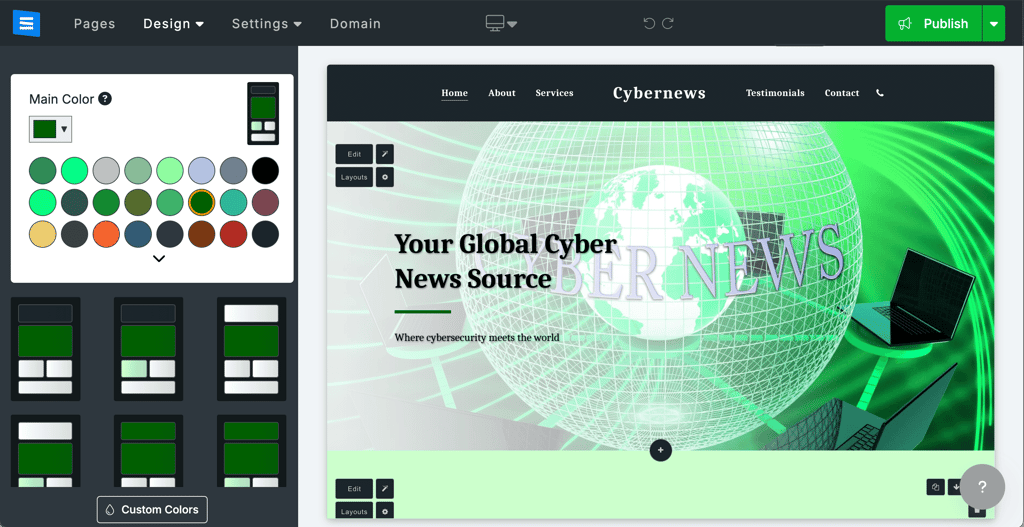
The section-based editor guided me smoothly through the process, making it hard to mess up the layout.

The built-in SEO tools felt simple but useful, perfect for getting basic optimization done without extra hassle. I also liked having the email campaign tool included, though it’s quite basic and better suited for small newsletters.
Customer support via live chat was fast, but similarly to Hostinger, it occasionally gave scripted answers, which can be frustrating if you need more tailored help.
While SITE123’s design options feel more rigid and less modern compared to Wix or Squarespace, that limitation actually helped me stay focused and get the site done quickly. And performance-wise, SITE123 impresses with fast loading speeds, thanks to its lightweight code and limited customization overhead. Check out our detailed SITE123 review and learn more about its capabilities.
7. WordPress.com – simple website builder with a free version

| Cybernews rating: | 4.0 |
| Pricing: | Free or from $2.75/month |
| Templates: | 13,000+ |
| Free domain: | ✅ Yes (with paid plan) |
| AI features: | ⚙️ Limited AI features |
| Best deal: | Get up to 69% OFF Wordpress! |
WordPress.com is a website builder that allows you to create various types of websites, including blogs, online shops, landing pages, and portfolios. That’s mainly due to the vast plug-in library available for WordPress.com, which allows adding features necessary for any type of website you’re planning to create. For testing purposes, I created a simple website, which took me around 30 minutes.
WordPress.com is an accessible website builder that is simple to use and offers a free version. Even with its free version, I could use AI Builder and publish my site on its domain.
What’s new on WordPress.com as of July 9th, 2026
WordPress.com now features an integrated AI Assistant and Claude Connector for content creation, editing, and management, plus OAuth 2.1 support to connect AI agents like ChatGPT more easily. Newsletter signups can now be tailored with custom experiences, and a new support assistant helps manage domain settings. Jetpack 15.6 brings per-platform social customization, AI image generation, and smarter workflows, while the latest changelog highlights sharper image editing tools and a new multitasking mode for the WordPress admin.
WordPress.com features
WordPress.com is a well-equipped website builder. Even its free version comes with robust features, including:
- 13,000+ templates. WordPress.com has the biggest template library available on my list, which can be further customized with an AI editor or manually.
- Plugins and integrations. WordPress.com has a library of over 60,000 various plugins and integrations that can expand its capabilities.
- SEO features. With WordPress.com, your website is SEO-friendly right off the bat, while you can optimize your site even more by adding Yoast SEO and All in One SEO plugins.
- AI editor. If you’re not comfortable with manual editing or simply don’t have much time, the AI editor is an easy-to-use and efficient alternative.
My overall experience with WordPress.com
WordPress.com is a versatile website builder that lets you choose how much time and effort you’re willing to invest in creating a website. For my own website, I picked the AI builder. It asked me a few questions about my website and returned a full website that I could continue editing.
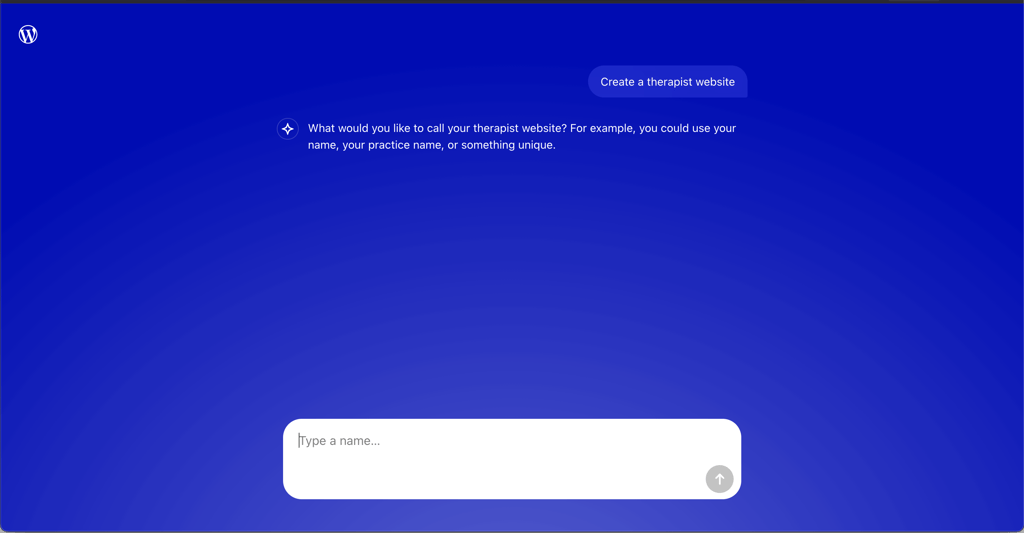
The whole process was fast, and I had a website ready for publishing in around 30 minutes. I think it could have been even faster, but WordPress.com AI Builder does take its time to process the prompts.
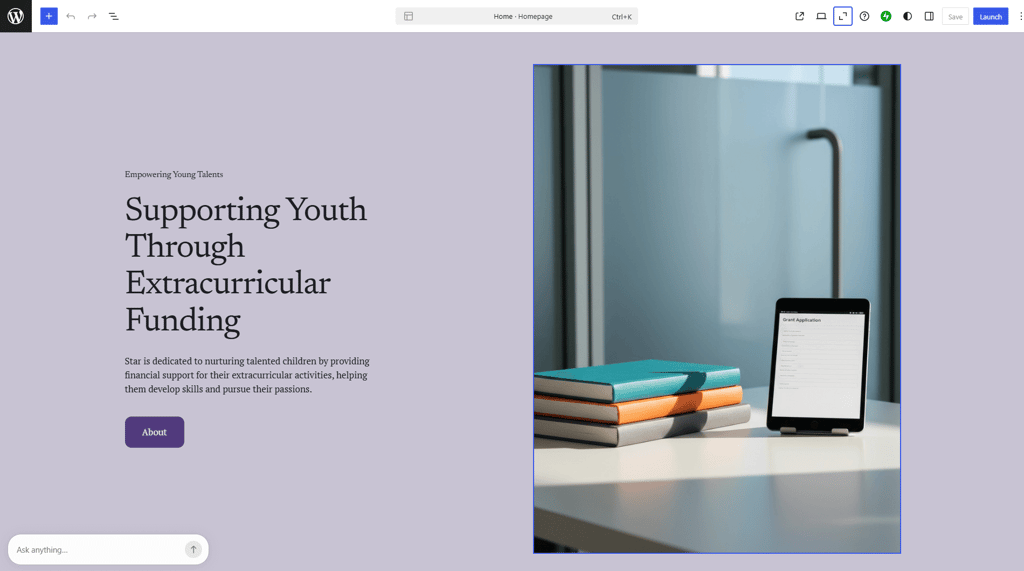
Also, the AI website builder was quite limited in terms of customizing a generated site. However, I see it as a good option for beginners who lack technical knowledge and don’t mind a rather basic-looking website design.
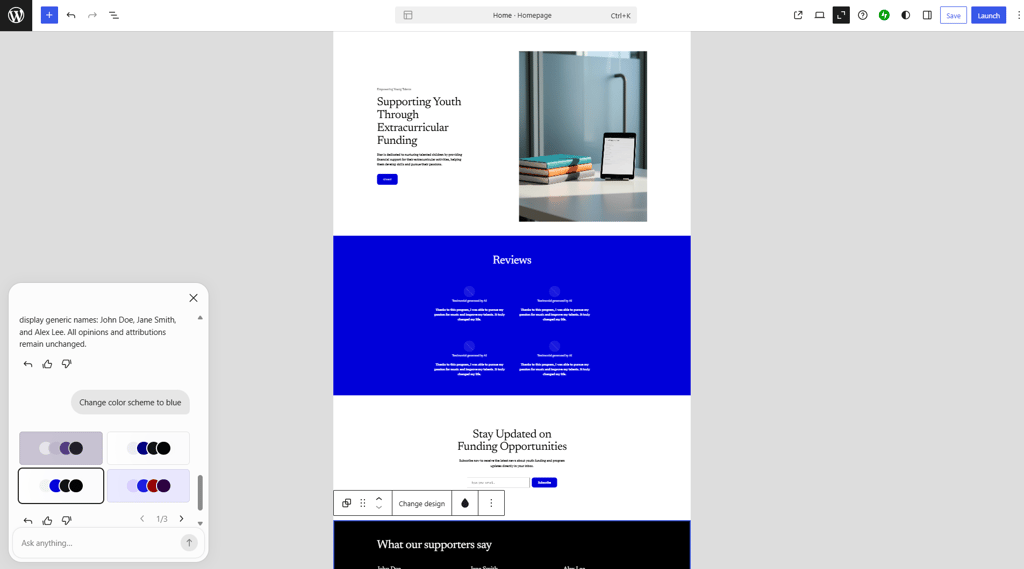
When I found myself restricted with an AI editor, I went for manual editing. I could choose from various blocks to further customize any elements I wanted. This route worked for me. However, for those who have limited experience creating websites, this option might be too overwhelming.
However, if you want more flexibility and have technical knowledge, I recommend editing code. Otherwise, you might want to consider a website that is built with beginners in mind, like Hostinger Website Builder. To learn more about user experience, read our WordPress.com review.
8. Webflow – website builder for developers

| Cybernews rating: | 4.0 |
| Pricing: | Free or from $14.00/month |
| Templates: | 7400+ |
| Free domain: | ✅ Yes (with paid plan) |
| AI features: | ⚙️ Robust AI features |
| Best deal: | Get Webflow AI tools now 22% cheaper |
Webflow is a website builder tailored for design-savvy professionals, freelancers, and agencies. Equipped with advanced editing tools and its own CMS, Webflow allows designing and managing complex websites. Figuring out Webflow and creating a demo website took me a couple of hours, due to Webflow’s complexity. But the website turned out modern-looking and professional, which was worth the effort.
If you’re a developer who works with large projects requiring flexibility, Webflow is a great option for you. It has a solid gallery of templates, two advanced editing tools, Webflow Designer and Webflow CMS, and allows adding custom code, making it an attractive website builder for developers who appreciate design freedom.
What’s new on Webflow as of July 9th, 2026
Webflow lets you manage sites directly in ChatGPT for content updates, SEO fixes, and more without leaving the assistant. The CMS now supports field grouping into labeled sections for easier editing, and a dedicated Localize panel provides a central hub for multilingual work, including custom head/body code per locale. AI code components and Webflow AEO (available for Enterprise) enable smarter content and SEO/AEO workflows, while AI credit limits are now active and visible in Workspace settings.
Webflow features
Weblow stands out with its advanced features for website creation and management. It’s not like other website builders due to the following features:
- Webflow Designer. Whether I had to build my website, add any additional elements, code, or change layouts, all was done thanks to Webflow Designer.
- Webflow CMS. To avoid the overwhelm of having everything in one place, site and content management are conveniently separated and available on the CMS.
- eCommerce features. Product management and payments are easily accessible right from the Webflow Designer dashboard.
- 7400+ templates. A vast selection of templates ensures you find the right fit to represent your brand.
- Marketing and SEO tools. With an array of built-in tools, setting custom SEO settings, integrating Google Analytics, and managing auto-generated sitemap is simple.
My overall experience with Webflow
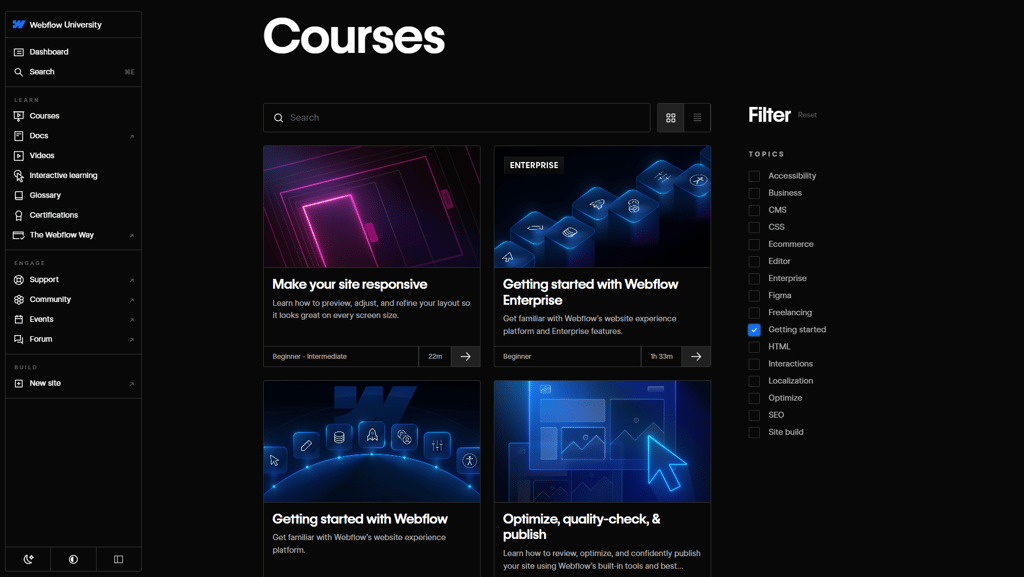
With Webflow, I needed more time to build a website than with other builders. It took me some time to learn its features. Luckily, it offers helpful tutorials and lessons from the Webflow University. They greatly helped me build my own website.
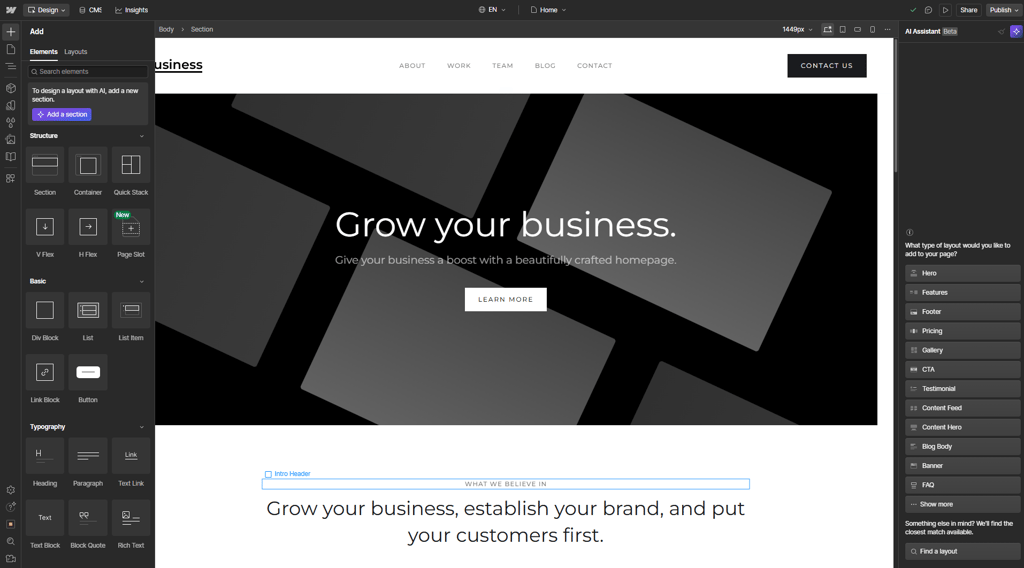
I picked one of the pre-made templates to start building my website, and it still had plenty of editing options. On the left side menu, I could add elements, manage pages, and add various assets, like eCommerce. Meanwhile, on the right side menu, I had design options, allowing me to edit every element individually, change their settings, and manage styles.
With the in-house eCommerce toolset, product and inventory management were easier than on any platform I used before. I also enjoyed the streamlined process of creating custom discounts and the integration of third-party tools.
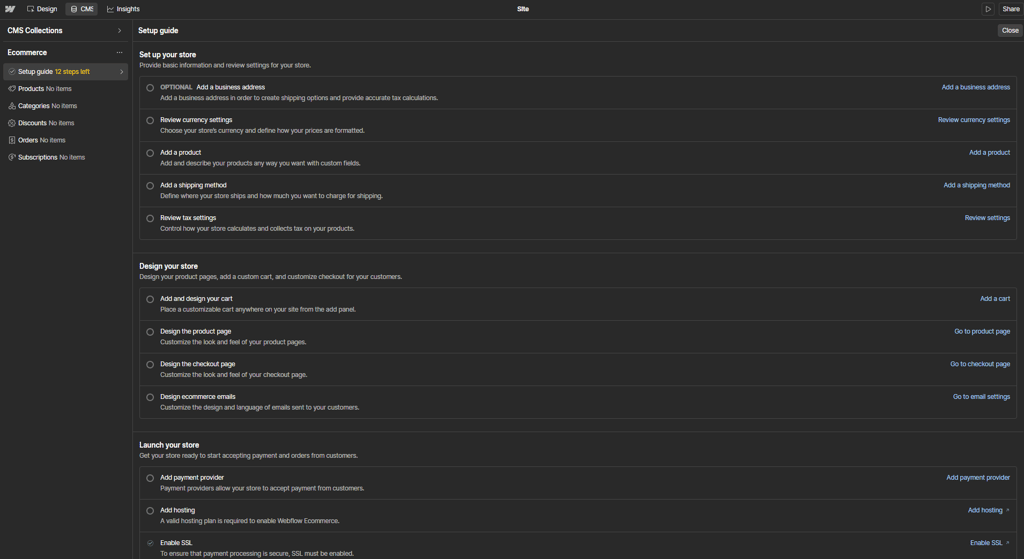
In my opinion, Webflow is a website builder that developers can appreciate. However, for a less complex site creation process, it’s safer to resort to alternative web builders, like Hostinger or SITE123. To learn more, read our Webflow review.
How to choose a website builder
Before picking a website builder, identify your goal. Are you creating a business site, an online store, a blog, or a portfolio? Each website has different needs, and the differences between builders can be major.
For example, Shopify is primarily focused on eCommerce, making it one of the best for an eCommerce website. Others like Hostinger offer a more universal approach, suitable for a range of site types, including business sites, blogs, and small online stores. Here are some website types and what to focus on for each:
- Business websites require ease of use, reliable customer support, and effective SEO tools. Wix, Hostinger, and Squarespace are top choices here.
- Online stores require inventory management, payment processing, and marketing integrations. Shopify and Wix excel in eCommerce, and Hostinger works well for smaller shops.
- Portfolios benefit from flexible image galleries and beautiful templates. Squarespace and Wix shine in this area.
- For a simple blog or brochure site, Wix, Hostinger, or SITE123 offer straightforward options that don't overwhelm with unnecessary features.
- Ease of use. Look for a drag-and-drop editor to build your site quickly without coding. All the top builders provide user-friendly editors, but Wix and Hostinger stand out as especially beginner-friendly.
- Templates and design. Template quality and quantity matter. Wix offers over 3100 modern templates, Squarespace and Shopify provide 200+ polished designs, and Hostinger has over 430 well-crafted options.
- Key features. For eCommerce, ensure your builder supports product galleries, carts, checkout, shipping, and tax settings. Shopify, Wix, and Hostinger meet these needs. For SEO and marketing, look for built-in tools or AI helpers like Wix’s SEO Wiz, Hostinger’s AI SEO assistant, or IONOS’s RankingCoach. Bonus features like free SSL certificates, email accounts, and easy integrations save time.
- Pricing. Compare plans based on your needs. Wix and SITE123 offer free plans, while Shopify’s trial lasts only 3 days. IONOS offers a $1.00/month introductory rate, but note that higher renewal rates may apply after the first year.
What is a website builder?
A website builder is a platform that allows you to design and publish a website without needing to write any code. It provides a user-friendly editor, usually with drag-and-drop functionality, along with hosting, so you can create your site all in one place.
You begin with a template or an AI-generated draft from an AI website builder, then easily customize it by adding or rearranging text, images, and sections. This way, you can focus on creating your site’s design and content, while the technical parts like server setup and coding happen automatically in the background.
Unlike traditional methods, where you manage hosting separately and build your site piece by piece, website builders offer pre-built blocks that are easy to arrange and edit.
Many builders also include modern features such as free templates, responsive designs that work on any device, and AI tools to help generate layouts or content, making them ideal for both beginners and professionals.
Website builder vs web hosting
A website builder is an all‑in‑one platform that includes design tools, hosting, and security managed for you. You get templates, a visual editor, and automatic backups without setting up a server. In contrast, web hosting is simply the space on a server where your site’s files live. You choose or code your site (often with WordPress or other software) and handle plugins, themes, and security yourself.
Below is a quick comparison of the two approaches:
| Feature | Website builder | Web hosting |
| Setup | Templates and a visual editor are ready to go | Requires installing software or coding |
| Hosting and security | Usually included (SSL, backups, updates managed) | You manage SSL, backups, and updates |
| Design tools | Built‑in drag-and-drop editor | Add your own editor or edit code directly |
| Customization | Limited to the builder’s features | Complete freedom with code and plugins |
| Domain | Often includes a free domain for the first year | Domain is usually purchased separately |
| Ease of use | Super easy start, minimal technical setup | Requires more expertise and manual setup |
| Flexibility | Best for speed and simplicity | Best for advanced customization and control |
Choose a website builder for fast, beginner‑friendly launches, or opt for traditional hosting when you need full control over every aspect of your site.
Video review
Want to see these website builders in action? Watch our full review in the video below:
FAQ
Are website builders SEO-friendly?
The majority of the website builders have at least some built-in SEO functionalities. For example, meta title and description optimization, schema markups, and URL change. Some more SEO-focused website builders, like Wix and Hostinger Website Builder, have advanced features.
Are website builders fast and reliable?
Generally, yes. Most modern builders run your site on high-quality servers with CDNs, so loading times are quite fast. For example, Wix advertises a 99.9% uptime guarantee, and I saw consistent 100% uptime during my week-long tests on those platforms. Of course, actual speed can depend on your plan and how many images/videos you load, but small-to-medium sites usually load in 1 second on good builders.
Are AI website builders worth it in 2026?
Yes, builders like Wix and Hostinger have AI wizards that draft an initial site or copy with just a brief. AI tools can also speed up mundane tasks like writing product descriptions or setting SEO tags. They won’t do 100% of the work, but they can cut your effort drastically. In 2026, AI features are more polished than ever, so I’d say yes for most users who want a quick start.
Can I switch templates later with a website builder?
Most builders lock you into your chosen template once the site is live. Wix, for example, requires you to create a new site if you want a different template, and Hostinger’s AI builder works the same way. In practice, if you really need a new look, you’d have to copy your content over to a new site. So it’s best to pick carefully at the start.
Can I move my website from one builder to another?
Builders use proprietary systems, so you can’t easily export your full site into a different platform. You can often export blog posts via RSS or manually copy text and download images, but in general, you’d rebuild from scratch on the new builder. I experienced this when moving a test blog from one platform to another, and it was pretty much copy/paste page by page.
Can I add my own code to a website builder?
Whether you can add your own code to a website builder depends on the provider. Some of the web builders are limited in this regard. However, if you want design flexibility and the possibility to add your own code, Webflow is the most suitable option. Other providers, like Wix and Hostinger, also permit adding code, but they are more limited.
What’s the cheapest website builder in 2026?
IONOS is the cheapest and most reliable website builder on my list. Its starting price is only $1.00/month. You may find cheaper website builders than IONOS; however, there’s no guarantee that they can be trusted.
Do website builders include hosting and domain names?
That depends on the provider. While website builders generally include hosting services, domain names are included less often. However, some providers, like Hostinger Website Builder, include a free domain name with 12-month or longer plans.
How customizable are website builders?
Quite a bit more than they used to be, but still not as flexible as coding a site from scratch. Modern builders let you customize colors, fonts, layouts, and often allow HTML/CSS injection if you’re on a premium plan. For example, Wix and Hostinger allow adding custom code blocks on higher tiers. However, each builder has its limits: you’ll mainly tweak within the framework of their templates and tools. If you need total freedom (like a completely unique JavaScript feature or a non-standard layout), then a self-hosted solution or developer work would be required.