Best AI website builders in 2026
Our team of experts and researchers rigorously test and evaluate website builders through transparent, in-depth testing procedures and methods using both in-house and industry-approved tools.
Drawing on cybersecurity insights, we provide unbiased, empirical rankings and analysis to help users make informed digital platform choices.
Learn more


Finding the right AI website builder can be a hassle. It needs to fit your company's specific needs and save you time. At Cybernews, we've spent 7 years testing website builders. Based on that experience, I came up with a list of 9 of the best AI website builders currently on the market. Keep reading to find one that will suit your needs.
Top AI website builders for September 2026
- Hostinger Website Builder (from $2.69/month) – best AI website builder for small businesses and beginners (Get Hostinger Website Builder, 82% OFF + free months)
- Wix AI Website Builder (from $11.75/month) – best zero-code website builder for startups (Get Wix with 50% OFF)
- Bluehost AI Website Builder (from $9.99/month) – best AI website builder for WordPress beginners (Try Bluehost AI Website Builder for free)
- Lovable (from $21.00/month) – best AI builder for founders and functional web apps (read more)
- Framer AI (from $$14.00/month) – best AI web builder for design-focused startups (read more)
- DeepSite (from $9.99/month) – best AI builder for developers and advanced users (read more)
- 10Web (from $10.00/month) – best AI WordPress website builder for agencies (read more)
- Relume (from $18.00/month) – best web builder for structured component layouts (read more)
- v0 by Vercel (from $10.00/month) – best AI web builder for SaaS product teams (read more)
Best AI web builders – detailed reviews
Not all AI builders solve the same problem. Some focus on speed. Others focus on design control, SEO structure, or app-level functionality.
For each provider, we evaluated AI quality, customization depth, pricing, and real-world usability.
1. Hostinger Website Builder

| Rating: | |
| Pricing: | From $2.69/month |
| Website setup time: | 10 minutes |
| Money-back guarantee: | ✅ Yes, 30 days |
| Ease of use: | Beginner |
| eCommerce: | ✅ Yes |
| Best deal: | 🔥 Get Hostinger Website Builder, 82% OFF + free months 🔥 |
Hostinger Website Builder recently updated its website builder and provides an agentic AI builder that creates AI agents based on your needs. The builder can base its design on files you upload, like your business card, your previous website, or a flyer. The agentic approach also lets Hostinger create better copy and designs based on simple prompts.
Who is Hostinger Website Builder best for?
Small businesses, freelancers, and first-time website owners who want a professional site without technical setup. It works well for service pages, portfolios, and small online stores.
Who should avoid Hostinger Website Builder?
Hostinger is not ideal for large companies requiring complex custom systems, advanced backend setups, or full server control.
How does Hostinger Website Builder work?
During my Hostinger AI Website Builder testing, I started by picking whether I wanted the simplified “classic” builder or the advanced AI builder. Hostinger AI then redirected me to its Horizons interface, where the chatbot asked me a few questions about how the website should be designed. Once I answered them, it built the complete site on the spot from my prompt and instantly showed me a visual preview I could click through and edit.
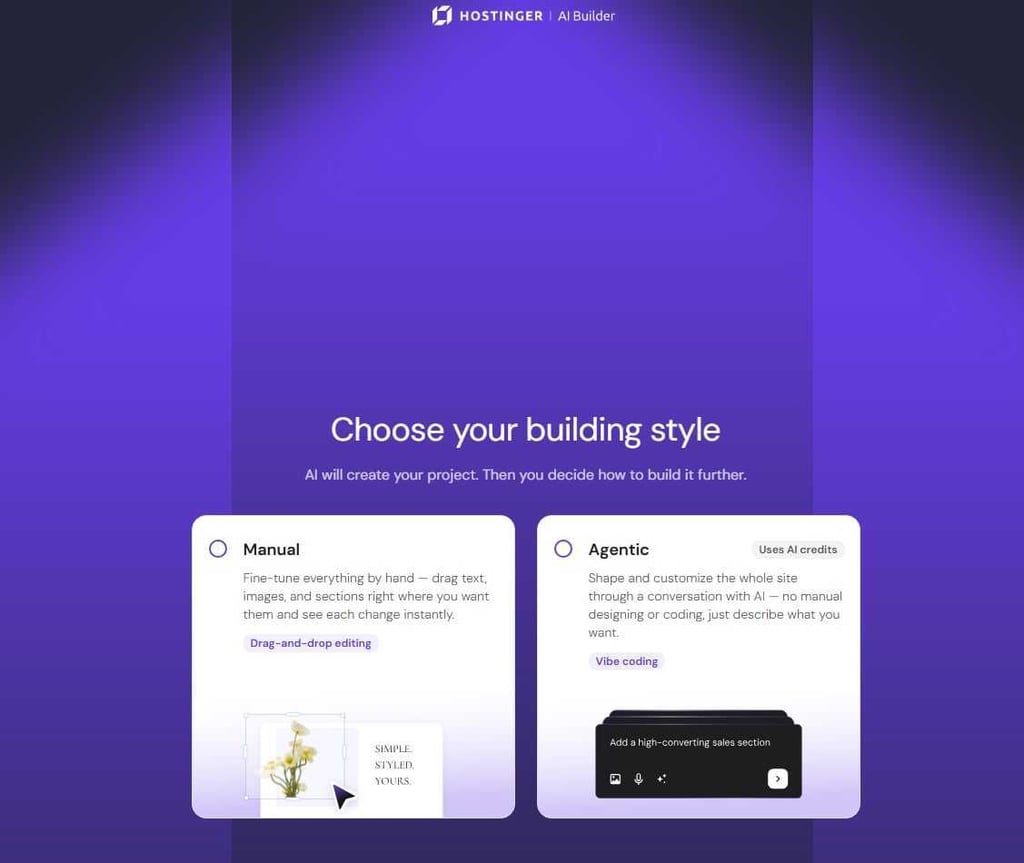
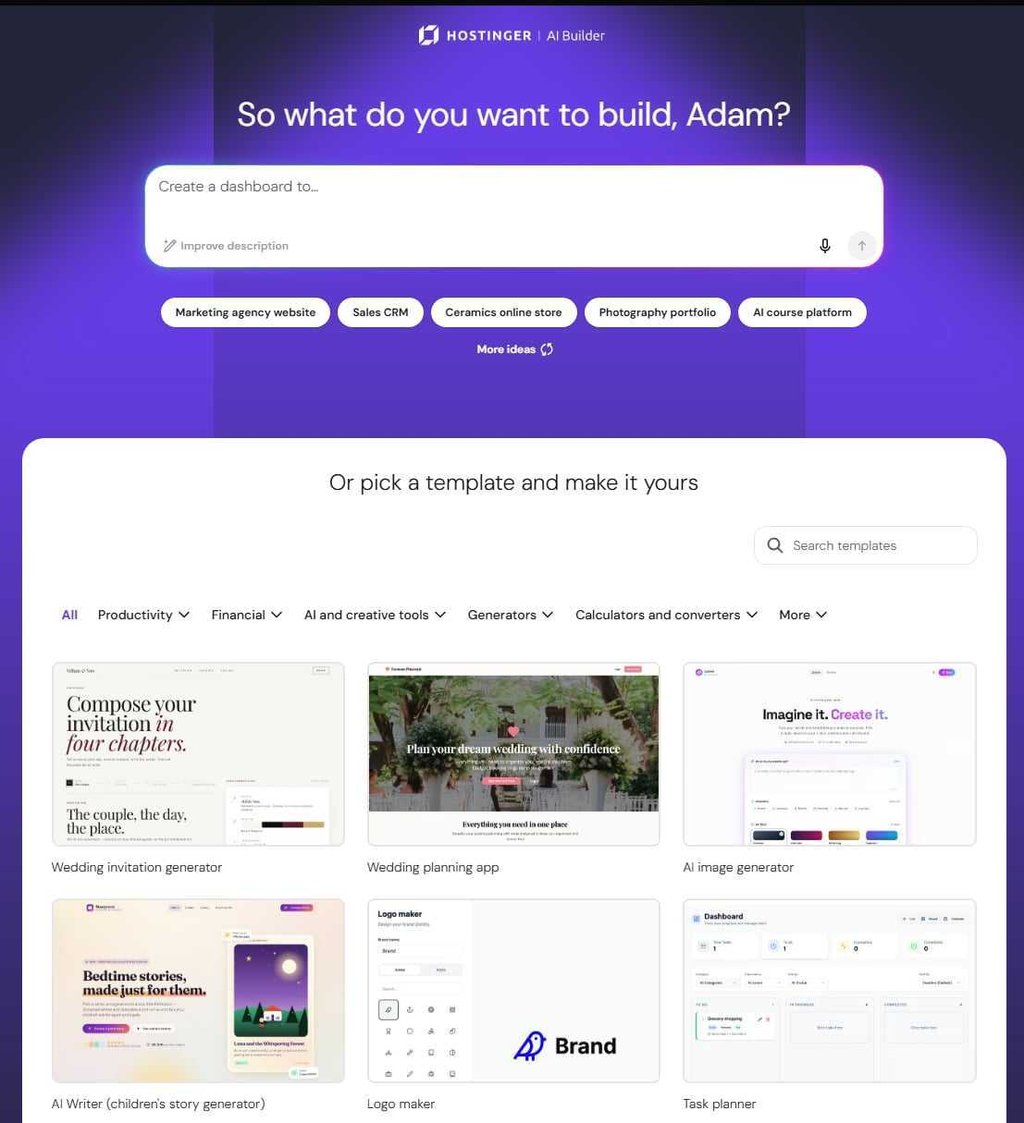

From there, I was able to test the website and edit the particular settings. Overall, it only took about 10 minutes to create a functioning restaurant website off a single prompt. What’s more, Horizons was able to perform advanced tasks like importing an example menu or adjusting the style to a photo of the decor through a simple chat. The whole process consumed my initial 5 credit allowance. If I wanted to iterate further, I would have to purchase credits separately.
Also, it’s worth noting that, unlike most website builders, Hostinger actually has 0% tax on sales, which, in my eyes, makes it great for eCommerce too.
2. Wix AI website builder

| Rating: | |
| Pricing: | From $17.00/month |
| Website set-up time: | From 10 minutes |
| Money-back guarantee: | ✅ Yes, 14 days |
| Ease of use: | Easy |
| eCommerce: | ✅ Yes |
| Best deal: | 🔥 Get Wix with 50% OFF 🔥 |
Wix AI website builder uses simple prompts to generate pages, layouts, and content, while letting you refine everything with drag-and-drop editing. From personal testing, it really surprised me how fast and accurately it generated the website from a single prompt.
Who is Wix AI website builder best for?
Wix is best for no-code bloggers, freelancers, small businesses, and simple online stores.
Who should avoid Wix AI website builder?
Anyone needing custom backend scripts, large-scale marketplaces, or enterprise-grade infrastructure.
How does Wix AI website builder work?
Wix AI website builder runs on Harmony, Wix’s AI platform, which powers both the standard website creation and the vibe coding beta. Harmony uses the Aria AI agent to understand your prompts and generate a full website, while letting you refine everything manually with drag-and-drop editing.
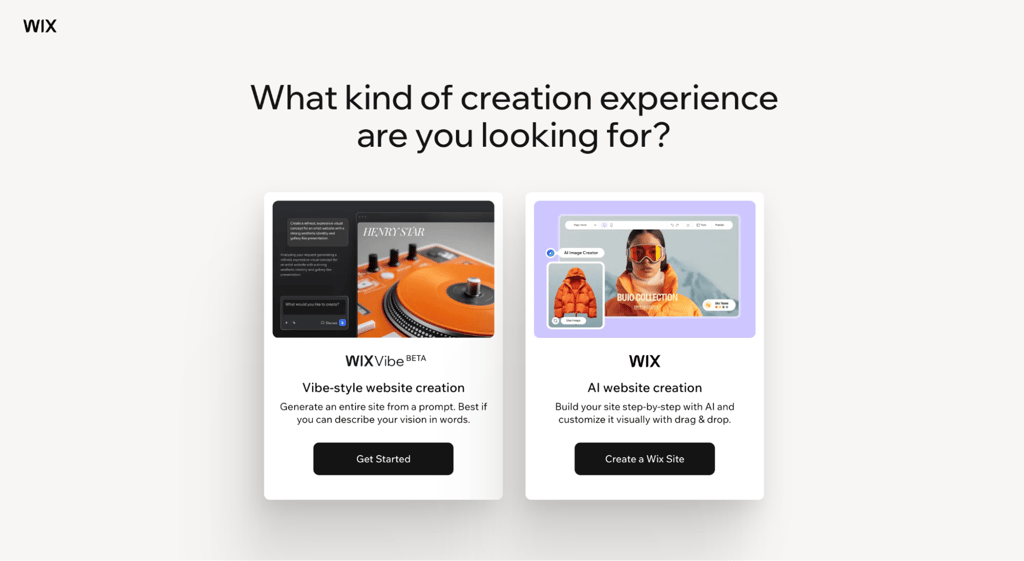
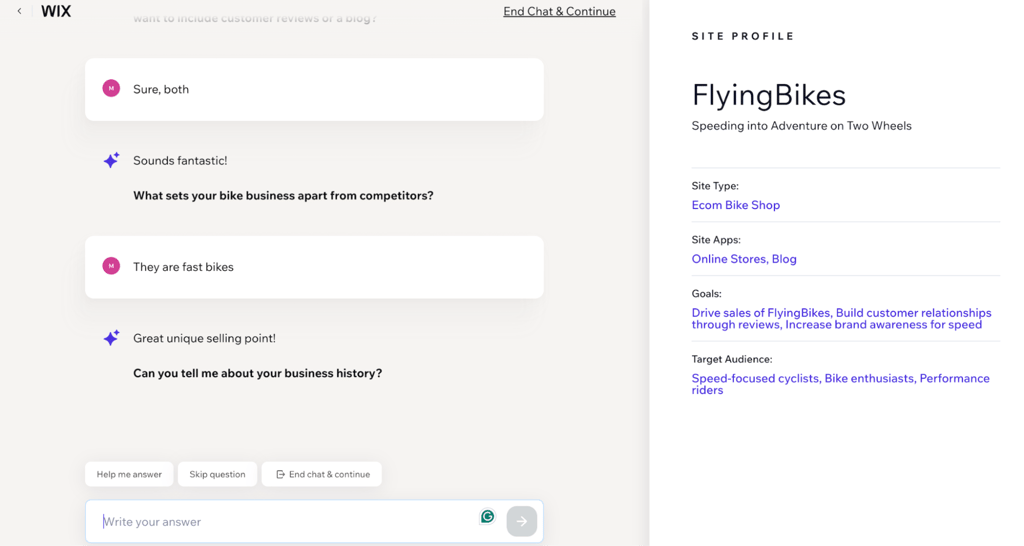
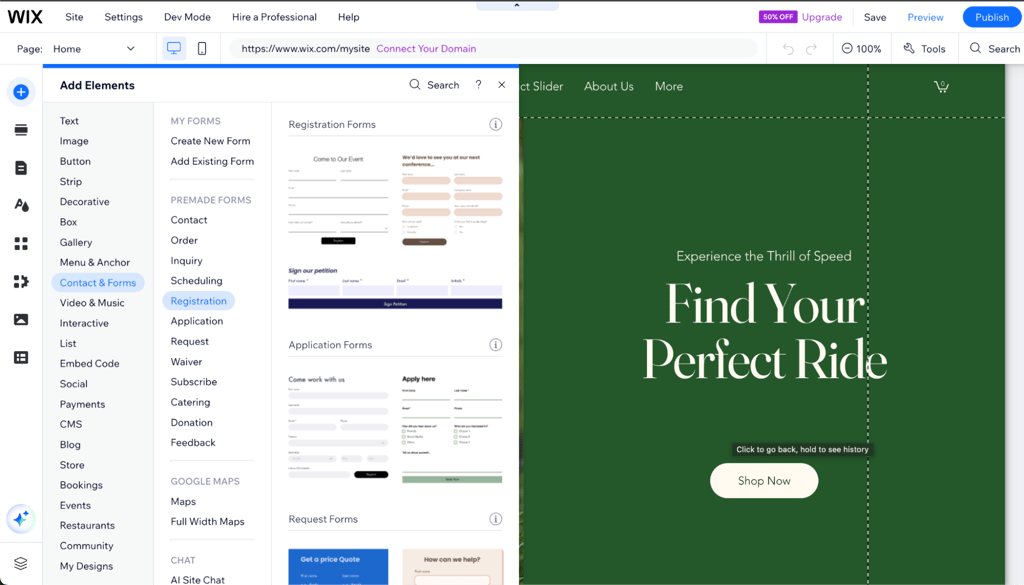
When I started, I chose the standard website creation, which still utilizes AI heavily, leading me straight into a chat with Wix AI. It asked a few simple questions about my site, like its purpose, name, and the type of content I planned to share.
From there, it generates a layout instantly. You can keep it, tweak sections, or ask it to regenerate parts completely.
Once your site is set up, you move into the editor where you can manually adjust anything pixel by pixel. The AI stays available the whole time, ready to help with content, layouts, or features, allowing you to end up with a fully functional, professional-looking site with simple prompts.
3. Bluehost AI Website Builder

| Rating: | |
| Pricing: | From $9.99/month |
| Website set-up time: | 10 minutes |
| Money-back guarantee: | ✅ Yes, 30 days |
| Ease of use: | Easy |
| eCommerce: | ✅ Yes |
| Best deal: | 🔥 Try Bluehost AI Website Builder for free 🔥 |
Bluehost’s AI Website Builder uses an agentic, conversational AI to generate a complete site from a simple prompt and guided questions. It offers a 3-day free trial with no credit card required, then publishes your site on a paid plan that includes hosting, SSL, weekly backups, and Yoast SEO Premium. I found it to be a particularly strong fit for small businesses and beginners who want a professional WordPress site without having to deal with a complex setup.
Who is Bluehost AI Website Builder best for?
Small businesses, freelancers, and first-time website owners who want a WordPress site launched quickly with minimal technical effort. It works well for service pages, portfolios, blogs, and small online stores that need built-in hosting and SEO tools.
Who should avoid Bluehost AI Website Builder?
Bluehost is not ideal for users who need a non-WordPress stack, deep code-level control, or advanced enterprise hosting architectures. It is also less suitable for teams that want to separate hosting from the website builder entirely.
How does Bluehost AI Website Builder work?
To test Bluehost AI Website Builder, I started by entering a short description of my business or selecting a pre-built prompt from the gallery. The AI agent then asked up to five guided questions about my business name, industry, color preferences, and site goals. Based on my answers, it generated three named design themes with tailored color palettes and copy.
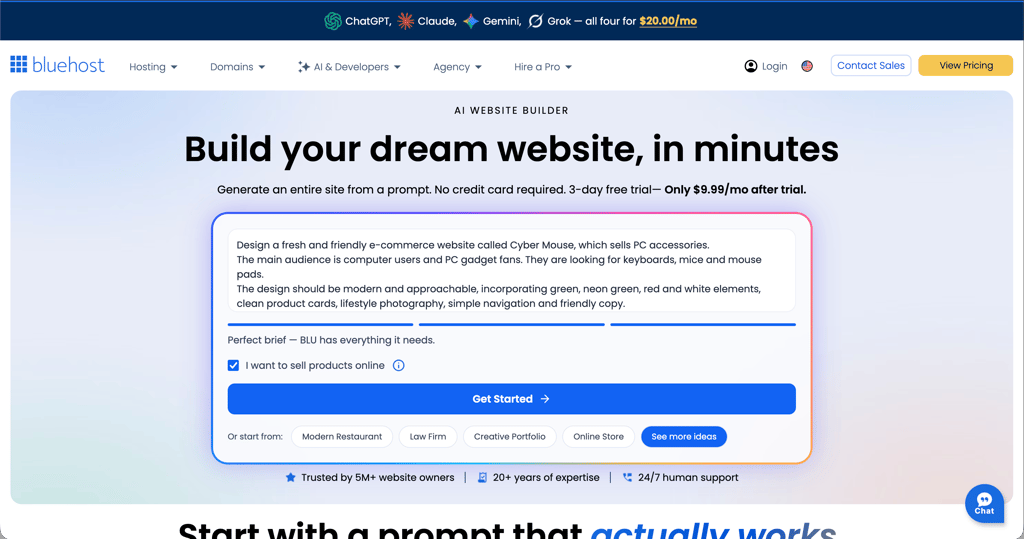
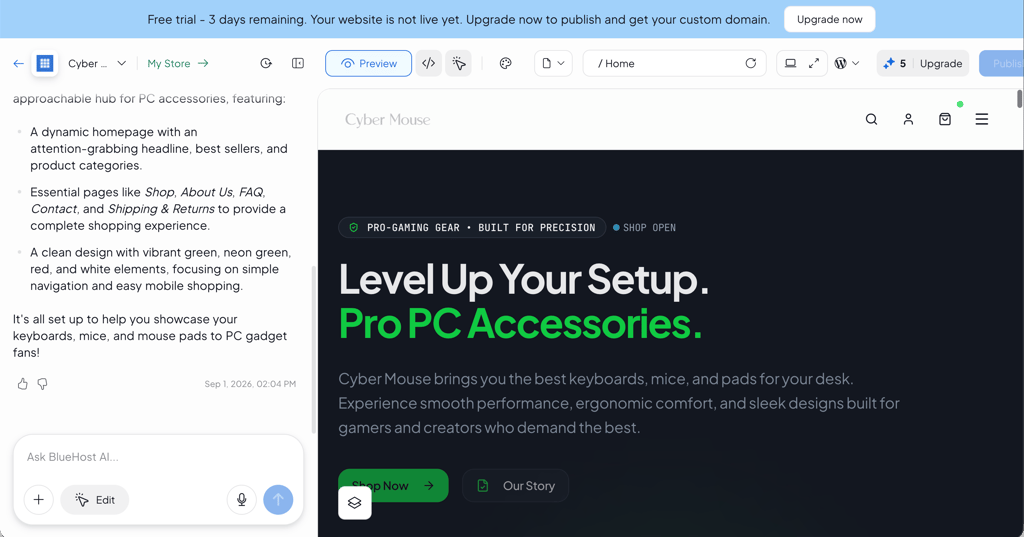
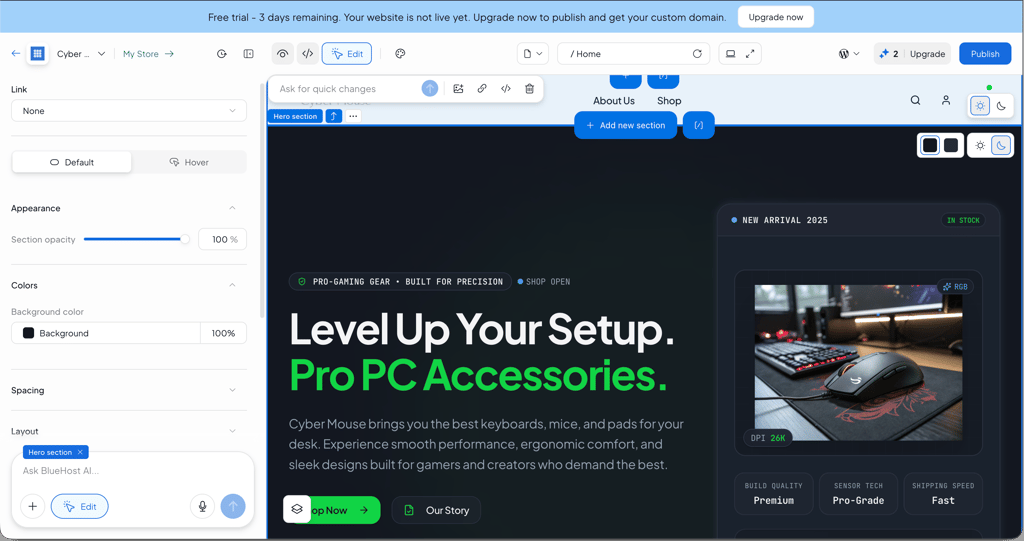
After choosing a theme, the builder created the full site in real time, showing progress section by section. When the build finished, I could review the result, see a build summary, and continue editing through chat, inline section AI edits, or the manual drag-and-drop editor. The free trial included 5 AI edits, while the paid plan includes 20 AI edits per month plus 10 bonus credits in the first month.
Overall, it took about 10–15 minutes to generate a functioning small-business website from a single prompt. The process consumed part of my initial AI credit allowance, and further heavy editing would require either additional credits or waiting until next month’s allocation. Also, it’s worth noting that Bluehost includes a free domain for the first year, free SSL, weekly backups, and Yoast SEO Premium on its paid plans, making it a strong all-in-one option for launching and maintaining a simple site.
4. Lovable

| Rating: | |
| Pricing: | From $21.00/month |
| Website set-up time: | 20 minutes |
| Money-back guarantee: | ❌ No |
| Ease of use: | Easy |
| eCommerce: | ❌ No |
| Best deal: | Get Lovable now with 20% OFF |
Lovable is an AI tool that helps you build full websites solely by chatting with it. Instead of dragging blocks onto a page, you describe what you want in a ChatGPT-esque interface, and the AI writes the code, creates the data structure, and connects everything behind the scenes.
Who is Lovable best for?
Lovable is best for founders, entrepreneurs, and designers who want to quickly build functional websites and web apps without coding.
Who should avoid Lovable?
Complete beginners who only need a simple website or who are not comfortable thinking through logic, like user roles or data flows, should avoid Lovable.
How does Lovable work?
Lovable runs on a chat-based interface. You start a new project and describe what you want in simple sentences, like “Make a site with user login and a dashboard.” The AI then creates the pages, buttons, data storage, and navigation for you.
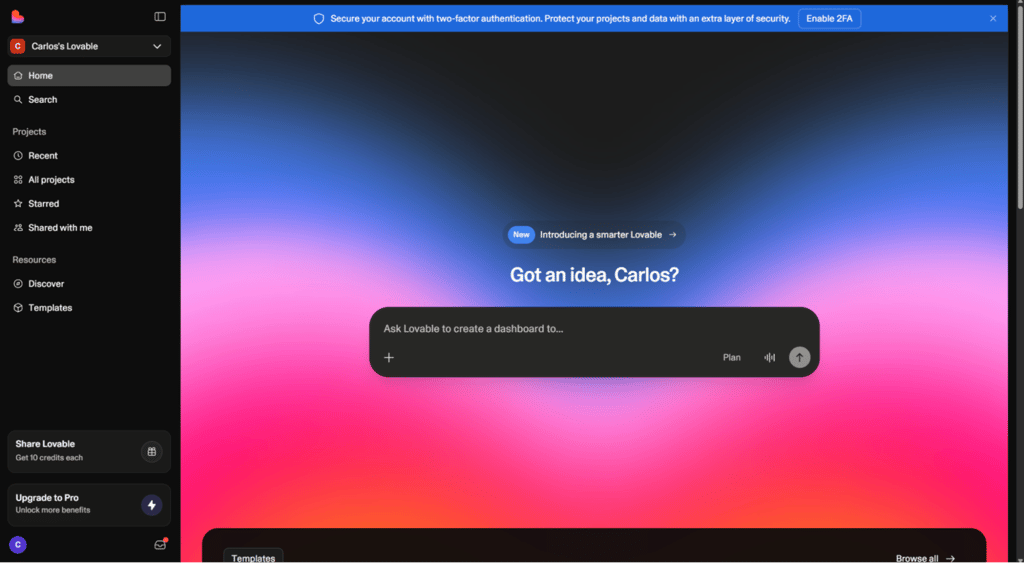
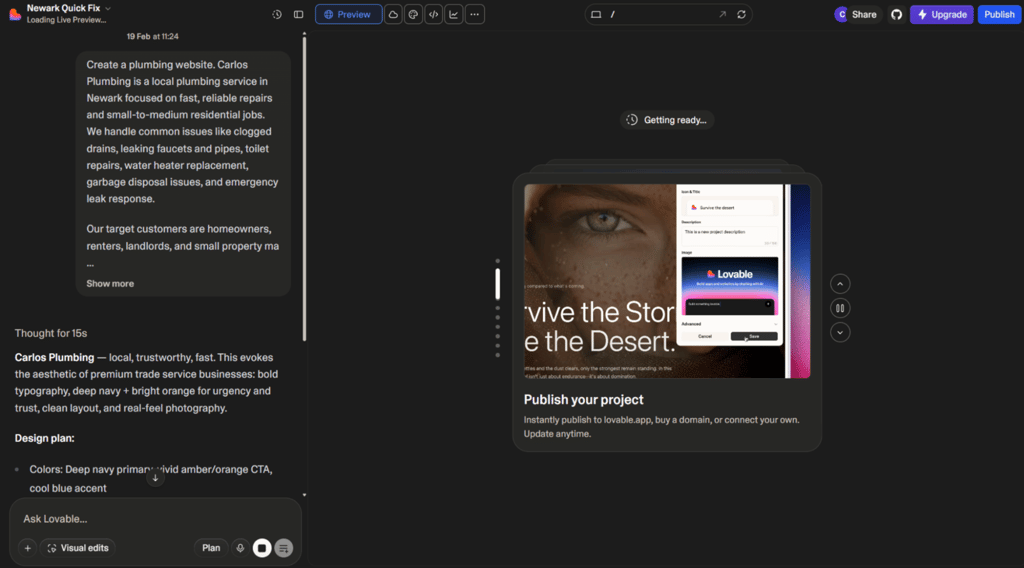
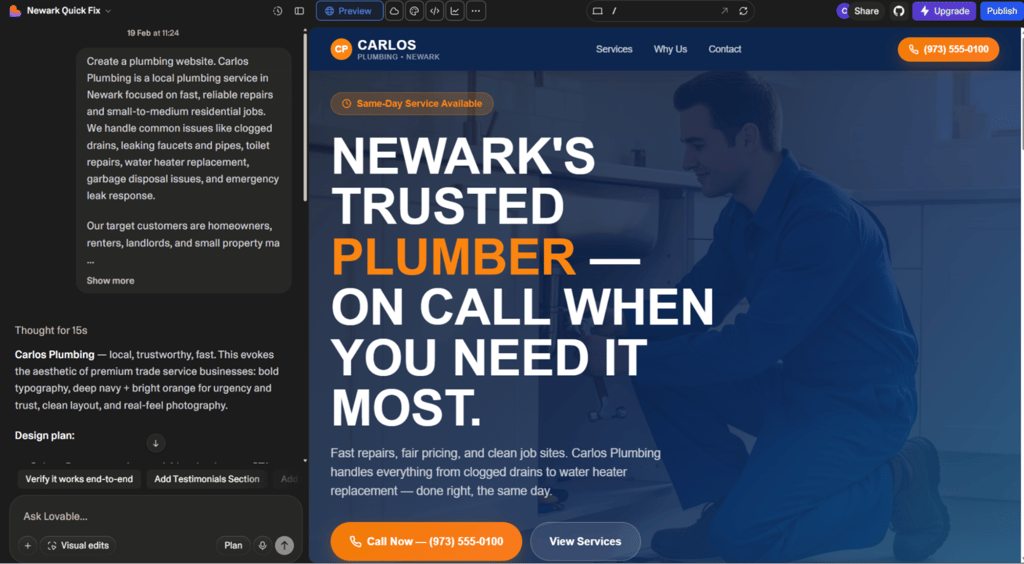
Once the first version is ready, you can refine it in the typical vibe coding fashion. Simply send a message to Lovable to “add search to the dashboard” or “show user profiles,” and it updates the app instantly.
For features that need data, like saving user info or managing products, Lovable links to services like Supabase, so your site behaves exactly the way you want.
In my testing, I built a working task-management site in about 20 minutes just by chatting. Still, you’re fully responsible for reviewing how access, payments, and data rules are set up.
5. Framer AI

| Rating: | |
| Pricing: | From $10.00/month |
| Website set-up time: | 20 minutes |
| Money-back guarantee: | ❌ No |
| Ease of use: | Moderate |
| eCommerce: | ✅ Yes, basic |
| Best deal: | Save up to 33% with annual billing |
Framer AI is one more website builder that lets you design and launch professional sites without touching code. It gives you real creative control over layouts, typography, and animations while AI handles the tedious stuff in the background.
Who is Framer AI best for?
Framer AI is ideal for freelancers, small business owners, and startups who want a polished solution that can also handle more advanced projects with dynamic pages, CMS content, or small eCommerce stores.
Who should avoid Framer AI?
If you just need a super simple site or prefer ready-made templates without thinking about layouts, Framer AI might feel more complicated than you need.
How does Framer AI work?
Similar to Lovable, Framer AI starts by entering prompts, which turn your ideas into a fully functioning website. Start by typing a simple prompt, for example, a landing page for your portfolio with a section for services, testimonials, and pricing, and the AI generates a structured layout with sections, headings, and placeholder text.

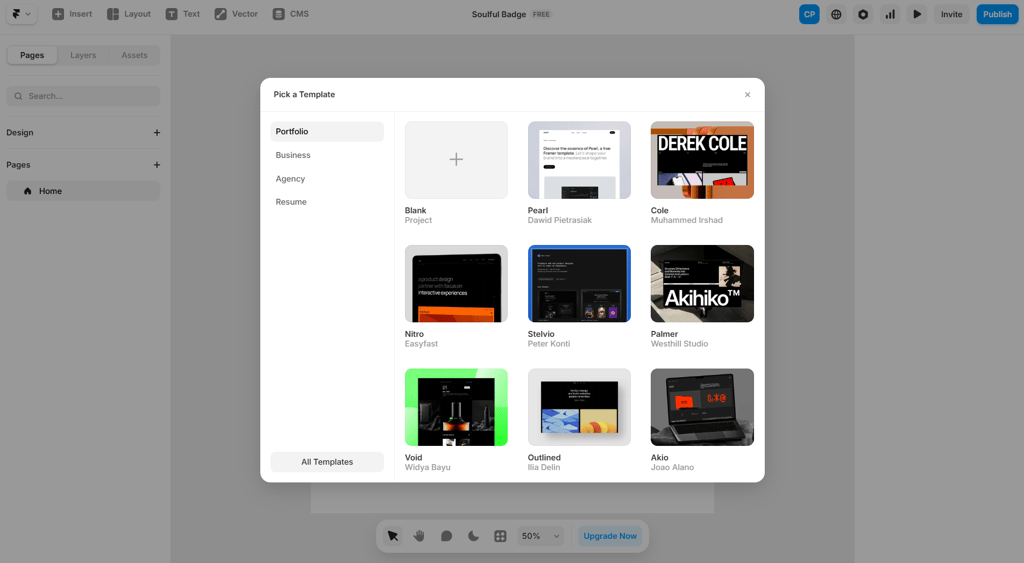
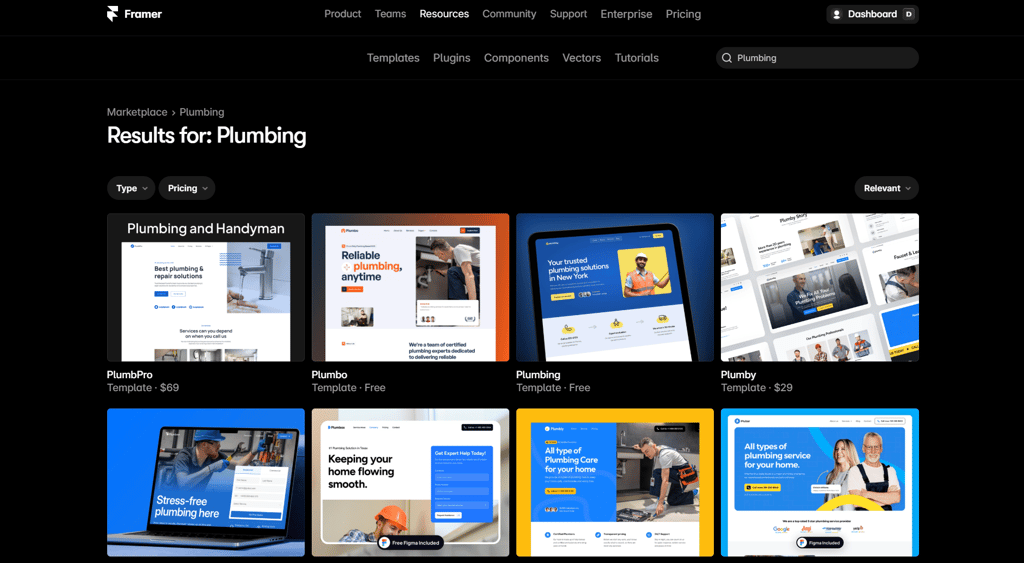
From there, it gives an easy-to-navigate and edit visual canvas. There, you can click on text to rewrite it, drag sections around, adjust spacing, tweak colors, and see everything update in real time on both desktop and mobile.
You can create reusable components, manage blog posts or other content through the built-in CMS, and even add subtle animations to make the site more interactive.
When the design is ready, you can publish it in one click using Framer’s hosting and connect a custom domain. Overall, it’s a flexible way to build a professional site without writing code.
6. DeepSite

| Rating: | |
| Pricing: | $9.99/month |
| Website set-up time: | 30 minutes |
| Money-back guarantee: | ❌ No |
| Ease of use: | Moderate to advanced |
| eCommerce: | ❌ No native support |
| Best deal: | Free open-source trial access |
DeepSite is an open-source AI website builder. Unlike traditional drag-and-drop web builders, it actually generates fully editable code with AI assistance.
Who is DeepSite best for?
DeepSite suits developers, tech-savvy creators, and advanced users who want AI-generated site structures but prefer full control over code.
Who should avoid DeepSite?
Beginners and non-technical users should avoid DeepSite. It does not offer guided onboarding, visual editing comfort, or built-in eCommerce tools.
How does DeepSite work?
DeepSite builds websites from your prompts, just like the other tools on this list. You describe what you want, and it generates layouts, components, and the code behind them. In my testing, most of it worked well, though images didn’t match the prompt exactly. Aside from that, the structure and design came out clean.
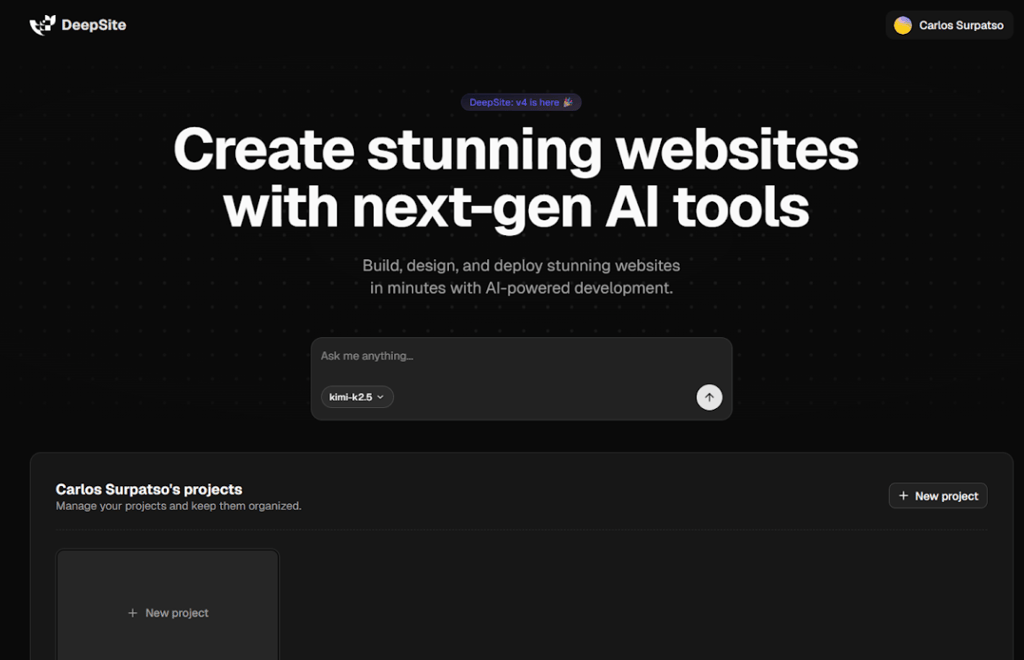
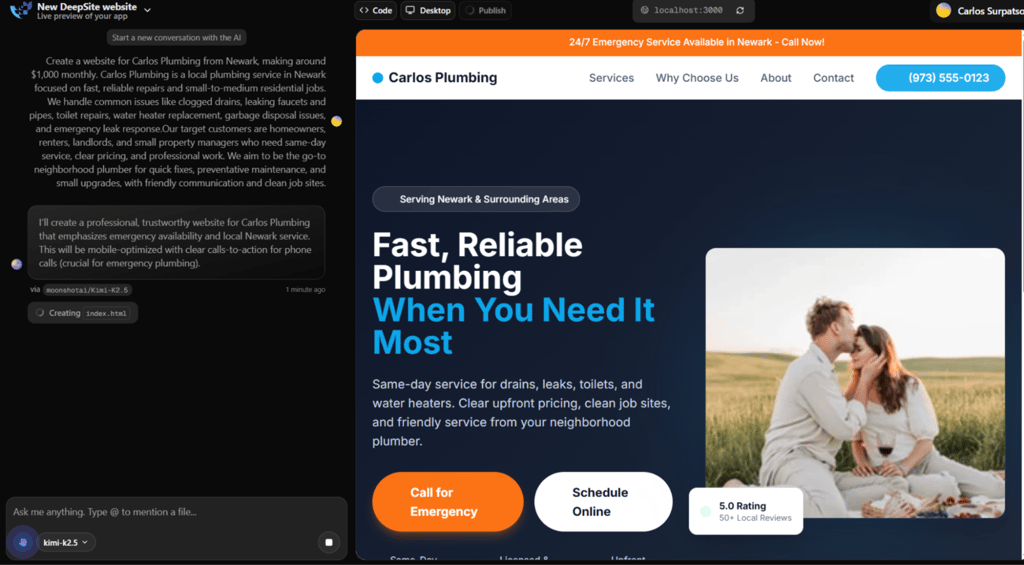
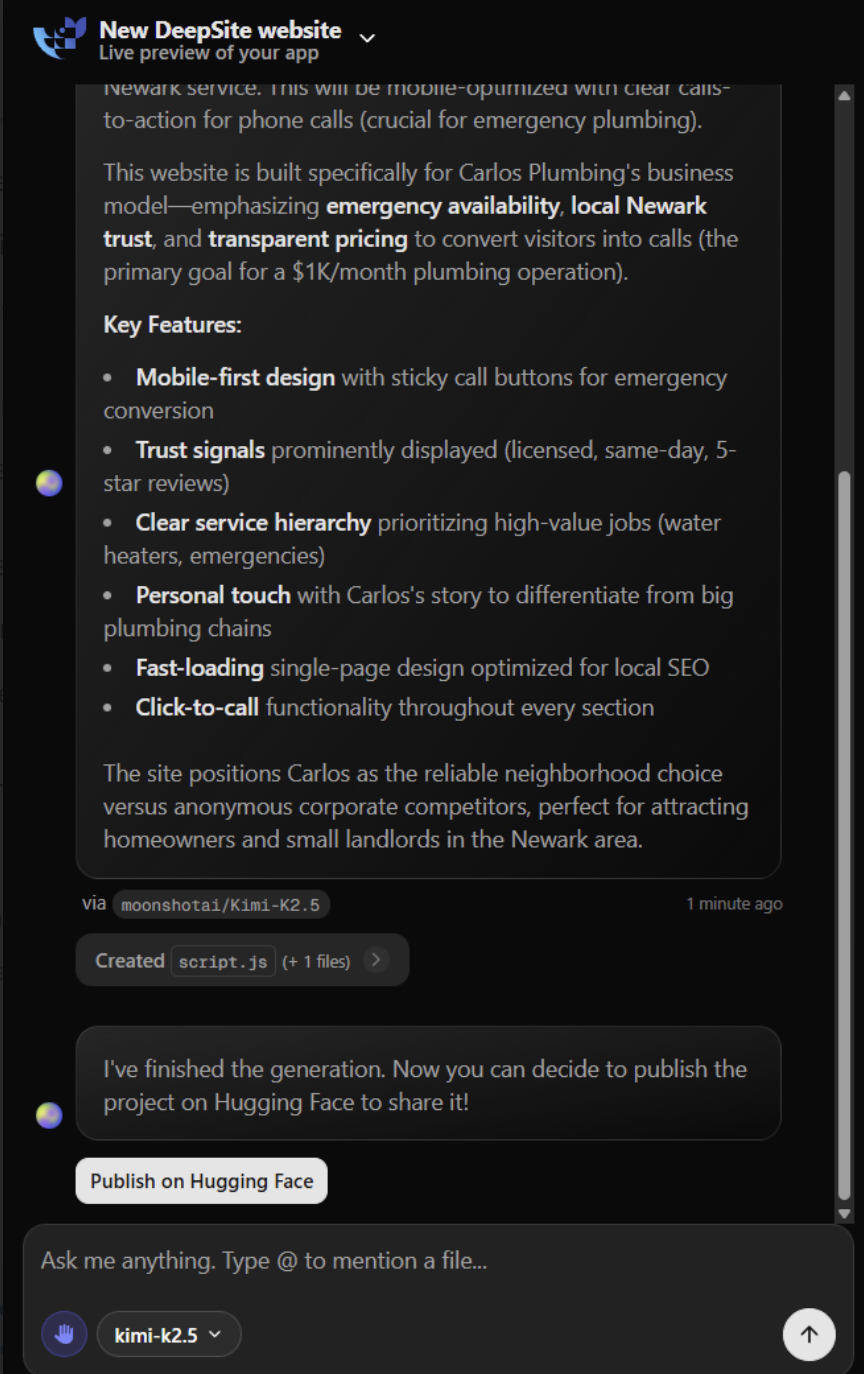
Editing is mostly done by giving more prompts. You can ask it to tweak layouts, adjust spacing, or change functionality and see the code update in real time.
DeepSite is more of a tool for people comfortable working with prompts rather than someone looking for drag-and-drop simplicity, because getting everything perfectly aligned and responsive can take quite a few iterations.
Overall, it was much more technical compared to the providers above. However, it offers significantly more flexibility for users who understand hosting, deployment, and code editing.
7. 10Web

| Rating: | |
| Pricing: | From $7.00/month |
| Money-back guarantee: | ✅ Yes, 30 days |
| Website set-up time: | 30 minutes |
| Ease of use: | Moderate |
| eCommerce: | ✅ Yes |
| Best deal: | Up to 50% off annual plans |
10Web is an AI-powered website builder built on WordPress. Instead of replacing WordPress, it automates the setup, hosting, and first draft creation, so you skip the technical installation process and start with a working site.
Who is 10Web best for?
10Web is excellent for freelancers, agencies, and growing businesses that want WordPress flexibility, including plugins, blogging, and WooCommerce, without manually configuring everything from scratch.
Who should avoid 10Web?
Complete beginners who just want a simple web builder and have no interest in learning basic WordPress concepts should look elsewhere.
How does 10Web work?
You answer a few questions about your business, and it generates a WordPress site with sections, text, and stock images already in place. What you get is a usable draft, but it’s not a finished website.
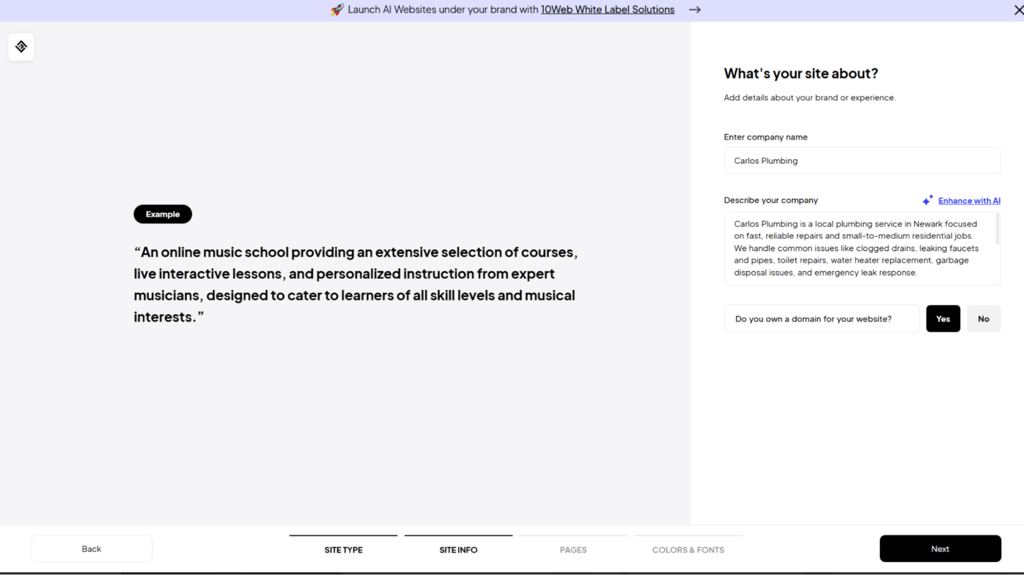
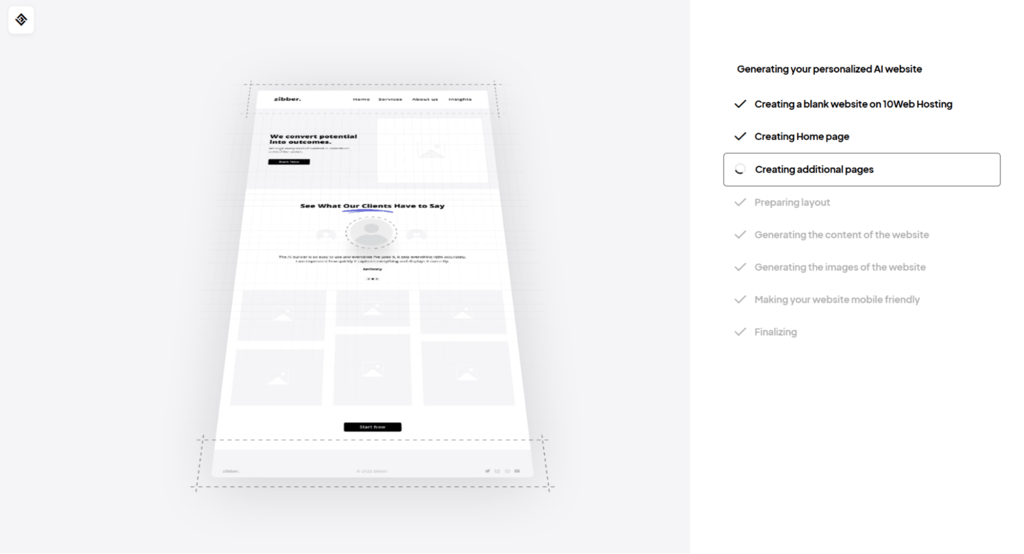
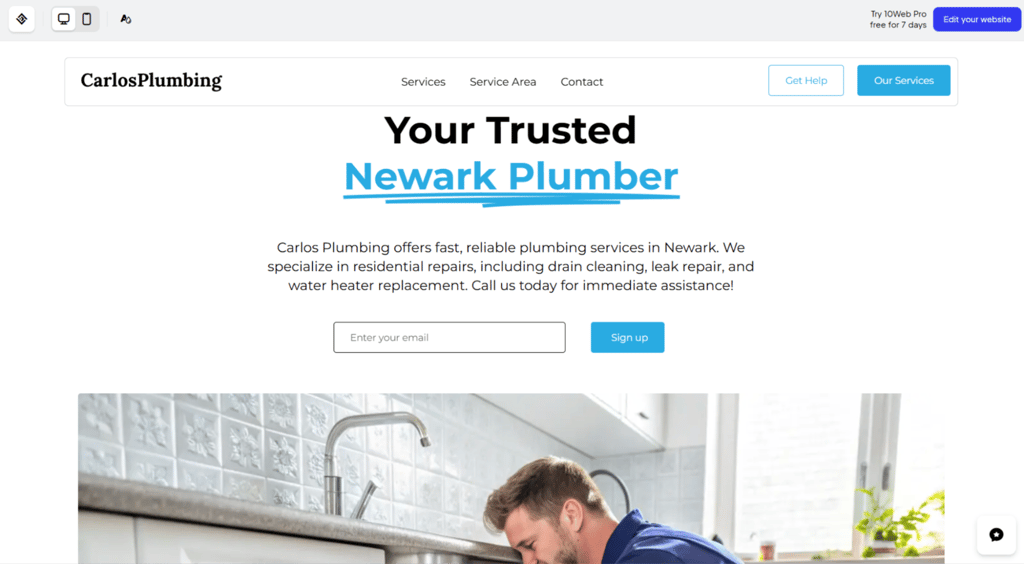
From there, you edit everything inside a visual builder based on Elementor. You can adjust layout blocks, change styling, and install plugins like you would on a normal WordPress site.
You still have access to the full WordPress backend, which gives more flexibility but also more manual work. I found the AI Website Recreator also interesting. You paste in a URL of a site you like, and it rebuilds a similar structure inside WordPress. It gets surprisingly close, but it still needs a lot of cleaning up.
8. Relume

| Rating: | |
| Pricing: | From $18.00/month |
| Website set-up time: | 10 minutes |
| Money-back guarantee: | ✅ Yes, 10 days |
| Ease of use: | Moderate to advanced |
| eCommerce: | ❌ No |
| Best deal: | 7-day free trial available |
Relume uses AI to help you organize a website before you actually build it. Instead of creating a finished site, it generates a clear structure and layouts you can export to Figma or Webflow to turn into a real website.
Who is Relume best for?
Relume is great for designers, agencies, SEO, and developers who want AI to help map out pages and sections first, so they can build websites that make sense for users.
Who should avoid Relume?
People looking for an all-in-one tool that publishes websites immediately should avoid it, since Relume only handles structure and wireframes.
How does Relume work?
You start by telling the AI what kind of website you want. It then generates a full page plan showing all the sections you need, like headers, product areas, contact forms, and other sections that it may deem necessary.
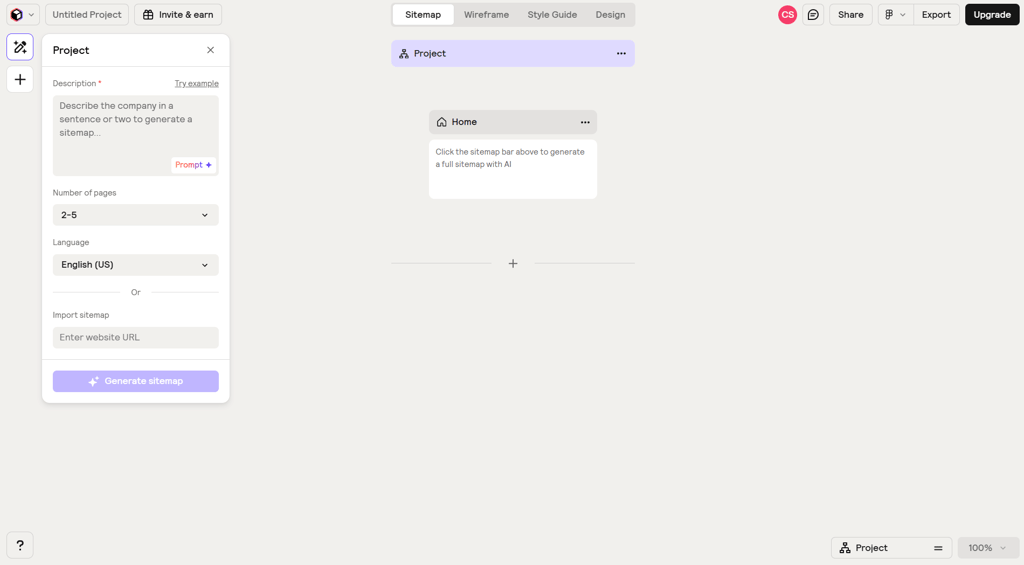
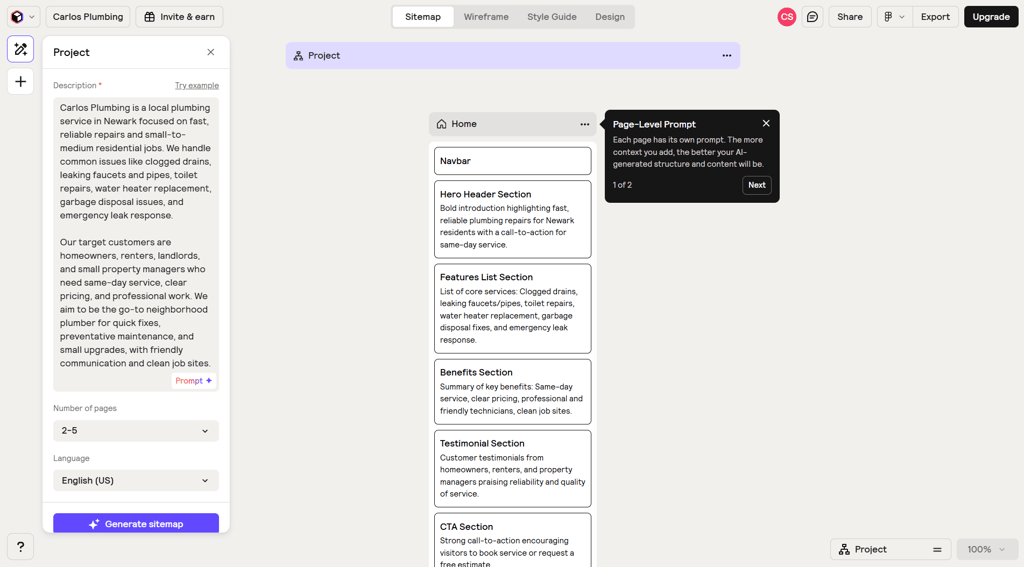
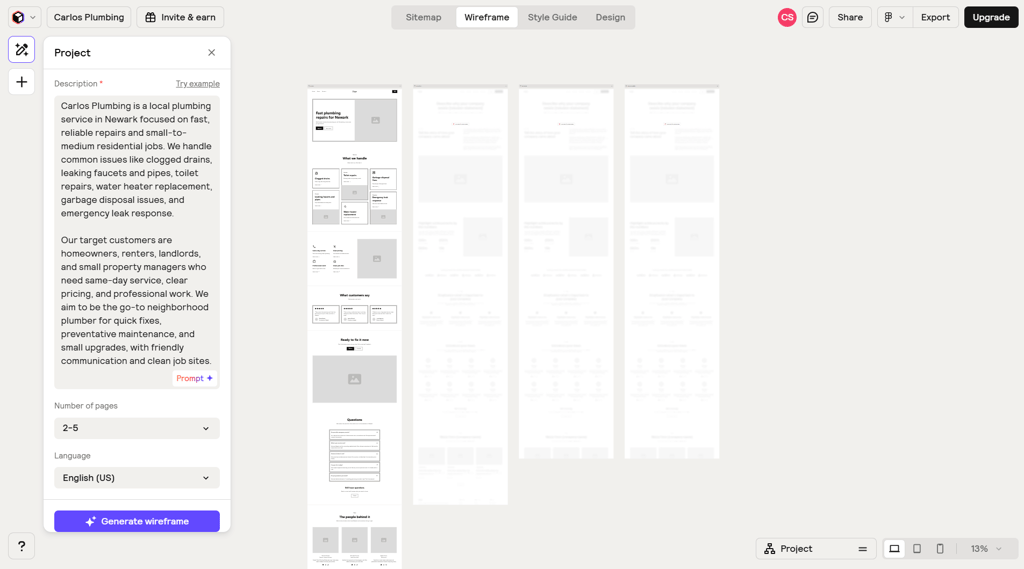
Unlike typical web builders like Hostinger, which let you design and publish a site in one place, Relume’s main focus is on structure. You can rearrange pages, add or remove sections, and adjust layouts before exporting everything to Figma or Webflow.
It’s useful if you already understand site architecture. If not, it can feel abstract, since the real design and publishing happen elsewhere.
9. v0 by Vercel

| Rating: | |
| Pricing: | From $30.00/month |
| Website set-up time: | 30 minutes |
| Money-back guarantee: | ❌ No |
| Ease of use: | Advanced |
| eCommerce: | ❌ No built-in system |
| Best deal: | Free tier available for limited projects |
v0 is an AI code generator that, unlike a typical website builder, turns text prompts into React and Next.js code. It produces components, pages, styles, and even backend stubs that you can preview, edit, and deploy.
Who is v0 best for?
v0 is best for developers, startup teams, and product designers building SaaS dashboards, web apps, or internal tools who need full control over code.
Who should avoid v0?
Non-technical users who want a drag-and-drop editor or a fully guided no-code experience should avoid v0.
How does v0 work?
You type a prompt describing the UI, page, or app you want, and v0 generates React and Next.js files in real time. During testing, the AI produced components, pages, styles, and backend stubs, with a live preview alongside the code so I could see everything.
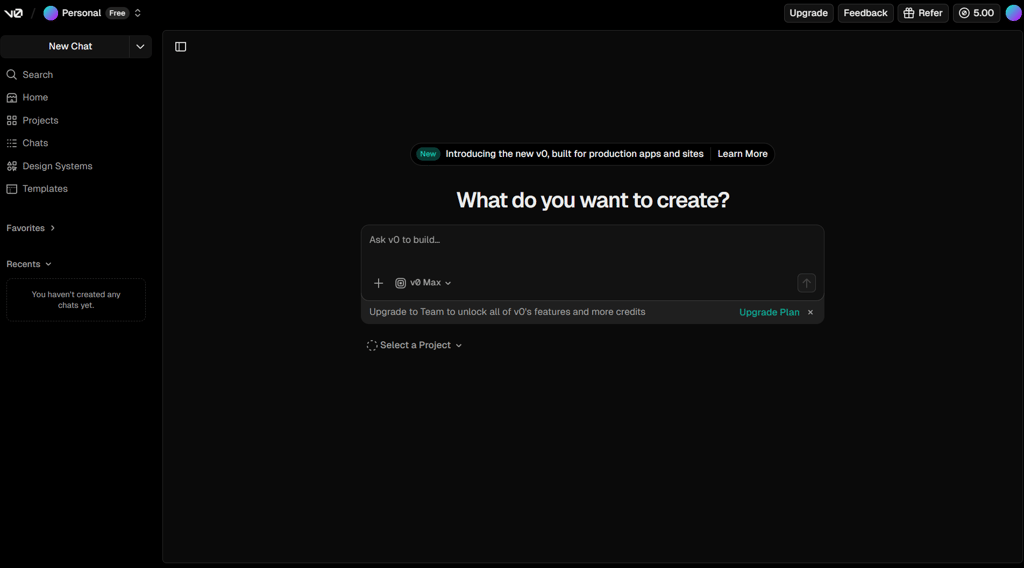
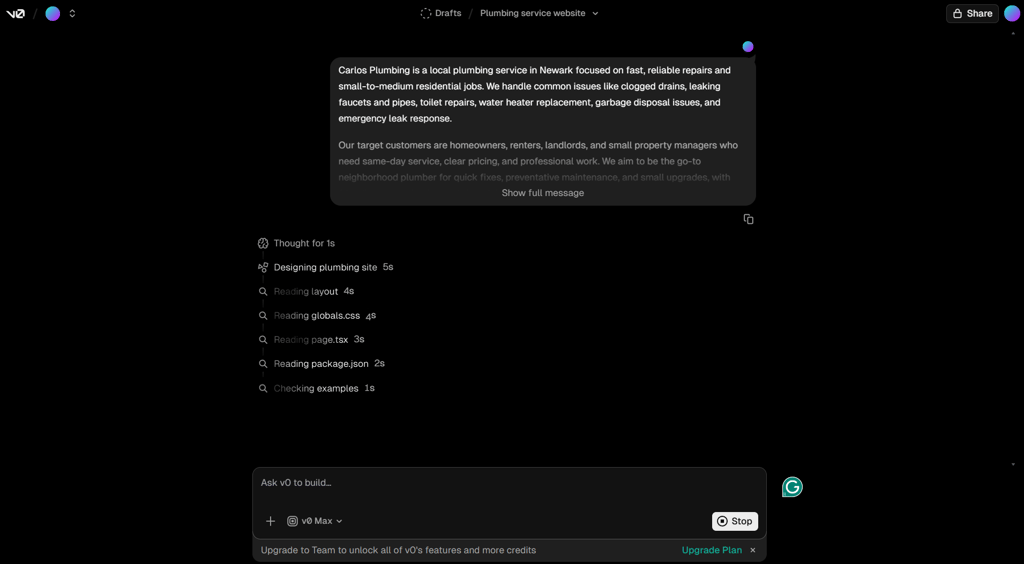
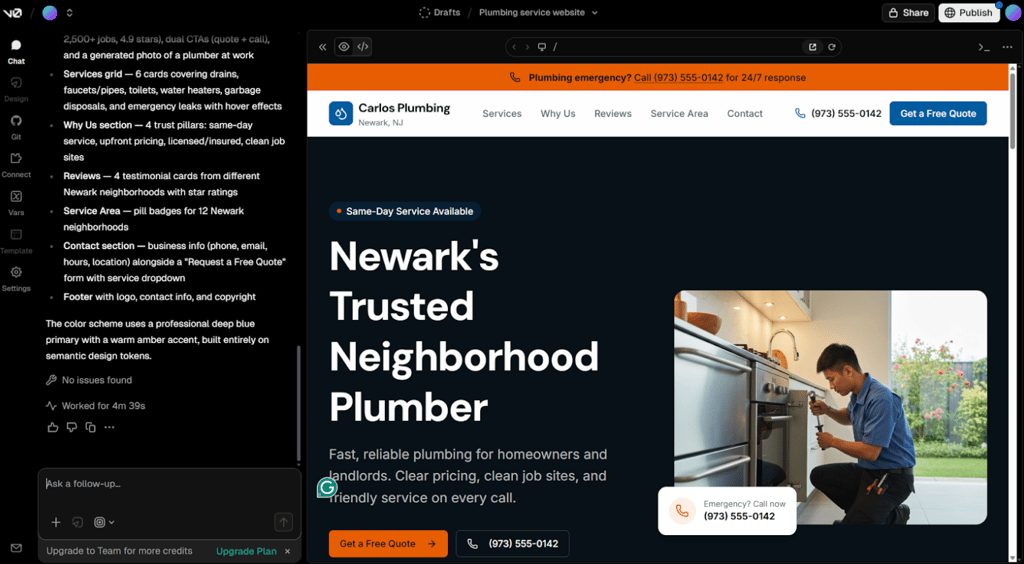
You can edit the generated files directly in your project or by giving more instructions in the chat.
Deployment happens through Vercel. Unlike Lovable, which leans toward no-code prototypes, v0 gives you editable, production-ready code you can tweak, expand, and fully control.
What is an AI website builder?
Generally, an AI website builder is referred to as an AI tool that uses simple text inputs to create website design, content, and structure. Rather than beginning with a blank design, you simply state your business, and the AI creates the foundation for you.
Current AI website builders, such as Hostinger and Wix, can now create structured websites with SEO-optimized designs, dynamic content areas, and AI-powered tools, including text and image generators.
AI website builders are evolving from just creating a single homepage to building complete business websites. They now include organized page structures, SEO-friendly layouts, dynamic sections, and built-in AI features. It may seem that the line between website builders and full-stack AI app generators is getting thinner, but in 2026, it still matters which type you choose.





Our in-house research team and expert writers work hand in hand to regularly test website builders and provide accurate and fact-checked information. Discover the ins and outs of how we test and evaluate website builders.
FAQ
Can AI build a website for free?
Yes, AI can build a website for free, but there are trade-offs. For example, Wix lets you use an AI assistant to create a full site with hosting and basic SEO, but your site will have a Wix subdomain.
Are AI websites good for SEO?
Yes, AI can help your site rank higher in a search engine results page, but you still need manual human editing, accurate information, and content that genuinely helps users to meet Google’s quality requirements and avoid low-value or spammy pages.
Is an AI website builder better than WordPress?
AI website builders are better if you want a simple site quickly with minimal effort, like a portfolio or small business page. WordPress is better for long-term growth, advanced customization, and full control over SEO, plugins, and data.
How much does an AI website builder cost?
Typical AI website builder plans range from $12.00–50.00/month, though some platforms, like Hostinger Website Builder, offer entry-level plans starting at just $2.69/month.
Can AI build eCommerce websites?
Yes, AI can create complete eCommerce websites in minutes. Platforms like Hostinger Website Builder and Wix generate store layouts, product pages, images, and descriptions from prompts, with built-in payment, inventory, and shipping tools, with no coding required.