I tested Shopify for 3 months: my honest review for 2026
Our team of experts and researchers rigorously test and evaluate website builders through transparent, in-depth testing procedures and methods using both in-house and industry-approved tools.
Drawing on cybersecurity insights, we provide unbiased, empirical rankings and analysis to help users make informed digital platform choices.
Learn more

After spending three months building and managing two Shopify stores alongside the Cybernews research team, I evaluated how well the platform performs in real-world use. I tested its pricing, ease of use, design tools, eCommerce features, SEO capabilities, and customer support to see whether it lives up to its reputation.
In this Shopify review, I'll explain where it excels, or where it falls short, and which types of businesses are likely to get the best value from it.
Shopify review 2026: my verdict
Shopify is best suited for growing eCommerce stores that need a reliable, scalable platform to manage sales and expand their business. It’s fast to set up, easy to use, and packed with built-in tools for selling online.
However, many of the most useful features come through paid apps, which can make running costs add up quickly. For this reason, Shopify makes the most sense once your store is generating consistent sales – ideally when you’re already earning revenue and not just starting out.
| ⭐ Rating: | |
| 🥇 Overall rank: | #7 out of #38 |
| 💵 Price: | From $39.00/month |
| 🪄 Ease of use: | Foolproof design options |
| 🎨 Templates: | 1200 |
| 🏢 Business features: | Excellent first-party features, good app market |
| 👨💻 24/7 live support: | Yes |
| 🔥 Coupons: | 3-day free trial and 3 months for $1 |

Shopify pros and cons
🔄 What’s new in Shopify in July 2026?
Shopify has rolled out a wide range of updates in 2026, including its Spring '26 Edition, which introduced more than 150 improvements across the platform. Here are some of the most notable merchant-facing changes as of July 2026:
- Platform updates. Shopify's Spring '26 Edition introduced more than 150 updates across the admin, checkout, AI tools, and store management experience, with a strong focus on improving merchant workflows.
- Store management. Merchants can now better monitor installed apps by viewing where each app is active and tracking permission changes directly from the Shopify admin.
- Platform modernization. Shopify completed the deprecation of Shopify Scripts, encouraging merchants to migrate custom checkout, shipping, and discount logic to Shopify Functions.
- Ongoing improvements. Shopify continues to release frequent updates to areas such as B2B commerce, checkout, POS, inventory management, and international selling throughout the year. For the latest additions, visit the official Shopify Changelog.
These are not all the changes introduced in the past month – there are many more related to apps, Shopify analytics, and more. You can find all the updates in the Shopify Changelog page.
Shopify pricing explained 2026
Shopify’s pricing is pretty clear, but definitely on the pricier side. You’ve got the main plans like Basic starting at $39.00/month, then Shopify Grow and Advanced, each packing more features and lower transaction fees.
Luckily, Shopify offers affordable ways to test it out before you make up your mind. It has a 3-day free trial, with no credit card details required. After the trial is over, you can continue using Shopify for only $1.00/month for the next 3 months.
| Shopify plan | Monthly price | Key features | Best for |
| Basic | $39.00 | 2.9% + 30¢ per transaction, full-featured online store, discount codes, gift cards, 24/7 support | New store owners. Covers essential features for product listings, pages, blogs, and checkout. |
| Grow | $105 | 2.7% + 30¢ per transaction, 5 staff accounts, Shopify Shipping, shipping discounts, and professional reports | Growing businesses with small teams. Adds useful analytics and saves on transaction fees. |
| Advanced | $399 | 2.5% + 30¢ per transaction, 15 staff accounts, advanced reports, third-party shipping rates, and localized storefronts | High-volume merchants who need flexibility, custom rates, and detailed analytics. |
In my opinion, Shopify’s pricing is fair for what you get. First off, no matter the price, every plan includes unlimited products, abandoned-cart emails, gift cards, unlimited bandwidth, fraud protection, and 24/7 support.
However, platforms like Hostinger are more affordable and don’t charge transaction fees, which gives them an edge for sellers with a tighter budget. While it’s not the best website builder on the market, Shopify leads ahead when it comes to serious eCommerce tools. The transaction fee discounts on higher plans can help offset the cost if you're doing volume.
If you’re not ready to fully commit, the Starter plan at $5.00/month lets you sell via social media or messaging apps. Think of it as a simple checkout link, not a full store.
Web builder pricing can vary significantly depending on features and plans. To dive deeper into Shopify’s pricing structure, check out our detailed guide to Shopify pricing.
Ease of use: built a site in 10 minutes
After building two stores on Shopify, one for physical products and one digital, I found the setup remarkably fast.
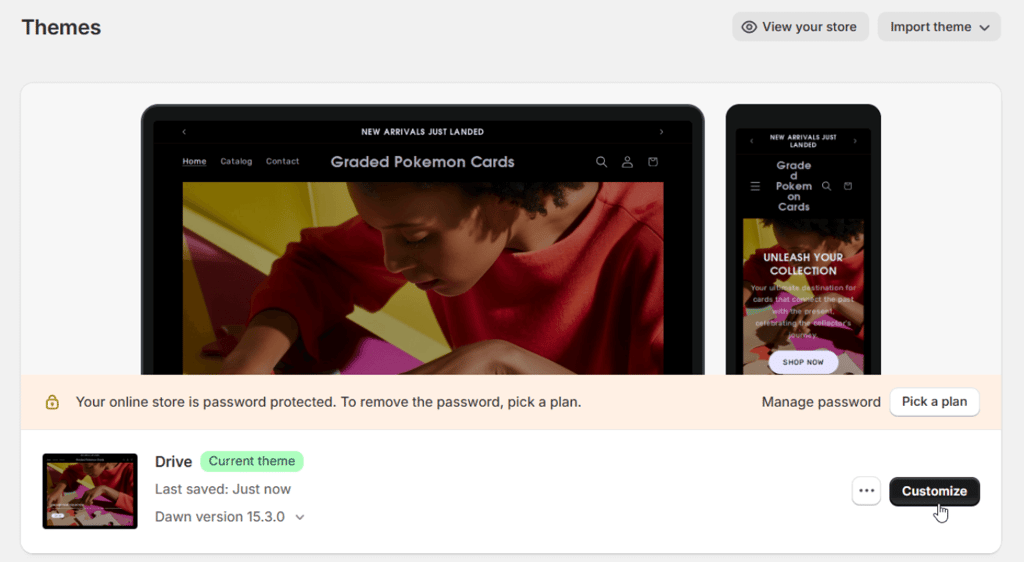
For my graded Pokémon cards store, I had a basic layout ready in 10 minutes after clicking Start free trial, answering a few questions, selecting a theme, and connecting my custom domain with ease.

That said, switching themes after you’ve added content can be a pain since some elements don’t transfer cleanly, so you may have to redo parts of your site. And while no coding is required, tiny tweaks might still call for HTML/CSS edits.
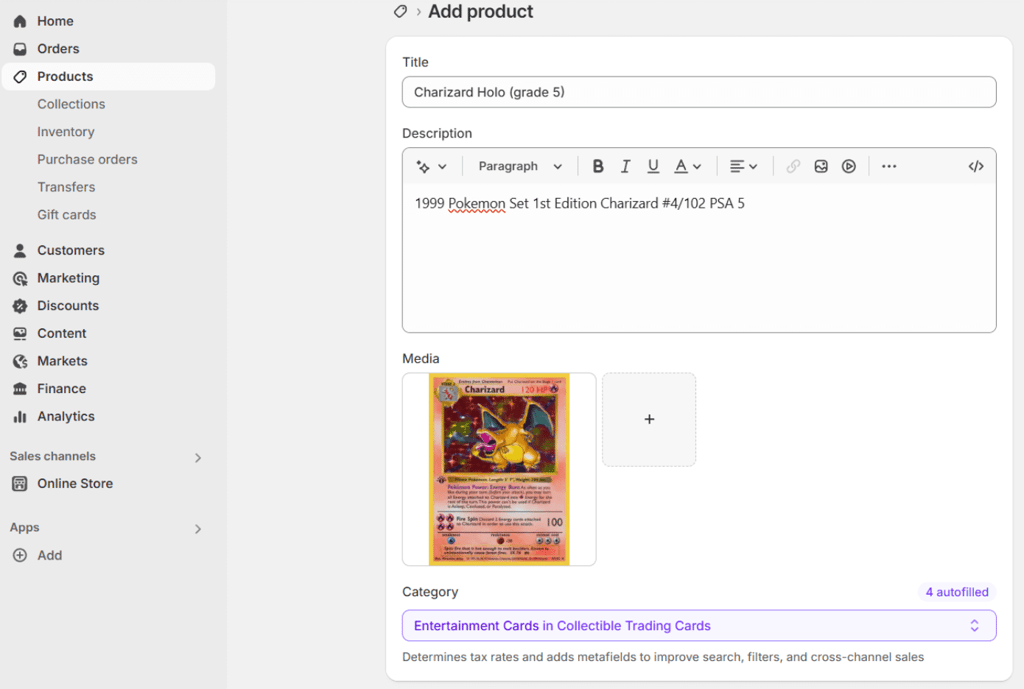
Uploading my first card listings took less than five minutes. Each product form was intuitive, with clear fields for images, prices, and shipping weights.
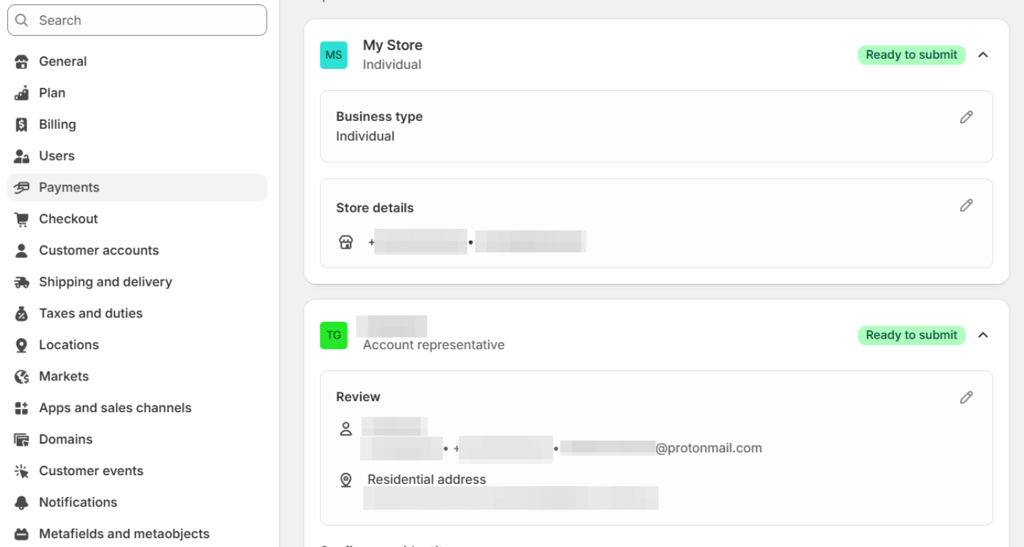
The only real pause came during the Shopify Payments setup. That part took a bit longer, since I had to fill in detailed business and banking information. But even that was well-organized and clearly labeled.
Compared to other platforms, Shopify hit a sweet spot. It took me around 30 minutes in total to tweak my website and get it up and running. Wix is faster for basic setups, but its eCommerce features are pretty limited. WooCommerce offers more customization but is far more technical and time-consuming. Shopify sits right in the middle: streamlined, efficient, and powerful enough for a real store without demanding coding skills.
Shopify themes and design: I expected more
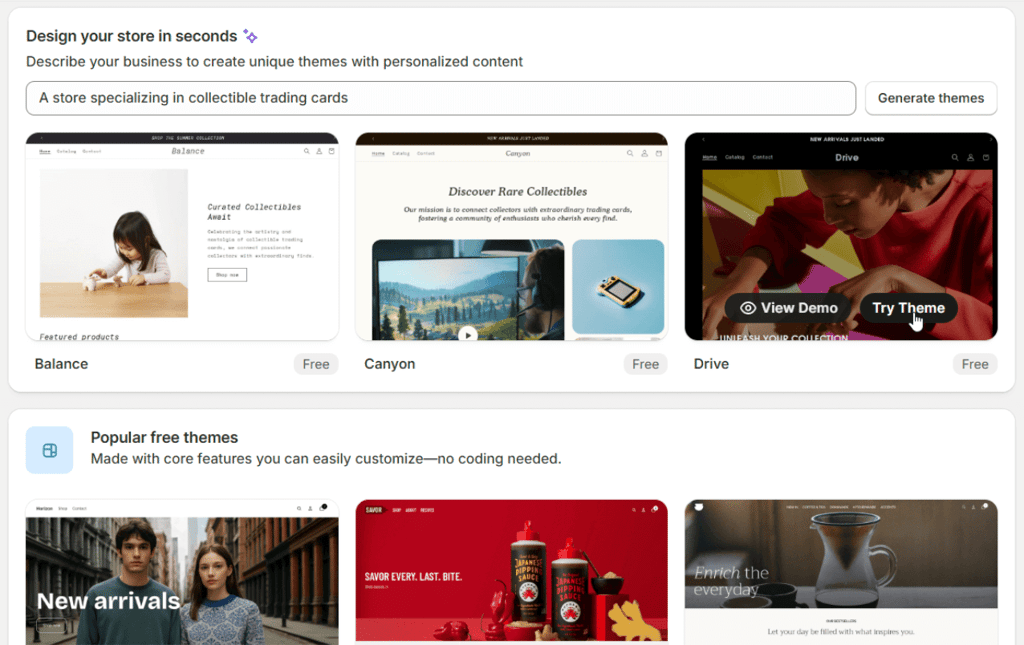
I dove into Shopify Theme Store and found 1200+ high‑quality designs (out of which 24 were free) that cover every niche from fashion to tech. It felt more like browsing a curated design gallery than a typical template list. I could save favorites, test out seasonal versions, and preview changes, all without affecting my live store.
Editing the layout was quick and easy. Shopify’s section-based editor let me drag and drop blocks like product carousels, text blurbs, and featured images exactly where I wanted them. Unlike WooCommerce, where every change feels like a plugin rabbit hole, Shopify’s native tools kept things simple.

But the limitations showed fast. I couldn’t move elements with the same pixel precision as with Squarespace or Hostinger’s builders. If I wanted to nudge a banner 10 pixels to the left, I needed custom code. And while you can switch themes later, I found that some formatting and layout tweaks don’t carry over cleanly. Rebuilding sections was tedious.
Shopify’s design system is fast, clean, and efficient for launching a store. Just don’t expect total creative freedom. If you’re the type who wants full control over every design detail, some Shopify alternatives might offer more flexibility, but they often come with a steeper learning curve.
Shopify handled both SEO and basic marketing better than I expected. It took care of the basics automatically: my store was indexable, search engine friendly, and had shareable pages right out of the gate.
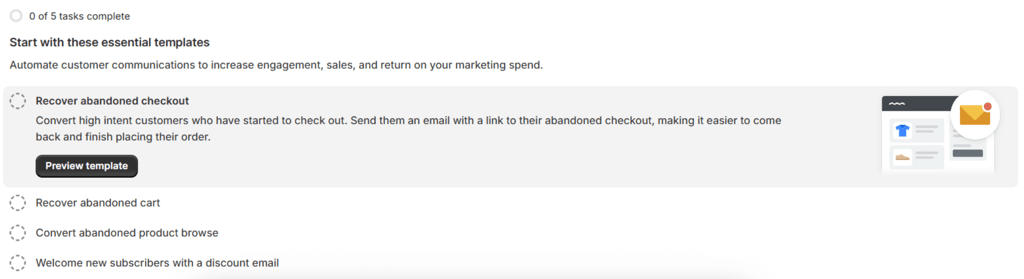
Titles, social links, and image sharing were already set up in the theme without me needing to touch anything. Even automated email marketing and abandoned cart reminders were just a few clicks away.
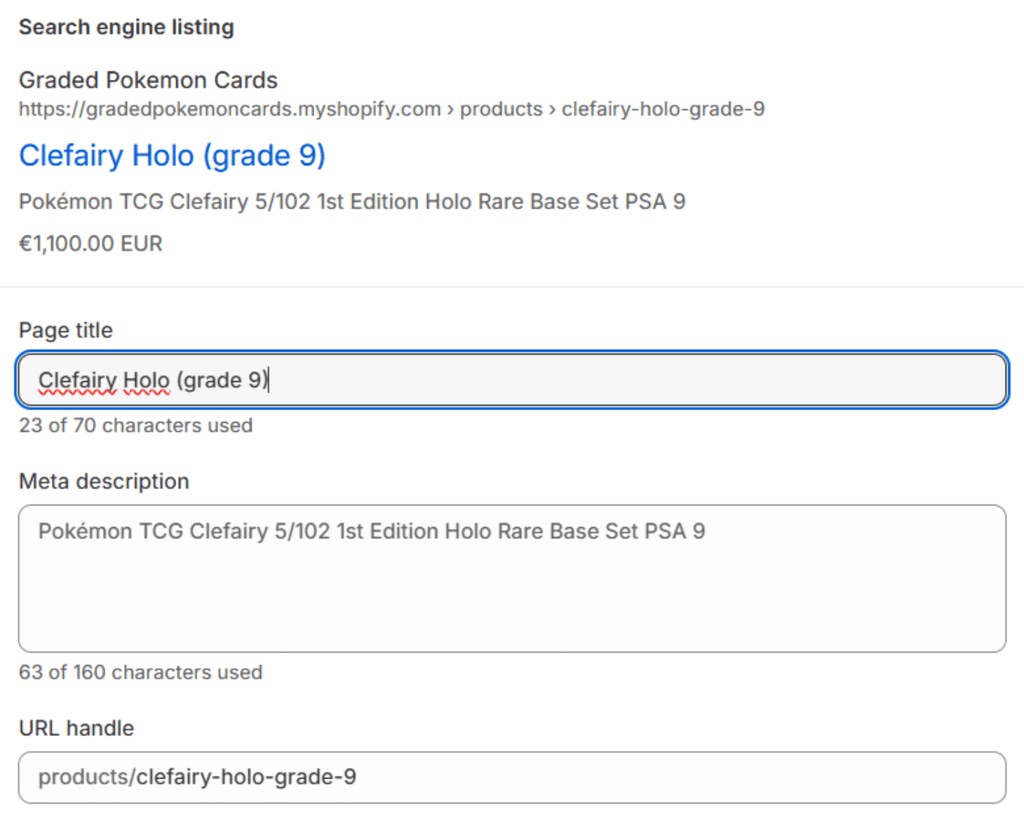
When I wanted to fine-tune things, it was easy. I could change the page titles, meta descriptions, and customize URLs for any product, collection, blog post, or regular page. Even images had alt text fields built in, which was helpful for both accessibility and SEO.
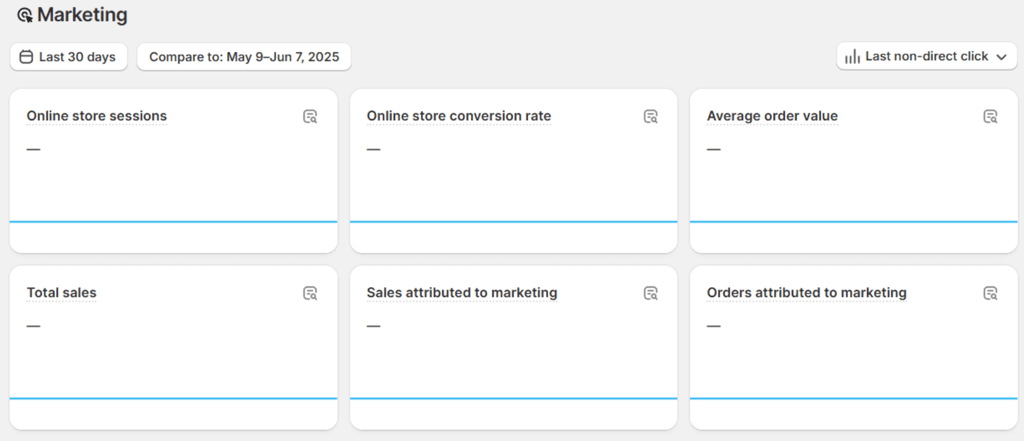
Marketing campaigns were also centralized in one dashboard, so I could track clicks from social media or set up basic automations like welcome emails without leaving the platform.
Compared to platforms like WordPress or WooCommerce, which require SEO and marketing plugins like Yoast or RankMath to get similar functionality, Shopify felt much more hands-off.
My site appeared on Google quickly after submitting it to Search Console without any weird issues or broken links. Everything just worked. I appreciated that I didn’t need to mess with external plugins or read tutorials to make sure the basics were covered.
Now, for the more technical part, Shopify also auto-generates the sitemap.xml, robots.txt, and canonical tags behind the scenes (these help with indexing and avoiding duplicate content). It’s not something you’ll notice day to day, but it matters for keeping your store optimized and Google-friendly.
The main annoyance that I discovered was that you can’t fully customize Shopify’s URL structure. Folders like /products/ or /collections/ are baked in. Not a dealbreaker, but it’s one area where self-hosted platforms offer more control.
Shopify use cases
Shopify is a fairly versatile website builder – it’s not only about online stores. You can build and run all kinds of websites on it, and I looked into these different use cases. Here’s my take on what sites Shopify is good for.
Shopify for small business: good for sales-focused sites
Shopify is a good website builder for small businesses, especially those focused on eCommerce. It has professional themes, plenty of sales-focused features, and allows enough customizations to let your brand shine through.
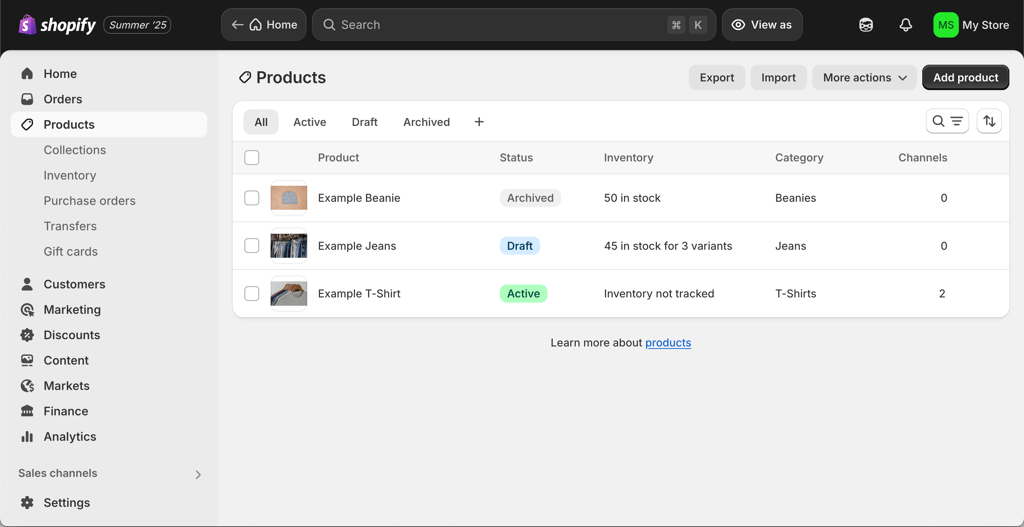
Building a website for a small business was an intuitive process. I especially liked the good control for back-end organization, like inventory sorting, product and sales management, etc.
However, at times Shopify also felt limited – some more professional templates cost up to $300.00, which makes it less ideal for small businesses with lower budgets. It also isn’t an ideal option for less sales-focused sites. If you’re looking for more design options and templates for non-eCommerce sites, other builders like Wix may be a better option.
Shopify is good for sales-focused small businesses. It offers an intuitive dashboard, excellent eCommerce features, and simple yet professional site templates.
Shopify for B2B: great for affiliate collaborations
Shopify is a great platform for business-to-business collaborations. Specifically, it offers an app called Shopify Collabs that facilitates affiliate marketing and allows businesses and creators to connect for collaborations. The application is essentially an all-in-one space for tracking your affiliate sales, setting up discounts, and sending payments.
Creators can also use the Shopify Collabs app to find brands to partner with or join communities. Overall, I think it’s a great feature. Unfortunately, Shopify Collabs is not accepting sign-ups at this time, so the only way to join is by invitation from a creator or a business.
Shopify Collabs is a good application for creators and brands alike for forming, tracking, and fulfilling affiliate partnerships.
Shopify for nonprofits: good option for donation sites
Shopify is a decent option for nonprofit websites, such as those for charity or volunteering. Even though it is an eCommerce site builder and doesn’t have specific templates for nonprofits, I could still build a site and set up a donations page.
I was pleasantly surprised to find that Shopify supports third-party donation apps such as Virtue and Donate Bee. Plus, I liked that with Shopify, I could use the email marketing options to promote the website’s mission and give updates to donors who signed up for the newsletter.
While Shopify is eCommerce-focused and doesn’t offer nonprofit site templates, you can still build one – especially if you’re looking to set up donations. The email marketing features are also great for promoting your cause across a variety of channels.
Shopify for beginners: intuitive and easy to use
Shopify is a good website builder for beginners – especially those looking to start selling online. It features a straightforward builder with templates, and it’s easy to make edits. There aren’t too many customization options, which I feel is perfect for beginner users – it’s hard to mess up with preset themes. However, some more professional templates can be expensive.
Shopify offers preset templates and an intuitive editor. All features are easy to find and set up, making it a great option for beginner users. If you’re looking to start your first online shop, Shopify is a solid choice.
Shopify for SEO: basic features and average control
Shopify’s SEO options are average, especially compared to other providers like Wix. It includes the basic options like meta title and alt tag editing, and makes it fairly easy to edit and make custom URLs. It also generates XML sitemaps automatically.
However, some options are not editable, such as URL structure control, and others require external tools. Plus, if you’re looking for more advanced analytics, you’ll have to rely on external Shopify apps that will cost extra.
Shopify provides opportunities for basic SEO setups, but to execute a proper SEO strategy, you will need more resources.
Shopify customer support and help resources
Shopify provides 24/7 support to all users – I tried it myself. Shopify offers support through live chat, a detailed Help Center, and a user community. Phone and email support are only available for Shopify Plus users, which felt like a miss at this price point. You can also hire a Shopify Expert for store setup or design help, but that too comes at an extra cost.
When I tested the live chat, I was told to expect a 5-minute wait. However, it took 14 minutes. Not terrible, but not ideal either. Once connected, the advisor was responsive and clear, answers came within a minute or two, and were genuinely helpful, not scripted.
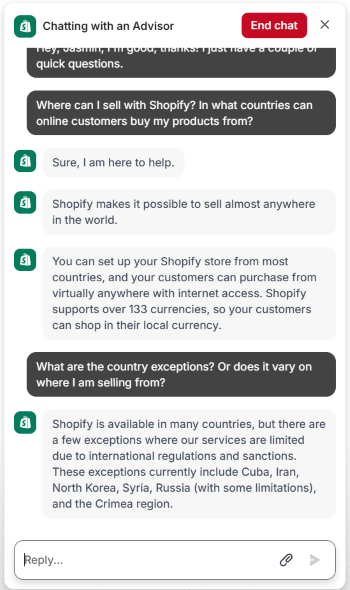
The Help Center itself is well-organized with articles that actually explain things, not just skim over them. If something’s unclear, the built-in chatbot can also guide you to the right page or escalate to a human.
Shopify alternatives
While Shopify can be a good option for some, it’s not ideal for others. If you want more customization freedom or simply a more affordable website builder, I suggest exploring alternative providers.
Here are my 3 recommendations as alternatives to Shopify:
 |  |  | |
| Provider | Wix | Hostinger Website Builder | PrestaShop |
| Best for | Shopify alternative ideal for beginners | Budget-friendly Shopify alternative | Shopify alternative for advanced users |
| Cybernews rating | - | ||
| Pricing | $17.00/month | $2.69/month | Free, but you’ll need to pay for a hosting provider |
| Templates | 2,000+ | 430+ | 850+ |
| AI tools | ✅ Yes | ✅ Yes | ✅ Yes |
| Full review | Wix review | Hostinger Website Builder review | - |
Shopify testing methodology
At Cybernews, we regularly test and review website builders, so we can offer unbiased insights. Together with our research team, I spent over 400 hours collecting data and running analysis to give you evidence-backed recommendations for the best website builders.
This approach allowed me to share my personal experience using Shopify and give honest opinions. I evaluated Shopify based on the following criteria:
- eCommerce tools (35%). I thoroughly evaluated Shopify’s eCommerce tools and compared them with other eCommerce-oriented website builders.
- Ease of use (30%). I tested Shopify to see whether it’s suitable for beginners and advanced users alike.
- Customizability (25%). When building a website, I tried all available customization options to determine how much freedom Shopify allows for businesses focusing on online presence.
- Affordability (10%). Lastly, I compared Shopify’s prices with those of other website builders available on the market to evaluate its price-to-value ratio.
Final verdict: my experience after 3 months of testing Shopify
After spending time building with Shopify, I can confidently say it’s one of the best platforms out there for launching and scaling a serious online store. It strikes that rare balance: powerful enough for pros, yet intuitive enough for first-timers.
| Feature | Rating | Review summary |
| Pricing | ★★★★☆ | Starting at $29.00/month, Shopify isn’t the cheapest, but you get a full eCommerce suite. In comparison, more cost-effective plans from others may lack key features. |
| Ease of use | ★★★★★ | It took just 10 minutes to build my test store. With additional tweaks and adjustments, in under 30 minutes, I had my store up and running. Shopify stood out with its smooth setup, clear interface, and intuitive product listing process. |
| Templates and design | ★★★★☆ | 1200+ templates, with a user-friendly section editor, give enough options to choose from. However, theme switching can be clunky. |
| SEO and marketing | ★★★☆☆ | Good SEO and email marketing integration. However, URL structure is rigid. |
| Customer support | ★★★★☆ | 24/7 chat and community. Phone and email support are limited to Shopify Plus. Help Center is well-written, but live chat wait times can vary. |
While its pricing and reliance on paid apps may not suit every budget, its ease of use and extensive commerce features make it a compelling option for growing online stores.
If you want something cheaper and more beginner-focused, Hostinger is worth a look, especially for small business owners on a budget. WooCommerce offers more freedom and control but takes longer to set up and manage.
Still, for pure eCommerce, Shopify is the best. Its unmatched infrastructure, extensive app ecosystem, and scalability make it the top choice for online selling.




Our in-house research team and expert writers work hand in hand to regularly test website builders and provide accurate and fact-checked information. Discover the ins and outs of how we test and evaluate website builders.
FAQs
Is Shopify worth it in 2026?
Yes, Shopify is worth it in 2026. It offers an extensive selection of eCommerce tools. Also, it’s easy to use, making it a great option for beginners. However, it’s on the pricier end and is limited in terms of customization.
How much does Shopify really cost per month?
The monthly price of Shopify depends on which subscription you choose. The prices range from $39.00/month with its Basic plan to $399/month if you subscribe to the Advanced plan. Also, if you choose to add plugins, they might increase the monthly cost even further.
Does Shopify charge transaction fees?
Yes, Shopify charges transaction fees. Depending on which plan you choose, you can expect the rates to vary between 2.9% + 30¢ to 2.5% + 30¢ per transaction. The higher-tier plans have lower transaction fees.
Can I use Shopify for a small business?
Yes, Shopify is a worthy option for small businesses. It’s easy to use, even for beginners, and has all the necessary eCommerce tools for running an online store. Yet, if you’re on a tight budget, you might want to consider cheaper Shopify alternatives such as Hostinger Website Builder.
Can I sell internationally on Shopify?
Yes, you can sell internationally on Shopify in over 150 countries. It has a variety of tools that are useful for international sales. Shopify supports localization, which helps adapt a website's language, product catalog, and currency to match different target regions.
Can I use Shopify as a beginner?
Yes, Shopify is made easy for beginners. The setup is guided, the interface is drag-and-drop, and no experience is needed to get started. I had my first store up and running in less than 30 minutes. Plus, live chat, tutorials, and an AI assistant help you learn as you go.
Do I need coding skills to use Shopify?
No, Shopify lets you build and run a store with zero coding. You can add products, pick a theme, and customize pages using its dashboard. Only advanced changes, like custom sections or styling, might need some HTML/CSS.
Is Shopify good for SEO?
Yes, Shopify covers the SEO basics well. You can edit meta titles, descriptions, and URLs, and it auto-generates things like sitemaps and robots.txt. That said, advanced SEO control is limited. You can’t customize every backend detail like on WordPress. But for most small stores, it’s more than enough.
Can I sell digital products on Shopify?
Yes, Shopify supports digital products. You can list items like e-books, music, or software, and customers get a download link after purchase. The free Digital Downloads app handles everything automatically.