Best no-code website builders for 2026
Our team of experts and researchers rigorously test and evaluate website builders through transparent, in-depth testing procedures and methods using both in-house and industry-approved tools.
Drawing on cybersecurity insights, we provide unbiased, empirical rankings and analysis to help users make informed digital platform choices.
Learn more

Back at the advertising agency I worked for, we had a bit of a situation when a client needed a website built urgently, but our developer was out sick. I had to figure out a different approach quickly, which led me to explore no-code website builders.
Since then, I've built quite a few websites using these platforms – from simple portfolios to full eCommerce stores. What's interesting is that these no-code sites often work just as well as the traditionally coded ones when it comes to managing content and functionality.
Together with the research team, I've tested and compared the leading no-code website builders available in 2026. In this guide, I share my top 6 picks and explain which platforms are best suited for different types of projects. I've looked at design options, pricing, eCommerce capabilities, and overall ease of use.
6 best no-code website builders
- Base44 – best no-code web builder for complete beginners
- Lovable – best no-code website builder for AI-powered sites
- Hostinger AI Builder – top option with pricing from $1.79/month
- Squarespace – best website builder for unique templates
- IONOS – best website builder for simple solutions
- SITE123 – best time-saving website builder




Our in-house research team and expert writers work hand in hand to regularly test website builders and provide accurate and fact-checked information. Discover the ins and outs of how we test and evaluate website builders.
Best no-code website builders 2026 – practical review
In this review, I dive into the best no-code website builders, evaluating their pricing, performance, and offered templates, comparing them both to each other and to coded websites.
If you’re looking for an even more elaborate website builder list, check out our other review of the best website builders in 2026, where we look at the 10 best website builders in today’s market.
1. Base44 – best no-code web builder with the easiest learning curve

| Rating: | |
| Templates: | 100+ templates |
| Pricing: | Free or $20.00/month |
| Current deal: | Get Base44 website builder for FREE |
If there's one thing I appreciate, it's not having to watch tutorials just to get started. Out of all the no-code web builders I've tested, Base44 has the gentlest learning curve. Basically, you can go from zero to a working website in minutes.
Why is Base44 one of the best no-code website builders?
- Quick building process – Base44 lets you launch a site faster than most platforms with a streamlined workflow
- Polished dashboard – a clean, well-organized interface makes navigation effortless without cluttered menus
- Smart content suggestions – intelligent recommendations for text, layout, and design elements reduce guesswork as you build
- Backend functions – robust backend capabilities for managing databases, forms, and site logic without coding
My experience with Base44 no-code web builder
I asked Base44 to build a Cybernews site with news articles, category browsing, detailed article pages, and responsive layouts with subtle animations. It gave me a working preview in just a few minutes. From there, I used short prompts to refine the design, adjusted the typography and featured sections, and added a simple threat-level badge for visuals.

I was impressed that the AI asked thoughtful design questions right away, like what tone visitors should feel and which competitors to use for comparison. It also suggested useful edits as I built the site. I did have some small frustrations, though: sometimes I had to rephrase prompts for very specific changes. Still, once I clarified what I wanted, layout and syntax fixes were handled smoothly.
Base44 doesn’t use a standard template library. Instead, it creates several design concepts based on your prompt. After a few minutes of back-and-forth, it showed me 3 distinct layouts, not just small changes in color or spacing. The first version of the Cybernews site looked modern, was easy to read, and worked well on different devices, with good spacing for long articles. The main trade-off is that bigger design changes require new prompts instead of quick template switches.
The dashboard makes core tasks easy to find. It lets you manage roles like editors and contributors, organize articles, authors, tags, and alerts, and follow a simple preview-to-publish process. Built-in checks help catch obvious mistakes before you publish.
Compared to traditional builders like Squarespace, Base44 is better for AI-assisted, data-driven site creation. It works especially well if you want to move quickly from a written brief instead of starting with a fixed template.
Base44 pricing
Base44 has a free plan that lets you try out the platform. You get core features, 25 message credits, and 100 integration credits each month, so you can test building and connecting services before upgrading. If you need a plan for a live site or app, the Starter plan costs $20.00/month and comes with 100 message credits and 2,000 integration credits.
Base44 uses a hybrid pricing model with a fixed monthly fee and two types of credits: message credits for AI-powered building and integration credits for connecting to outside services. Base44 does not have a clear refund policy, so be sure to check the plan details before signing up.
Lovable – top no-code builder for AI-created websites and web apps

| Rating: | |
| Templates: | 200+ templates |
| Pricing: | Free or $25.00/month |
| Current deal: | Get Lovable now with 16% OFF |
Lovable is one of the most interesting no-code website builders I tested this year. Instead of relying on a classic drag-and-drop setup, I simply described my website in plain language and Lovable generated the structure, design direction, and content flow for me. Because of that, I think it's best suited for users who want to move from idea to launch as soon as possible. With Lovable, you don't need to build every page section by section.
Why is Lovable one of the best no-code website builders?
- Prompt-based website creation – you simply describe your site in your own language instead of building it block by block
- Flexible project types – Lovable supports websites, apps, and internal tools, so it can grow with your project that may expand beyond a website
- Collaboration tools – Lovable allows unlimited workspace members, and the higher-tier permissions make it useful for team projects
- Useful publishing options – paid plans include custom domains, code downloads, and the ability to remove Lovable branding
My experience with Lovable's website builder
If you try Lovable, don't expect it to work in the same way as traditional builders like Squarespace or SITE123 do. Instead of starting at the template library, I described the kind of website I wanted and let the AI tool generate the first draft. Needless to say, the setup process felt very quick, especially for early drafts and MVP-style websites.
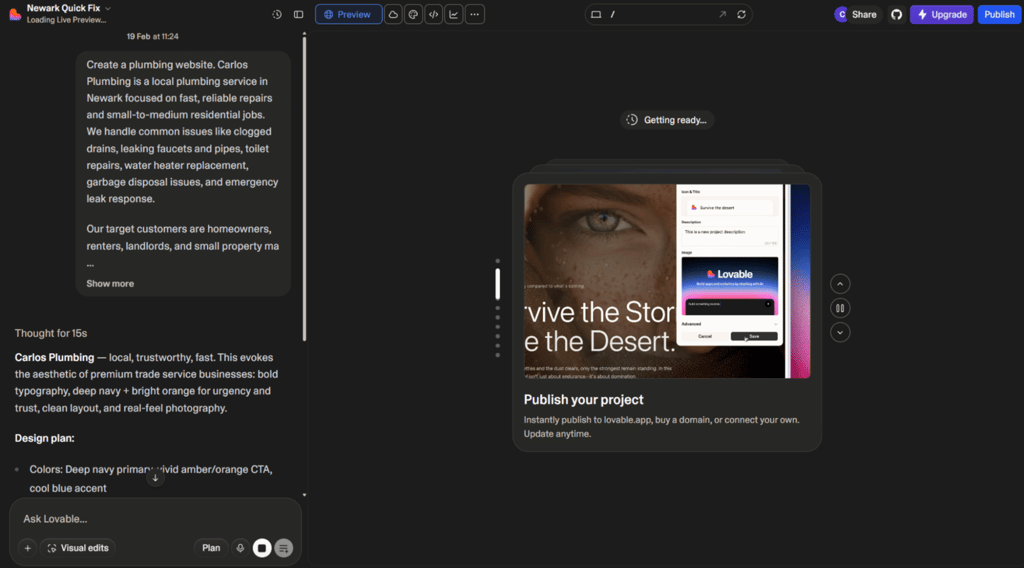
I also appreciated that Lovable isn't limited to basic sites. Since it is designed for apps and internal tools (not just websites), it gives you more flexibility if your project needs to be more interactive. At the same time, it's certainly not the most visual builder on this list. If you prefer adjusting every layout element yourself using drag-and-drop controls, other builders may feel more intuitive.
Lovable pricing
Lovable offers a Free plan that includes unlimited collaborations, 5 lovable.app domains, and community support. Paid plans start with the Pro plan at $25.00/month and Business at $50.00/month. Both premium plans include 100 credits, but you can add up to 10,000 credits or talk to sales for more.
Pro also covers unlimited domains, user roles and permissions, and email support. Business takes it all up a notch with Team workspace, personal projects, SSO, and priority support.
3. Hostinger AI Builder – top affordable no-code option

| Rating: | |
| Templates: | 430+ templates |
| Pricing: | From $1.79/month |
| Current deal: | Get Hostinger Website Builder, 87% OFF + free months |
Hostinger AI Builder allows you to seamlessly create a professional website. Starting at $1.79/month, it is the cheapest well-rounded option on this list and will save you tons of resources compared to a coded website. You can get it for even less with the Hostinger coupon code “CNSPECIAL”. First-time users can also take advantage of the Hostinger promo code “CNHOSTFIRST”.
Why is Hostinger AI Builder one of the best no-code website builders?
- Affordable all-in-one builder – strong value for budget-conscious users
- Built-in AI tools – AI Writer, Heatmap, and AI logo maker on the Business plan speed up setup
- Free extras – includes a free domain for 1 year, SSL, and business email
- Fast performance – powered by LiteSpeed servers with global data centers for reliable load times
My experience with Hostinger AI Builder
The main feature of Hostinger AI Builder is its easy-to-use drag-and-drop editor. I could quickly change fonts, colors, and button shapes to fit my style. Editing was smooth overall, but making small spacing or alignment changes sometimes took a few extra tries, which was a little frustrating.
Hostinger AI Builder has over 430 templates in categories like fashion, e-commerce, and blogs, giving you plenty of options. The templates work well on phones, tablets, and computers. However, once you choose a layout, changing it later usually means starting over. Because of this, it’s not the best choice for major redesigns or advanced changes, but it’s a good fit for small businesses or portfolios.

Hostinger AI Builder includes useful marketing features like Google Analytics, Google Tag Manager, and Facebook Pixel. You also get free SSL certificates, email, and web hosting. I found the AI tools, such as the writer, editor, and heatmap, genuinely helpful. With these extras included, I think it offers better value than some other providers, such as IONOS.
Hostinger AI Builder pricing
Although you can test Hostinger AI Builder with a free demo version, you will need a paid plan for full access. With a starting price of $1.79/month, it is the cheapest option on the market. It offers different billing cycles, a free trial based on your deal, and a 30-day money-back guarantee.
4. Squarespace – great no-code builder with outstanding templates

| Rating: | |
| Templates: | Over 200+ modern themes |
| Pricing: | From $10/month |
| Current deal: | Get up to 50% OFF Squarespace |
If you're seeking carefully crafted templates and intuitive business features, Squarespace is an excellent choice, though there are some limitations to consider.
Why is Squarespace one of the best no-code website builders?
- Beautiful templates – over 200 professional templates, giving you polished and modern options for portfolios, blogs, and business websites
- Very easy to use – its block-based editor helps you build and edit pages, even if you have never made a website before
- Built-in tools – strong native features for online stores, blogs, SEO, and email marketing reduce the need for extra plugins or services
- All-in-one platform – hosting, analytics, and email tools are included, so you can manage everything from one dashboard without separate providers
My experience with Squarespace
I was immediately pleasantly surprised with Squarespace's straightforward editor, where I could choose and adjust ready-made sections. It kept the style consistent across every page, which would be tough to manage by hand. Still, the section-based setup and limited design options made it hard to tweak layouts exactly how I wanted. Fine-tuning positions or moving away from the usual Squarespace look was difficult, and I found that a bit limiting while editing.
Squarespace web builder has about 200 templates for things like blogs, services, portfolios, and online stores. I could add or remove sections, change text, and move things around with the Fluid Engine, and the templates look good on any device. But once you pick a template, you can’t switch to another without rebuilding your site. It was a bit disappointing once I decided to try a new style.

Squarespace has solid tools for eCommerce, blogging, SEO, and marketing. You can connect to Google Analytics or use the built-in analytics, and managing keywords and alt-text is simple in one place. The downside is that many advanced features, especially for eCommerce and premium add-ons, need a paid plan and aren’t fully available in the free trial, so it’s tough to test everything before buying.
If you are watching your budget, keep in mind that Squarespace costs more than web builders like Hostinger AI Builder. It may not be the best choice if you want to save money.
Squarespace pricing
Squarespace offers 4 pricing plans, with the Basic plan starting at $9.50/month when billed annually. You can test the platform first using a 14-day free trial, which lets you explore all premium features without adding a credit card. If you later purchase an annual plan directly through Squarespace and change your mind, there’s also a 14-day money-back guarantee.
5. IONOS – top no-code web builder for simple sites

| Rating: | |
| Templates: | 49 |
| Pricing: | From $1.00/month |
| Current deal: | Get up to 96% OFF IONOS website builder |
IONOS is a no-code web builder best suited for users looking for a quick and easy-to-use solution. If you’re after a simple website, Ionos should be more than enough.
Why is IONOS one of the best no-code website builders?
- Built-in website translator – helps you quickly create multilingual sites and reach overseas audiences
- Marketing and analytics tools – site analytics, SEO features, and competitor tracking can elevate your website performance
- Very affordable pricing – low-cost plans make it a great choice if you’re on a tight budget or just testing a website builder
My experience with the IONOS website builder
With IONOS, I could start from a template or let the AI create the first version of my site. The editor is fast and easy to use. The AI asks a few questions and then gives several different layout ideas, which was a nice surprise since I didn’t expect such variety. However, I wasn’t a fan of the fixed grid and the limited color choices.
IONOS has about 49 templates, which cover the basics but don’t match the variety you get with some other providers on this list. After picking a template, I can adjust colors, fonts, and some design details. I can also use the AI again to create new variations or change my answers for different results.

IONOS has some strong features. Depending on the plan, I can add an online store, email marketing tools, apps, built-in analytics, and a Wildcard SSL certificate. The Competitor Tracking tool is especially useful – it lets me monitor up to five competitors, see keyword analysis, and track Google rankings, which is more than many budget website builders offer.
Overall, I think IONOS is a very affordable option with helpful business tools, but it offers less design freedom and fewer templates than top competitors.
IONOS pricing
IONOS lets you choose from 3 plans with different costs. Starting from $1.00/month and up to $17.00/month, the pricing is quite low, but even the premium PRO option might not be enough for more complex websites. One real downside is that there’s no real free trial. You have to sign up and use the 30-day money-back guarantee if it doesn’t work for you.
6. SITE123 – reliable no-code website builder for saving time

| Rating: | |
| Templates: | 160 |
| Pricing: | Free or $/month |
| Current deal: | Get SITE123 now 50% OFF |
SITE123 is one of the top options for users who need a rapidly created and swiftly working site. Unlike coded solutions, it allows you to quickly pick from a variety of pre-selected templates to match your taste and needs.
Why is SITE123 one of the best no-code website builders?
- Easy to use – SITE123’s guided setup and simple editor make it very beginner-friendly, even if you’ve never built a website before
- Strong in-house business tools – built-in features for forms, basic eCommerce, and marketing help you run a small business site without extra plugins
- Excellent 24/7 customer support – live chat and fast responses mean you can get help at any time if you get stuck
My experience with SITE123 no-code web builder
SITE123 uses a section-based ADI editor, so I could build pages from customizable blocks with ready-made designs. It’s easy to use and works well for beginners. I liked how the pages stayed consistent, even when I mixed different sections. Still, the editor sometimes felt limiting because I couldn’t move elements freely or adjust layouts as much as I could with more flexible builders. This was a bit frustrating when I wanted more customization.

Even on the free plan, I could pick from over 160 templates in different categories to fit what I wanted. I tried a few, and they were all responsive and loaded quickly, which I appreciated. Using SITE123 is much faster and easier than building a site from scratch, although I found Base44 more intuitive and efficient. And compared to builders like Hostinger AI Builder, the designs are simpler, and there’s less flexibility to change the structure or style beyond the default options.
SITE123 includes the basics: SEO tools like Google Analytics integration and Page Audit, an email marketing tool, and an e-commerce platform, though the free plan has some limits. I also liked that SSL encryption, autosave, and backup features are included even on the free plan. That extra safety was a nice surprise.
SITE123 pricing
SITE123 offers a free plan with 250 MB of storage, which is enough to test the platform and build a very simple site. Paid plans start with the Premium plan at $5.50/month, which includes a free domain for 1 year, 3 GB of storage, and 3 GB of bandwidth. All SITE123 premium plans come with a 14-day money-back guarantee, so you can try the upgraded features with minimal risk.
What are the pros and cons of no-code website builders?
It’s no secret that, alongside its many pros, using no-code website builders has some minuses when compared to coding a website with professional programmers.
No-code web builders have several advantages: they are easy to use, save a lot of valuable time, and are much cheaper than coded solutions. Even beginners can create high-quality websites and benefit from extra features such as SEO, marketing tools, and e-commerce capabilities.
However, compared to coded websites, web builders offer a lower level of customization and flexibility. They are not as suitable for larger-scale or more complex projects and provide less freedom for achieving a perfectly imagined design.
Is a website builder better than coding yourself
Yes, no-code website builders guarantee ease of use and maximum flexibility, especially if you need a simple solution. Whether it’s a small e-commerce business or a culinary blog, no-code website builders will be worthwhile.
The choice between a website builder and coding depends on your skills, needs, and resources. If you have coding skills and require a highly customized website, creating your own might be better. However, if you seek simplicity, speed, and ease of use, a website builder is a better choice.
Keep in mind that web hosting, for example, Hostinger, could come in handy when creating larger projects.
Final thoughts
No-code website builders are as easy as ABC, providing you with the tools to create a functioning site without writing a single line of code. They are more time and resource-efficient compared to coded websites, making them perfect for beginners and those seeking a simple web solution.
Each provider differs in pricing, ease of use, and feature suites. Although our verdict is clear that Base44 is the top no-code option in today’s market, the other website builders from this review can also live up to your expectations.

FAQ
How can I create a website without code?
You can use no-code website builders like Base44, Lovable, or Hostinger AI Builder. These platforms offer web editors, templates, and design options that help you build a functional website without writing any code.
Is it good to build a website without coding?
Yes, using a no-code web builder has many advantages. These platforms are designed to be user-friendly, especially for beginners, and help you save time and resources that would otherwise be spent on coding.
Is WordPress a no-code website builder?
Yes, WordPress can be used as a no-code website builder. However, many freelancers and professionals also use it as a coded tool. So, WordPress works as both a no-code and a coded solution for building websites.