How long does it take to build a website? Quick overview
Our team of experts and researchers rigorously test and evaluate website builders through transparent, in-depth testing procedures and methods using both in-house and industry-approved tools.
Drawing on cybersecurity insights, we provide unbiased, empirical rankings and analysis to help users make informed digital platform choices.
Learn more

Depending on the type of site you want and its complexity, the average time to build a site can take anywhere from several days to several months. A small business website with a few additional pages, a branded design, and simple features typically takes two to four weeks to develop. If it involves more complex requirements, such as custom-built platforms, e-commerce stores, or membership systems, expect the timeline to stretch to one to three months.
The time it takes depends on the amount of work going into it behind the scenes, but if you want to speed things up, there are several steps you can take. They include preparing your content, pictures, and branding in advance, as well as minimizing unnecessary delays, maintaining effective communication, facilitating quicker decision-making, and prioritizing essential features.
Using website builders like Squarespace can significantly speed up the timeline, especially for smaller, less complex projects. However, the time frame still largely depends on what you want to achieve, what you have, and how personalized you would like your site to be.
This article will cover how long it takes to build a website, the key factors that affect speed, and provide a step-by-step guide to creating one, complete with examples.
Key factors influencing how long it take to build a website
If you’re wondering, “How long does it take to build a website?” Several factors influence the time it takes to build a website, and understanding these factors can help you plan more effectively. Many delays occur due to constantly changing designs and branding decisions. It is crucial to set up the project in advance so you can stay on track.
Content
One of the most crucial factors in determining how quickly you can launch your website is the quality of your content. Projects tend to get delayed if product descriptions, blog posts, or visual assets are not readily available. Having everything ready from the beginning will eliminate bottlenecks during development.
Pages
Page count has a direct impact on how long it takes to build a website. A one-page website is relatively quick to build, but a 10-page website that includes sections such as blogs, services, testimonials, and contact forms takes longer to build. Each page introduces new design, layout, and testing details that increase the overall process.
Features
Custom features have a significant effect on build time. Static websites are quicker because they contain fewer elements. However, if you want e-commerce, booking systems, membership areas, or third-party integrations, you need more time. Custom features often require additional coding, configuration, and testing to ensure they function flawlessly.
Design
Design complexity also affects the timeline. Pre-designed templates help reduce time spent on custom layouts. This is because custom layouts require more wireframes, mockups, and revisions. If you prefer original branding, animations, and interactive elements, expect the design phase to take longer.
Brand
Ambiguous brand guidelines can lead to significant delays. If your logo, color palette, typography, or messaging isn't finalized, the design and content may need to be reworked. Creating your branding early on ensures brand consistency and helps expedite the decision-making process at every step.
With pre-planned content, clear explanations of features, and branding, you can streamline the entire process and get your website up and running quickly.
Step-by-step timeline to build a website
Here’s a step-by-step guide answering the question “how long does it take to create a website,” based on the various stages it passes through.
Planning (1-2 Days)
The planning stage sets the foundation for your site and generally takes one to two days. In this stage, you identify your goals, target audience, sitemap, and core features. This process can be completed in a short period for smaller projects.
However, for larger websites with multiple decision-makers, it may take additional time to finalize objectives and obtain approvals. Early alignment is essential because unclear goals or constant changes in later stages can significantly delay the entire project.
Design (2-14 Days)
Design is concerned with how your site looks and feels. It can range from two days for simple, template-based design elements to two weeks for fully branded designs with original graphic elements, animations, and other custom design work.
At this stage, indecision or repeated feedback loops can significantly prolong the time spent, especially if stakeholders request multiple revisions.
Development (7-30 Days)
The next stage is the development stage. Here, visuals are transformed into a fully functional website, and it can take between seven and thirty days, depending on the complexity of the features.
A basic website with static pages can be ready in under a week. However, sites that include booking platforms, e-commerce systems, custom integrations, and membership sections can take longer to develop. Resource selection also plays a key role. In-house teams tend to move faster on smaller projects, while agencies often excel at large-scale builds.
Content creation (varies)
One of the most essential factors that impacts timelines and is often underestimated is content. Without finalized copy, images, and videos, your site cannot go live.
Lacking components, such as branding or messaging, may significantly slow down the timeline since developers can’t progress until these elements are finalized. Planning your content is the best way to stay on track and avoid interruptions.
Testing (2-7 Days)
Thorough testing of the site and quality assurance checks are conducted prior to launch to ensure everything is in order. This phase typically requires between two and seven days and involves testing browser compatibility, mobile responsiveness, feature functionality, and page load performance.
Simple, structured sites with straightforward features require less testing compared to complex structures that incorporate custom elements, requiring a more comprehensive review to prevent issues post-launch.
Launch (1 Day)
The launch phase is the last stage. This phase typically takes one day, assuming all the other phases were managed efficiently. It includes final domain setup, server configuration, and performance optimization checks to ensure a smooth release. With due preparation at earlier levels, this stage should be smooth and stress-free.
How to reduce website build time (with examples)
Creating a website doesn't have to be a lengthy process. With the proper strategies and tools, you can significantly reduce the average time to create a website without compromising quality.
Set clear goals from the start
Projects often fail when there is no clear roadmap in place. You should identify the purpose of the website, the features it should have, the number of pages, and the success criteria for evaluating its effectiveness.
Having these details set in stone early on will eliminate endless revisions and keep everyone on the same page. Without them, teams are often subject to scope uncertainties, late changes, and approval delays that can quickly inflate timelines by weeks.
Use templates and pre-built components
Custom design work takes time, but having a solid foundation saves weeks of work. Squarespace's Blueprint system automatically customizes your website based on your goals, industry, and brand personality.
Rather than starting from scratch with wireframes, you can access a professionally designed structure that comes with curated layouts, color palettes, and fonts. You can then personalize what matters most to you. Its pre-built blocks for galleries, forms, and product listings also help reduce repetitive coding and keep development focused.
Simplify project management and communication
Poor collaboration is a massive cause of delays. Using project management tools such as Asana, Trello, or Monday will help you monitor and see clearly what tasks, approvals, and deadlines exist.
Setting up a feedback loop can also help eliminate elongated back-and-forth cycles. If everyone is in sync, fewer decisions need to be made often, and the entire build proceeds more quickly.
Plan content and assets in advance
Websites are often delayed not by coding, but because the content is not ready. Gather your copy, images, and videos early to ensure the design and development phases can continue uninterrupted.
Squarespace's built-in AI text generator can help you draft out product descriptions, headlines, and even outlines for blog articles, so you never have empty areas to worry about. Reusing brand assets such as logos, colours, and photography can also save you days of work.
Example
A small interior design company wants to develop a 10-page website featuring a portfolio gallery, service descriptions, and a client booking integration. Initially, their developer estimated that it would take eight weeks.
- If they hadn’t defined their goals at the start, they would have spent days redoing layouts. Instead, they completed the sitemap and required functionality ahead of time, saving at least a week.
- If they had gone with full custom design work, they would have faced delays in development. By using Squarespace's Blueprint setup, they were able to create an instantly ready-to-customize layout and only changed branding elements, reducing design time from two weeks to three days.
- If they had waited on content, the entire build would have ground to a halt. Instead, they repurposed existing project images and utilized Squarespace's AI-powered text generation to deliver first-draft copy, enabling simultaneous development and content refinement.
- Without the streamlined approvals, it would have taken days to make a decision. By centralizing feedback with a shared project board, they kept the workflow moving without unnecessary slowdowns.
By setting priorities, pre-preparing assets, and using Squarespace's built-in features, you can significantly reduce how long it takes to build a website while still achieving a professional-looking final product.
Using Squarespace to build a website faster
You no longer need to hire a development team or engage in weeks of custom coding just to create your dream site. Squarespace allows you to create, customize, and publish a professional site in the blink of an eye. It has a user-friendly interface, professionally designed templates, and built-in optimization features that allow both beginners and experts to transition from idea to launch in days, rather than months.
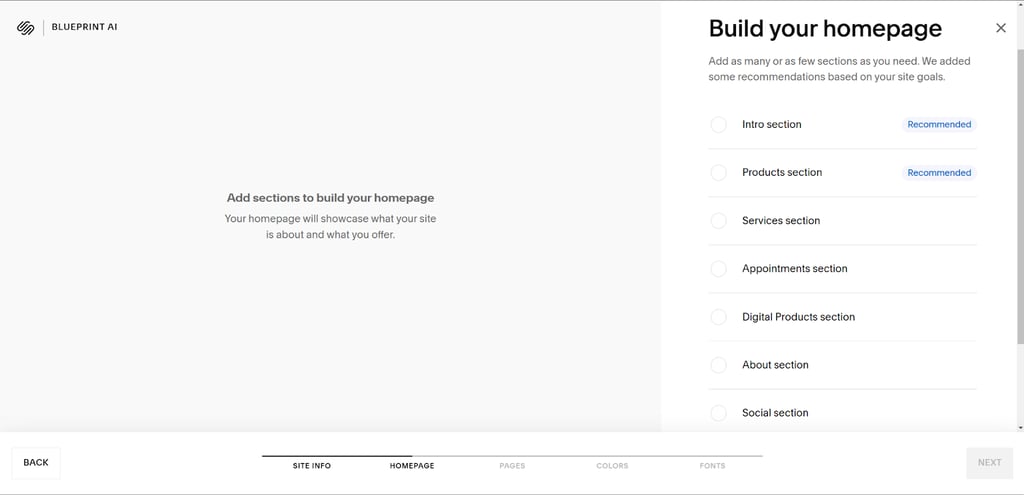
Squarespace Blueprint AI is an onboarding tool that asks a few questions about your branding, business, and website goals. Next, it automatically suggests layouts, color palettes, and fonts that match your responses. It eliminates the time spent wireframing and manually organizing pages by providing a ready-made framework that suits your requirements, thereby speeding up the entire design process.
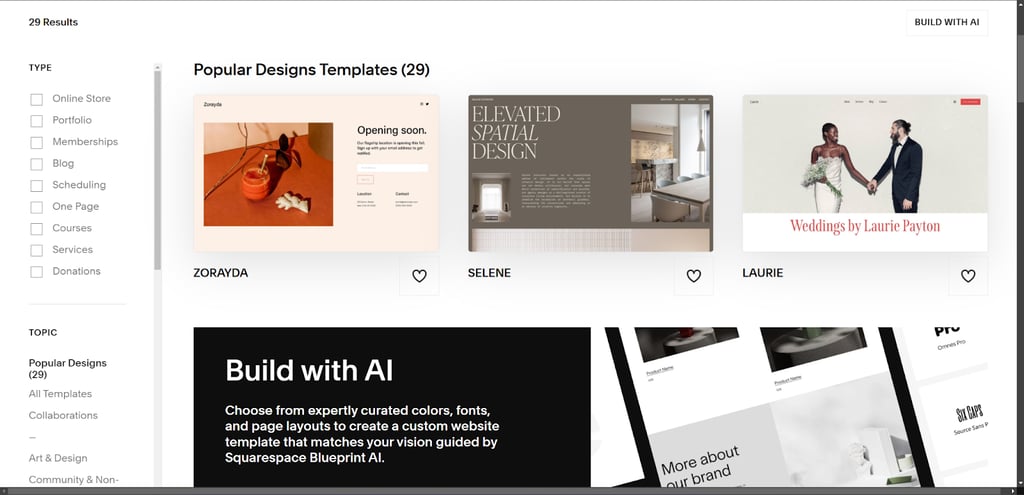
It has a wide range of professionally designed, modern, and mobile-friendly templates. Regardless of your end goal, there’s already a starting point. After you have chosen a template, you can easily customize it by swapping pictures, changing the layouts, and tweaking colors to fit branding requirements.
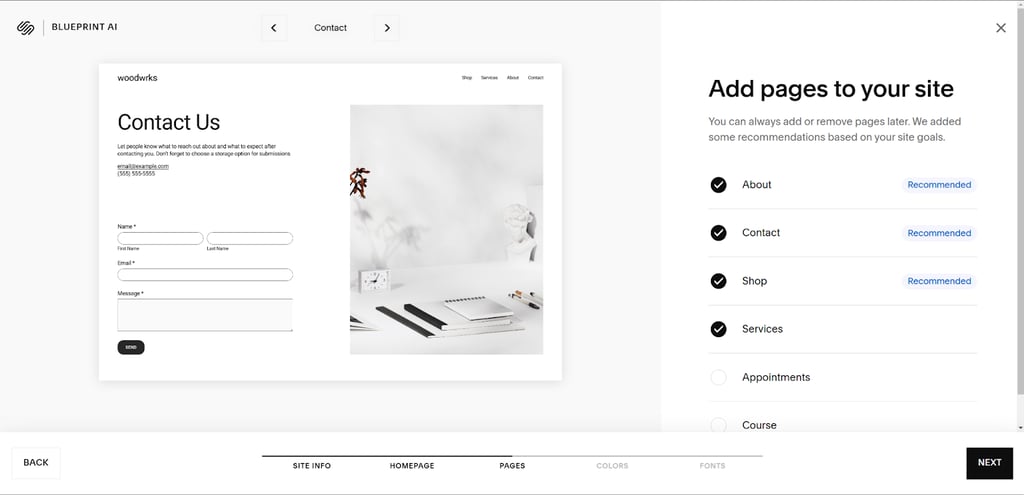
Squarespace also ensures that managing your website’s structure is seamless. It only takes seconds to add new pages, and you can visually arrange them in your navigation bar by simply dragging and dropping. This allows you to expand your website without a learning curve, especially if you’re a beginner.
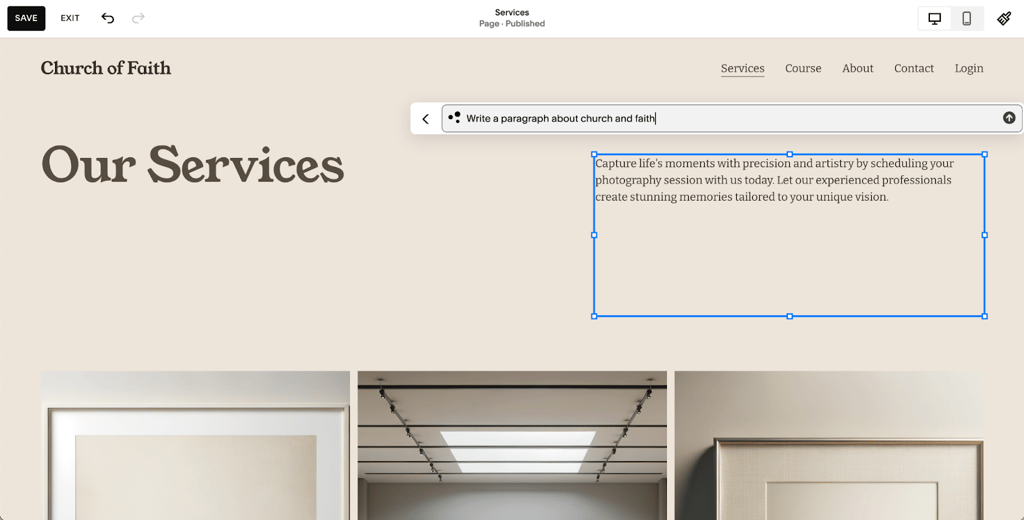
It may be time-consuming to write content for your website pages, especially if you’re on borrowed time. Squarespace helps you write headlines, landing page copy, and product descriptions with its AI-powered generator. This gives you a solid foundation to work with and reduces the time spent writing descriptions for various products.
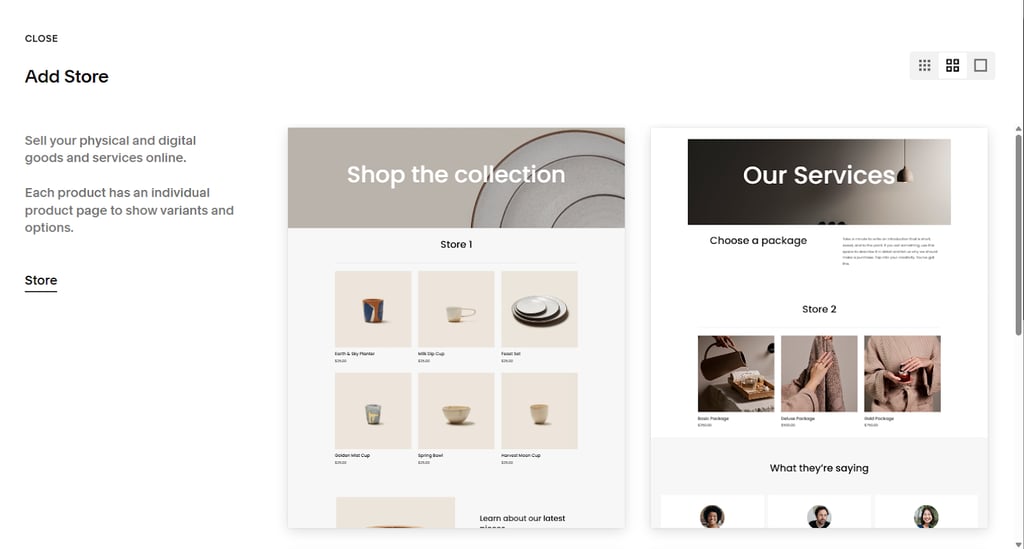
It simplifies the process of building a website for your online store. It has built-in features such as inventory management, payment integrations, secure checkout, and product galleries to bring your store to life. You can even include discount codes, shipping calculators, and promotional banners.
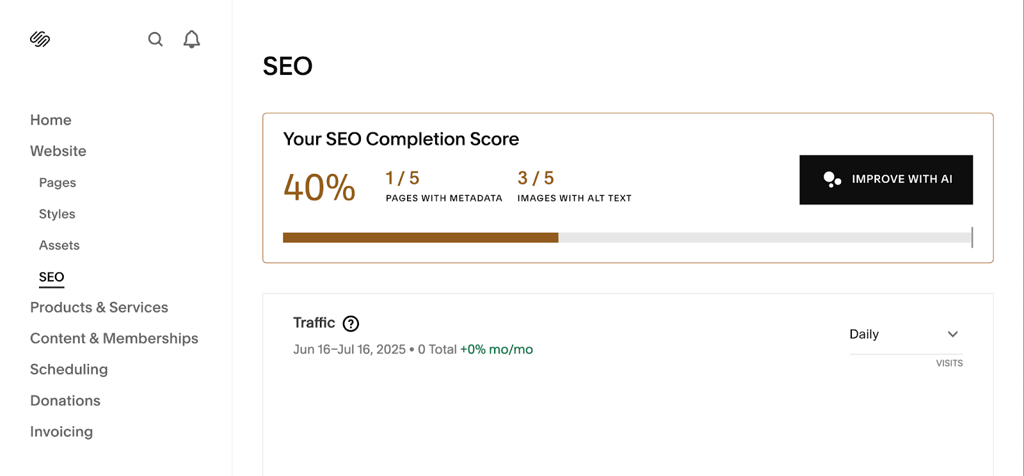
To ensure your site ranks well on search engines, Squarespace also offers users built-in SEO tools, including structured data, easy meta-tag editing, and automated sitemaps. This allows you to focus on optimizing your website without worrying about complex setups or third-party integrations.
With all-inclusive setups, pro-templates, straightforward page editors, AI-aided content creation, online shopping features, and built-in optimization, Squarespace offers you all you need to build a sleek, operational website as quickly as possible.
Checklist: What to prepare before you start
Before you dive into building your website, here are some of the items you’ll need to prepare ahead of time. Having them ready will speed up the design and setup process, ensuring the project is more focused and far less stressful.
- Branding assets. Logo files, color palette, and typography guidelines to ensure a consistent visual identity.
- Domain details. Choose a domain name and confirm its availability, or prepare login details if you already own one.
- Website copy. Prepare page content, such as About, Services, Contact information, product descriptions, and any calls-to-action, in advance.
- High-quality images and videos. Collect visual assets, including product photos, portfolio images, team headshots, and any marketing videos you’ll need.
- Navigation structure. Map out your site’s main pages and subpages so your sitemap is clear before design begins.
- Product details (for e-commerce sites). Organize product names, categories, pricing, and shipping info if you plan to open an e-commerce store.
- SEO essentials. Draft titles, target keywords, and meta descriptions for core pages to optimize your site from the start.
- Third-party integrations. Prepare details for the tools you want to connect, such as email marketing platforms, payment gateways, and scheduling apps.
- Content inspiration. Save examples of sites, design styles, and layouts you like to help guide customization decisions.
Conclusion
Building your website doesn't need to be complex or time-consuming. With a bit of preparation, selecting the appropriate tools, and optimizing your workflow, you can create a professional, polished site in a surprisingly shorter time than you might be used to. Squarespace is an e-commerce platform that makes all the steps easy. It offers you templates, drag-and-drop functionality, built-in SEO, and e-commerce features that save you time without compromising on quality.
Start building today with a free Squarespace trial, and the best part is, you can cancel anytime before your trial ends. There’s no commitment here: it’s just an opportunity to bring your ideas to life.
FAQs
How long does it take to build a basic website?
You can create a basic site with several pages, such as a portfolio or landing page, in 2 to 7 days using a website builder like Squarespace. If you want to build one using custom-written code, it typically requires 2-4 weeks, as additional time is necessary to design, build, and test.
What factors affect website build time?
The key elements are content readiness, the number of pages, required features, design complexity, and speed in decision-making. A simple site of 3 pages created using a premade template won’t take time, while a 15-page site containing e-commerce, reservation solutions, or unique branding requirements will naturally take longer. Delays also occur when content or approvals are not available in time.
How many hours does it take to build a website from scratch?
A fully coded website can take 60-120+ hours or more, depending on the scope. This involves planning, wireframing, designing, developing, testing, and launching. This can be shortened to 10-30 hours, depending on the builder application used, which simplifies the design process, content management, and SEO configuration.
How can I speed up the website creation process?
To expedite the website creation process, ensure that you have branding resources, content, and images readily available. Squarespace offers design, content management, search capabilities, and online shopping features in a single platform, saving time and eliminating the need for multiple plugins or hand-written code.
Is it faster to use website builders like Squarespace?
Yes. Website builders, such as Squarespace, can significantly reduce the average time =to build a website. It takes only a few hours to create a simple site and 1-2 weeks to develop a 10-page business site. Full, custom-coded websites often take 4-8 weeks to build.