Best website builder for nonprofits in 2026
Our team of experts and researchers rigorously test and evaluate website builders through transparent, in-depth testing procedures and methods using both in-house and industry-approved tools.
Drawing on cybersecurity insights, we provide unbiased, empirical rankings and analysis to help users make informed digital platform choices.
Learn more
Best website builders for nonprofits overall in September 2026
-
 Get Wix with 50% OFFView deal1. Best free web builder for nonprofits - WixExpert review
 -
 Get Hostinger Website Builder, 82% OFF + free monthsView deal2. Best for AI tools - Hostinger Website BuilderExpert review
 -
 Get up to 96% OFF IONOS website builderView deal3. Best affordable option - IONOS builderExpert review
 -
 Learn more4. Best built-in marketing tools - GoDaddy
 -
 Learn more5. Best eCommerce choice for nonprofits - Shopify
 -
 Learn more6. Most user-friendly web builder - Squarespace
 -
 Learn more7. Best WordPress and AI combination for creating nonprofit websites - Remixer
 -
 Learn more8. Best for very simple nonprofit sites - Weebly
 -
 Learn more9. Best for content-heavy nonprofits - WordPress.com




Our in-house research team and expert writers work hand in hand to regularly test website builders and provide accurate and fact-checked information. Discover the ins and outs of how we test and evaluate website builders.
Best nonprofit website builders 2026: practical review
In this detailed list of the best website builders for nonprofits in 2026, I guide you on which platforms work best for different types and sizes of organizations. Below, I break down ease of use, design options, donation and event tools, and integrations so you get a real sense of what each one offers. You'll see my picks for true beginners, growing nonprofits, tight budgets, or completely free plans.
To keep it simple, I also highlight my top overall choice, the best affordable options, and top free tools – complete with pros, cons, and key features for each. This way, you can find the perfect solution for your cause.
1. Wix

| Free version: | ✅ Yes |
| Starting price: | $17.00/month |
| Number of templates: | 900+, with 44 dedicated to nonprofits |
| Discount for nonprofits: | ✅ Yes, 70% discount for TechSoup members |
| Current deal: | Get Wix with 50% OFF |
Wix is my top choice for nonprofits in 2026, as it offers an excellent free version with 900+ templates, including multiple NPO ones. In addition, you’ll find built-in SEO and donor email marketing tools, which make this platform a great starting point for any NPO out there.
My personal experience creating a non-profit organization site with Wix
Wix makes building a nonprofit site incredibly straightforward and fun. You'll get your platform live in just a few quick steps, especially with its huge library of over 900 templates – I found 44 options tailored specifically for nonprofits.
I started by selecting a template that matched my nonprofit's vibe, then jumped into the drag-and-drop editor to tweak everything from layouts to colors. The free plan gave me solid SEO tools right away to boost visibility, plus there’s simple email marketing functionality to nurture donor relationships and share updates. I added contact forms, galleries, and calls-to-action without hitting any roadblocks.
With those SEO and email features ready to go, I put them to work. The SEO Setup Checklist we explored in greater detail in our Wix review guided me through optimizing titles, meta descriptions, and site speed – it was a breeze and search-engine ready in minutes.
Next, I set up donor outreach pages to make the site feel alive and connected. Wix's email tools handled custom newsletters and supporter campaigns smoothly, with no extra hassle from my side.
A couple of final adjustments later, and my vision was complete. The intuitive drag-and-drop editor let me rearrange buttons, text, and images exactly where I wanted them. As you can see, there’s a lot you can do with Wix, but the whole setup from start to finish took me just 10–15 minutes.
Non-profit website examples created by me using Wix
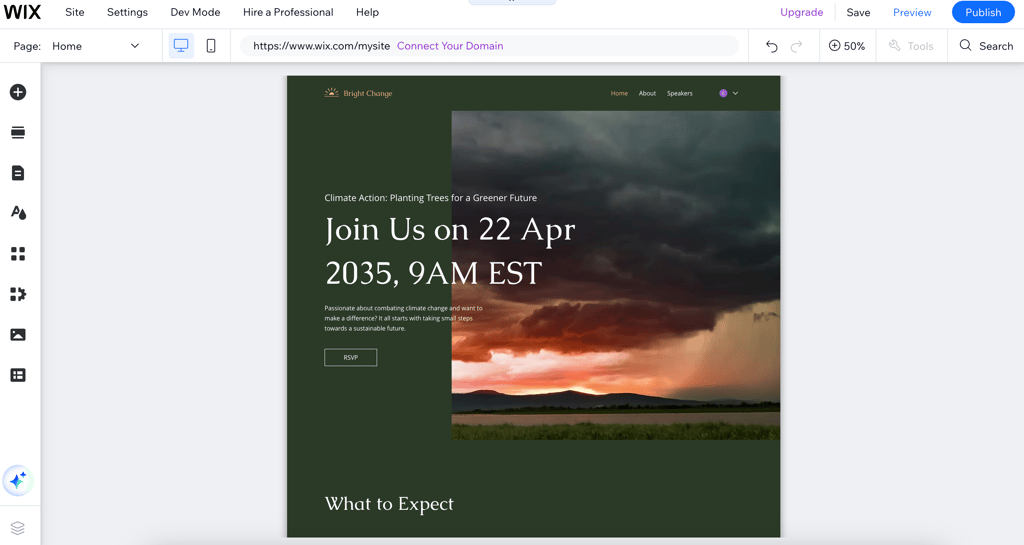
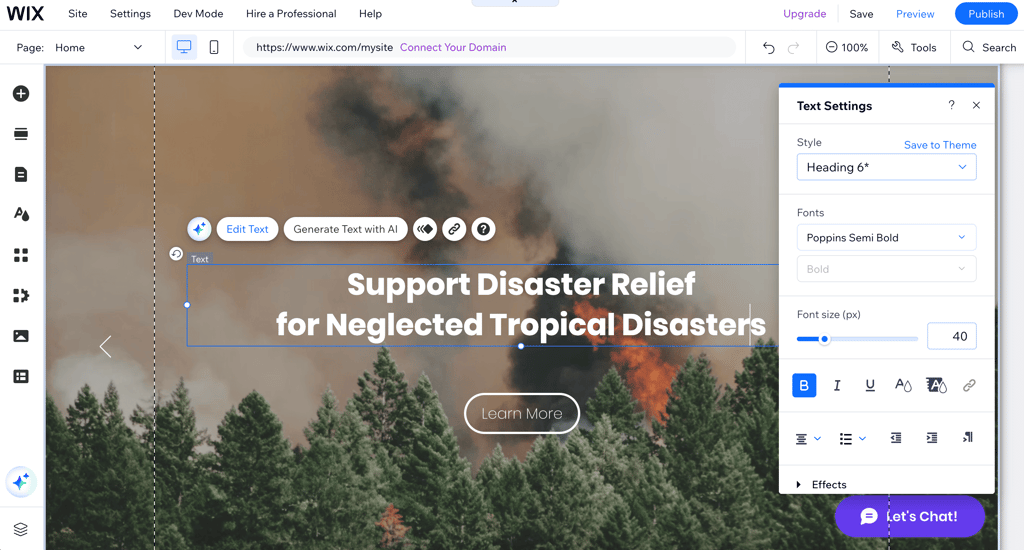
To quickly test Wix’s editor, I created two websites using its non-profit templates and AI tools: one to have a registration form for the environmental webinar, and one for a disaster relief project.
How much does it cost to build a non-profit website with Wix?
Wix offers an excellent free version that includes access to over 900 templates (including NPO-specific ones), basic SEO tools, and email marketing to get your cause started.
However, note that your site will be on a subdomain, such as yournpo.wix.com, with limited storage and bandwidth, and some ads. It’s still great for testing and small projects, but with trade-offs for professionalism.
If you want more, premium plans range from around $17.00/month to $159.00/month and remove ads, add custom domains, and unlock more storage and features. You'll get everything you need for a growing nonprofit, including advanced SEO, unlimited bandwidth, and eCommerce for donations.
2. Hostinger website builder

| Rating: | |
| Free version: | ❌ No |
| Starting price: | $2.69/month |
| Number of templates: | 430+, with 27 dedicated to nonprofits |
| Discount for nonprofits: | ✅ Yes, code CNHOSTINGER |
| Current deal: | Get Hostinger Website Builder, 82% OFF + free months |
Hostinger is a standout among paid options on my list thanks to its AI-powered tools, such as the AI website builder, AI writer, and AI image generator, which speed up site creation. Not only is it one of the cheapest website builders on my list, but it’s also incredibly powerful. It’s simple to use for beginners and packed with value without costing too much money, which is important for nonprofits.
My personal experience creating a non-profit organization site with Hostinger
Hostinger is a very user-friendly website builder. In other words, you’ll have your nonprofit platform up and running in three simple steps. But what makes the whole process even easier is the Hostinger AI-based website builder.
To take advantage of this feature, I just needed to answer three simple questions, and the AI builder crafted a website for me. I got SEO-friendly content, images that fit my topic, and all the other necessary elements. Even with a complete AI generation, I was able to customize most of the elements to my liking.
The AI functionalities, like AI writer and AI image generator, are always there. So I decided to try some of them out.
First, I tested the AI page generator. All I had to do was type what the page would be about and click the Create page button. This type of simplicity is something I’ve always appreciated in website builders.
Then I decided to add some images to make my website look more lively, and I can happily say I didn’t face any issues. Again, I wrote a short explanation of the image I’d like to add, and Hostinger’s AI image generator took care of the rest.
After a few tweaks, I got the page I had in my mind. Thanks to the drag-and-drop editor, I picked up the elements I liked, dragged them to my desired place, and simply dropped them. The whole process took 10–15 minutes of my time.
Non-profit website examples created by me using Hostinger web builder
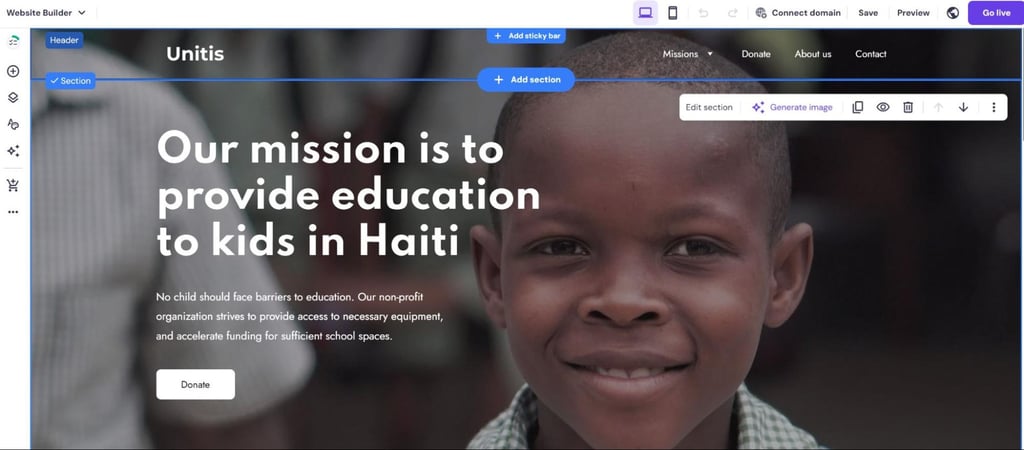
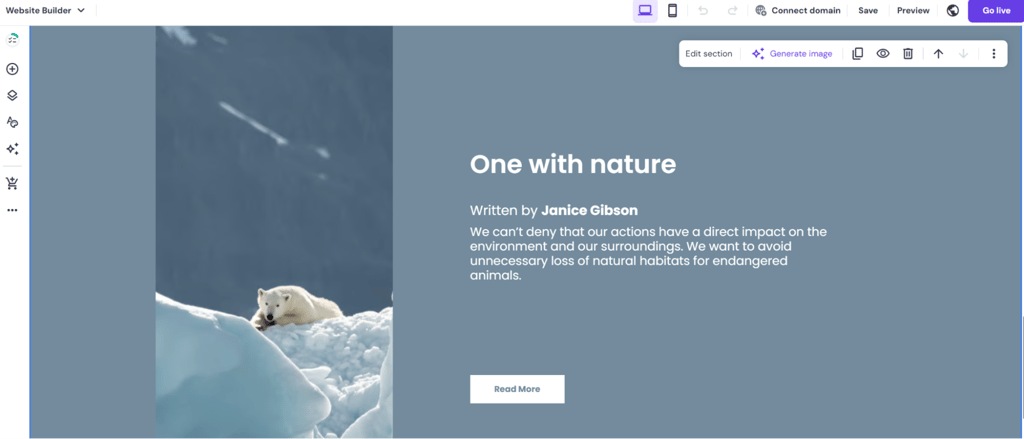
When testing Hostinger, I decided to create two non-profit websites. One was for an education nonprofit, and the other was for an environmental nonprofit. You can see how they turned out below:
How much does it cost to build a non-profit website with Hostinger web builder?
Thanks to Hostinger's new discount, available with the promo code CNHOSTINGER, your organization can save money on a reliable and robust website builder. New users can also take advantage of the Hostinger promo code CNHOSTFIRST.
More precisely, Hostinger’s Business Website Builder costs $3.41/month and lets you build up to 50 websites, compared to the single-site limit of the cheaper plan. Also, you’ll get all the aforementioned AI tools and the eCommerce features.
But if you’re looking for a simpler option, you can choose the Premium Website Builder plan that costs $2.69/month. You’ll still get a free domain name and drag-and-drop editor, but you won't get access to its AI tools outside of the website builder.
3. IONOS

| Rating: | |
| Free version: | ❌ No |
| Starting price: | $1.00/month |
| Number of templates: | 49, with 1 dedicated to charity websites |
| Discount for nonprofits: | ❌ No |
| Current deal: | Get up to 96% OFF IONOS website builder |
IONOS website builder is one of the best choices for nonprofits I’ve tested because of its strong donation support via WordPress plugins like Charitable, Donorbox, or WooCommerce, as well as direct integrations from PayPal and Stripe. Although it has only one template design for nonprofits specifically, you can still build a professional-looking NGO website.
My personal experience creating a non-profit organization site with IONOS
IONOS has a website builder with AI assistance, which helped me create a website in record time. In fact, I spent around 10 minutes on my web design.
With this intuitive website builder, I easily created my own professional website and customized it to my needs. As soon as you open the IONOS dashboard, you’ll see all of its services. You can add everything, from managing your email address to online shopping services. But I really liked its minimalism, which makes the navigation seamless.
Another thing that caught my eye was the AI assistance, making it a great choice if you want an AI website builder. So, I gave it a shot. I entered a few company details and let IONOS do its job.
The website that IONOS built was fully customizable. It even had relevant images and text. I wanted to see how easy it would be to edit it, and to put it simply, I managed to make all the changes in seconds.
As mentioned in our IONOS builder review, it also has a wide range of features you can add. There are many marketing tools that will help you promote your cause and reach more people. But you can even benefit from the eCommerce payment system plugins, which help you collect donations effortlessly.
Non-profit website examples created by me using IONOS
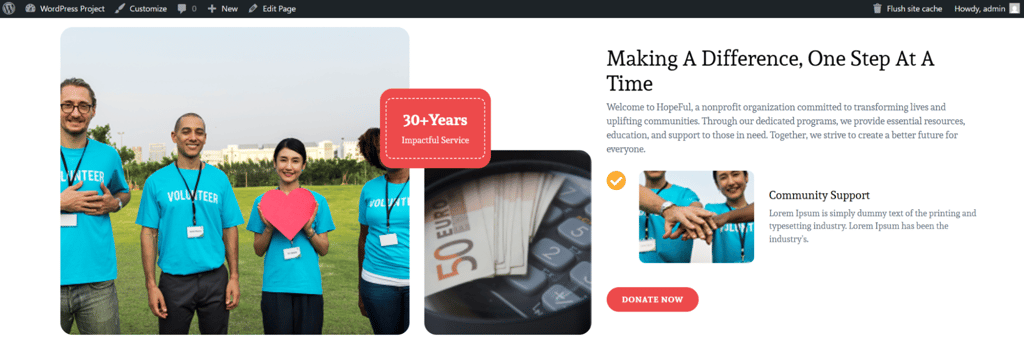
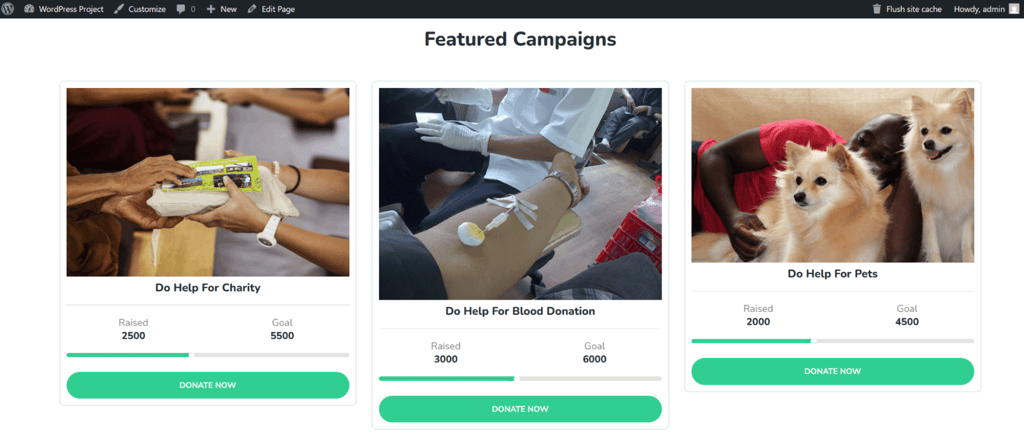
In order to test IONOS, I created two websites. One of them was a website for an educational program, while the other was strictly for fundraising. Here’s how they turned out:
How much does it cost to build a non-profit website with IONOS?
IONOS is mainly a web hosting provider. Therefore, you can find both shared and VPS pricing plans.
However, let’s focus on the website builder cost. There are three subscriptions that you can choose from: Starter, Plus, and Pro. Unfortunately, the Starter plan is a bit limited, so I recommend using the Plus plan instead.
The biggest advantage of IONOS is that both Starter and Plus plans cost only $1.00/month, and the contract lasts for a year. The difference between Plus and Starter is that Plus renews at $20.00/month, compared to Starter's $14.00/month. This price hike can be frustrating, but given how cheap the first year is, IONOS will definitely help you build up your nonprofit before increasing the costs. Thanks to the Plus plan, you can create up to 200 pages, take advantage of the AI Text Generator and AI Text Improver, and even optimize your content for SEO.
However, if you want to build an unlimited number of pages and benefit from SEO optimization with the rankingCoach Standard digital marketing app, you can choose the Pro subscription instead, which costs $17.00/month with a 1-year term.
Since this website builder doesn’t include hosting in its plans, you can always check out the shared hosting offers and get this service as an addition. The price isn’t very different from the website builder, so you won’t break the bank.
4. GoDaddy

| Rating: | |
| Free version: | ✅ Yes |
| Starting price: | $9.99/month |
| Number of templates: | 200+, with 9 dedicated to communities and nonprofits |
| Discount for nonprofits: | ❌ No |
| Current deal: | Get up to 62% OFF GoDaddy website builder |
GoDaddy is another great option for nonprofits looking for a free website builder, especially considering its built-in email marketing with social media integration to boost fundraising reach. However, if you want to take advantage of all the features, you can also get a premium plan. Overall, GoDaddy has it all.
My personal experience creating a non-profit organization site with GoDaddy
Before I share more details about the crafting process, you need to know which template to use. Out of the 9 Community & NPO-dedicated themes, I recommend the Club Mission template, as it is minimalistic and can easily be edited to suit a different type of project and includes donation options.
One thing I’d also like to point out about GoDaddy is that it offers AI writing and content creation tools that saved me a significant amount of time. I selected a plan, chose my template, and created all the content with the help of its AI features. I must say, it even surpassed my expectations.
Another thing I’d like to focus on is GoDaddy’s social media integrations, like Facebook, Instagram, and Google. With a single click, I connected all my social media accounts to this website builder, which is proof of the seamless content management system it offers.
During the GoDaddy testing, the scheduling feature intrigued me a lot. More precisely, I found it effortless to schedule my social media posts, which is something that not many nonprofit website builders allow.
As GoDaddy stands out for its email marketing, I decided to give it a shot as well. Creating an email didn’t take long, and I especially liked that I could send a test email to my friends and family. The most unique thing was the email automation. Not only could I create an email using GoDaddy’s AI, but I could also automate its sending.
While it may seem like a lot of things, you’ll be done in no time. Based on my experience, all of this didn’t take more than 10 minutes of my time.
Non-profit website examples created by me using GoDaddy
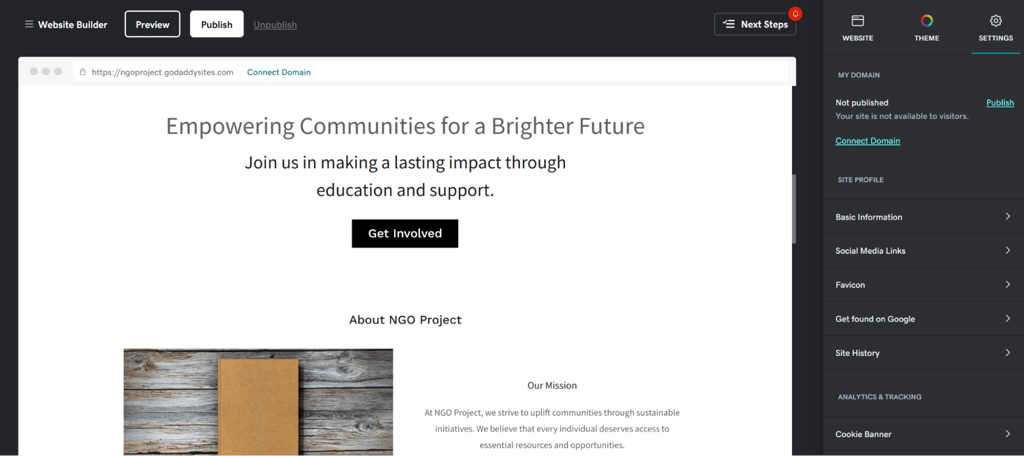
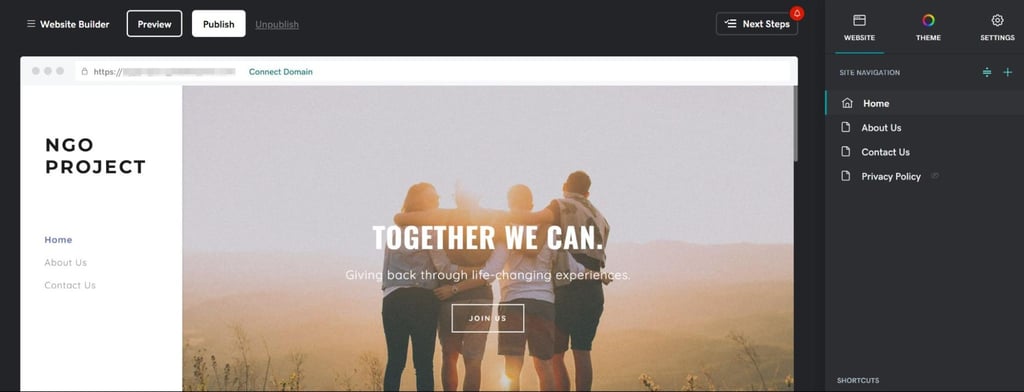
I created two different sites to test GoDaddy. One of them is for a community-centric organization, while the other is for a generic NGO project. Here’s how they turned out:
How much does it cost to build a non-profit website with GoDaddy?
To get started with GoDaddy, prices are as low as $9.99/month. Still, this plan has only the basics, so if you want to get the most out of it, you’d better choose the Premium plan, which costs $14.99/month.
With this plan, you’ll get access to all of the AI building tools, a custom domain, and everything else that GoDaddy offers. You’ll also benefit from social media and email marketing capabilities, boosting the awareness of your nonprofit.
Overall, all GoDaddy plans offer excellent value. All of them offer mobile optimization, marketing features, and beautiful templates you can customize.
5. Shopify

| Rating: | |
| Free version: | ❌ No |
| Starting price: | $39.00/month |
| Number of templates: | 1200, with none dedicated to charity sites |
| Discount for nonprofits: | ✅ NPO Lite plan starts at $29.00/month |
| Current deal: | Try Shopify for 3 months for $1 |
Shopify is known as one of the best eCommerce website builders. However, my research showed that you can also use it for volunteering, email marketing, and other activities to help you raise awareness of your nonprofit. Even though its web template system doesn’t have dedicated charity templates, you can find a simple one from the 1200 range and adapt it to your NPO.
My personal experience creating a non-profit organization site with Shopify
As Shopify specializes in online stores, I decided to explore its full potential and create a store that will help me collect donations. More precisely, I was surprised to see that Shopify supports donations via third-party apps like Virtue and Donate Bee.
I easily integrated Donate Bee within my online store, accepting tips and recurring donations. Also, Shopify supports a wide range of payment processors, including Klarna, Amazon Pay, Stripe, and PayPal. For the purpose of testing, my go-to payment processor was PayPal.
When it comes to building the store, I really enjoyed its simplicity. Adding products is what left me with the best impression. I wrote the product title, a short description, and placed it in a relevant category.
Shopify also lets you select your sales channels, including setting up a point-of-sale system (POS).
Another reason I liked Shopify is that it allows you to engage in email marketing to raise awareness of donation opportunities and boost sales. Essentially, you can create a brochure that encourages your customers to discover what's new, allocating some of their budget to a good cause. In other words, if your goal is to promote happiness, Shopify has your back.
Overall, this Shopify website took me 30 minutes to create, as I needed a few more minutes to connect a payment gateway and create the checkout.
Non-profit website examples created by the Cybernews team using Shopify
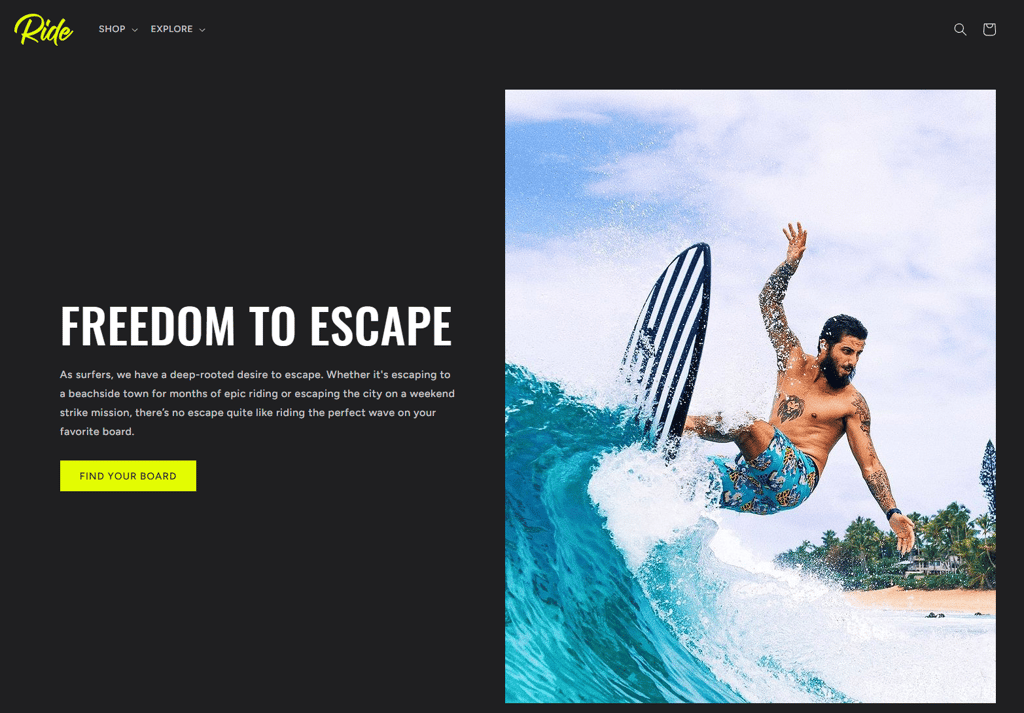
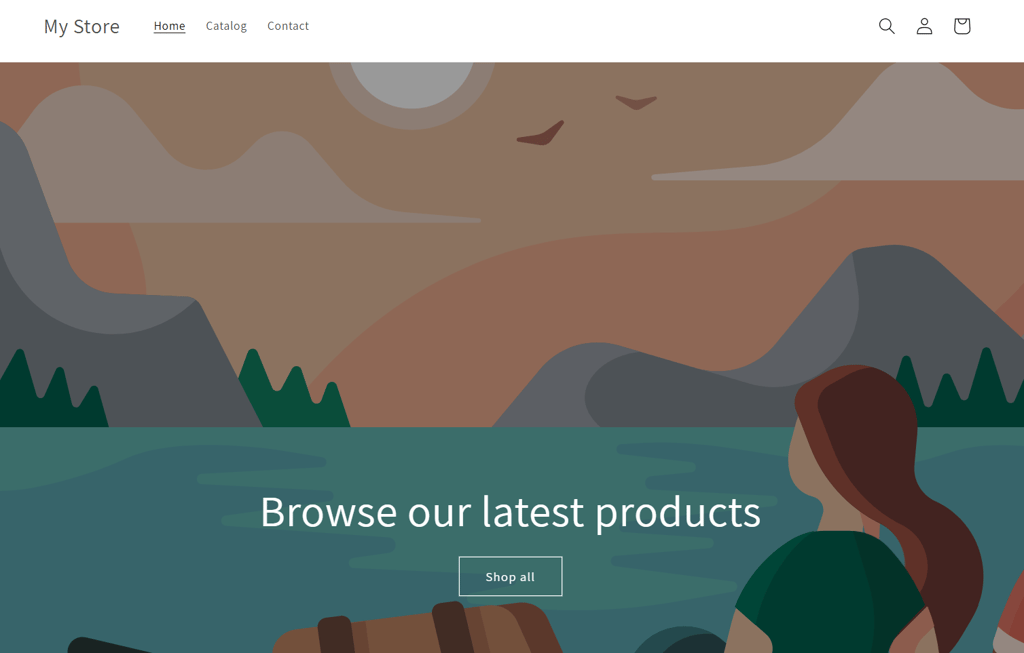
To test Shopify’s ease of use, I created two eCommerce nonprofit shops, one targeted at surfers and one general online shop. You can see how they turned out below.
How much does it cost to build a non-profit website with Shopify?
Unlike the previous website builders, Shopify is more expensive. It has three subscription plans available for small to medium-sized organizations, ranging from $39.00/month to $299.00/month. Still, I recommend you pick the Grow plan for small teams. It costs $79.00/month and has a lot of perks. The card rates are lower than the basic plan, with shipping discounts, insurance, and extra accounts for your team.
However, if you want to save more money, you can go for the Basic plan, which costs $39.00/month and is for one individual. You’ll still benefit from POS Lite and 10 inventory locations.
While there is no full-fledged free version, there is a free trial, which makes Shopify much more affordable for the first few months. You get to test the service for 3 days for free, with no credit card required. After this free trial expires, you can choose a plan that best suits your nonprofit and pay only $1.00/month for the first 3 months.
6. Squarespace

| Rating: | |
| Free version: | ❌ No |
| Starting price: | $9.50/month |
| Number of templates: | 195, with 12 dedicated to community and nonprofits |
| Discount for nonprofits: | ✅ 10% discount with code NONPROFIT |
| Current deal: | Get up to 50% OFF Squarespace |
Squarespace is great for nonprofits that want a visually impressive site with minimal effort, thanks to its easy editor and polished designs. It’s one of the easiest-to-use website builders, which is why it's on my list in the first place. What caught my attention was that this provider met my needs when it comes to building a visually appealing website. Thanks to its drag-and-drop editor and AI capabilities, you can use Squarespace for any type of nonprofit you’d like to run.
My personal experience creating a non-profit organization site with Squarespace
Overall, Squarespace has 200 templates, 12 of which are suitable for nonprofits. For Squarespace testing, I chose the Euclid template, which includes Make a Donation, Our Mission, and Get Involved sections. The first thing that stood out to me was the user-friendly interface.
More precisely, the theme is entirely customizable, making it easy to collect donations. Although the template is ready, you can edit and customize it thanks to the drag-and-drop editor. It makes moving elements around a piece of cake. The whole process took me about 15–20 minutes.
One more thing about donations – I really appreciated Squarespace’s support for fundraising. More precisely, I used the Donations blocks to select whether I want to receive payments via Squarespace Payments, Stripe, or PayPal payment processors. Squarespace supports both one-time and recurring donations.
However, Squarespace’s user-friendliness goes a step further, allowing you to build a mailing list. This simplifies customer segmentation, audience management, and sharing news about your fundraising campaigns with your customer base.
Moreover, Squarespace optimizes your journey by giving you insights into your traffic. Once I built my website, I was able to analyze the traffic. I easily maintained my nonprofit even after I launched it. This feature is available in the Squarespace dashboard and lets you monitor your page views, bounce rates, and even unique visitors.
Non-profit website examples created by me using Squarespace
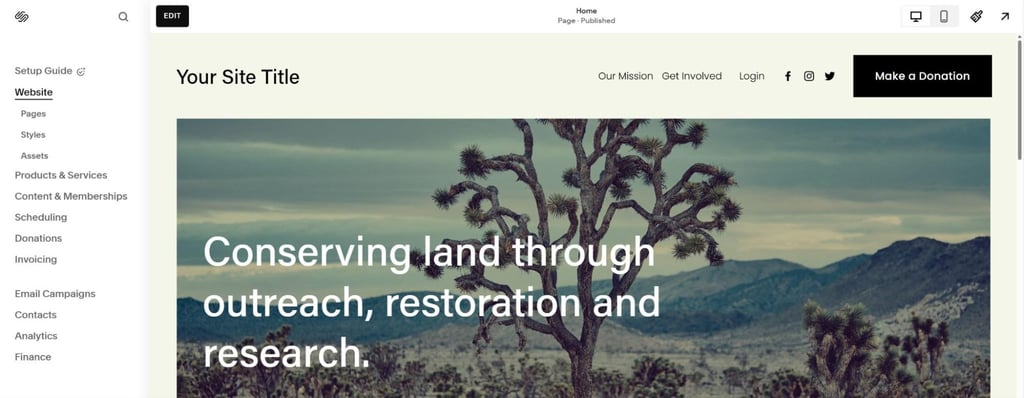
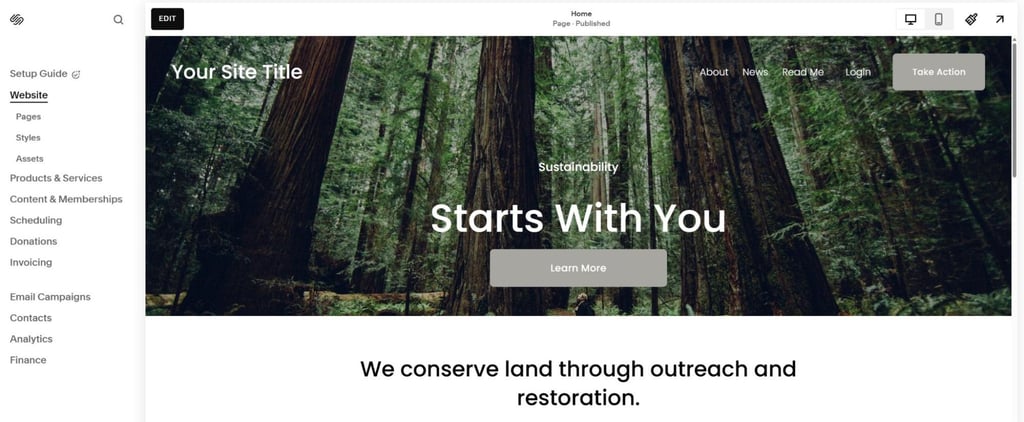
To test Squarespace, I created two nonprofit sites. One for a land conservation organization, and another similar one for a land restoration nonprofit. Here’s how they turned out:
How much does it cost to build a nonprofit website with Squarespace?
While beginning your journey with Squarespace costs $9.50/month, you may need a plan with more features. Luckily, you have four subscription options, so I recommend going for the Core plan.
This offer is set at $14.50/month, but it has 0% transaction fees if you decide to sell goods and services for a good cause. You also won’t pay any invoice fees and will benefit from powerful merchandising.
Still, you can get the essentials with the Basic entry plan and pay the lowest monthly price. This plan has fully customizable templates. You can also accept payments without any invoice fees. Squarespace is also free for 14 days, so make sure to use this opportunity to test it out.
7. Remixer by DreamHost
| Rating: | |
| Free version: | ❌ No |
| Starting price: | $1.99/month |
| Number of templates: | Access to WordPress templates, with 100+ dedicated to charity sites |
| Discount for nonprofits: | ✅ Free shared hosting plan for nonprofits |
| Current deal: | Get Remixer Website Builder, now 83% OFF |
Remixer is a good choice for nonprofits because of its free shared hosting and access to powerful WordPress NGO templates. Regardless of whether you want to build a church donations website, promote sustainability, or simply benefit from WordPress functionalities, you should explore DreamHost’s capabilities.
My personal experience creating a non-profit organization site with Remixer
If I had to pick one thing I liked about Remixer the most, then it would be its WordPress integration. Thanks to it, I got access to WordPress’ templates and could pick the right one from 100+ templates available for nonprofits. Based on my research, I recommend the Benevolent template. It’s modern and easily customized.
My website was ready in a few minutes – all because I could create, customize, and manage it with the AI features. I just entered my input, and Liftoff (Remixer’s website builder) took care of the rest.
Since I already had my website, I briefly reviewed the features I could benefit from. From what I found, you can always take advantage of fast speeds, powerful tools, and 24/7 customer support. This is all part of the DreamHost shared hosting plan you receive with the website builder.
Similarly to IONOS, Remixer supports donations via WordPress plugins like Charitable and Donorbox. It also supports payment processors such as PayPal, Amazon Pay, and Stripe. All of these plugins let you collect funds easily, without any hassle. I simply added them with one click and didn’t need to manually set up anything.
All in all, my website was up and running in less than 10 minutes, which is something worth considering when choosing a website builder.
Non-profit website examples created by me using Remixer
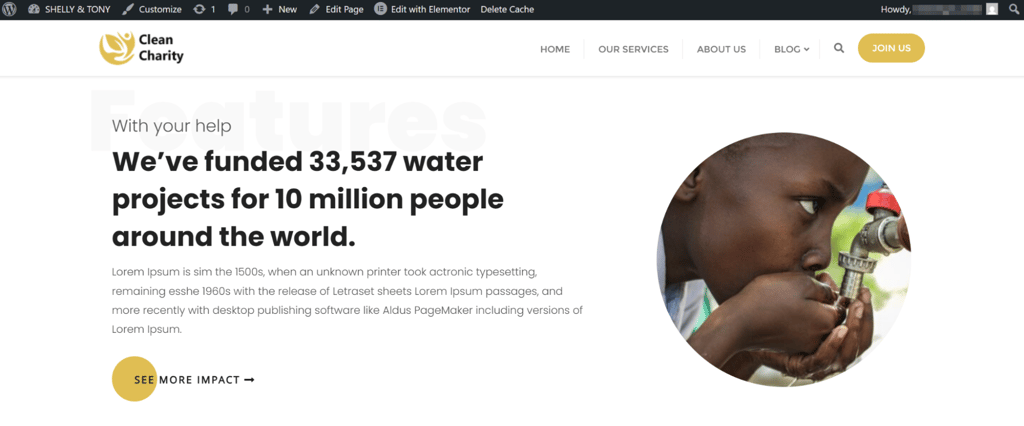
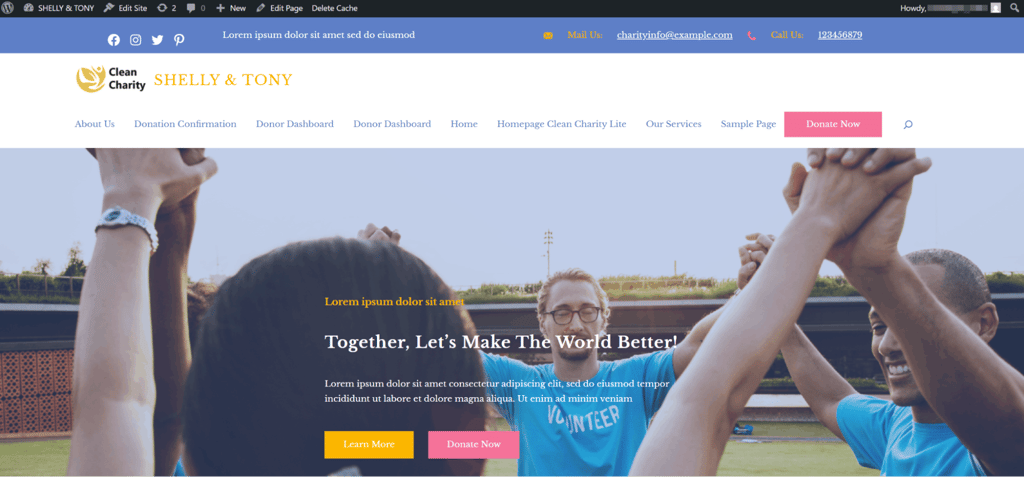
To test Remixer’s web builder, I created a website for a water project and a donor page. They turned out like this:
How much does it cost to build a non-profit website with Remixer?
Another thing that convinced me to rank Remixer among the best donation website builders was its cost-efficiency. The starting Launch plan costs only $1.99/month for the first four years. Still, this isn’t the option I’d go for.
Instead of the starting plan, I’d recommend selecting the DreamPress 1 subscription, which has everything you need for a powerful NGO website. While its price is $14.99/month, you’ll benefit from the WordPress integration, built-in traffic analytics, and the full suite of AI website builder features.
Still, you can always pick the other two tier-level plans, which also have AI capabilities, a quick setup wizard, and free domains.
8. Weebly

| Free version: | ✅ Yes |
| Starting price: | $13.00/month |
| Discount for nonprofits: | ❌ No |
| Number of templates: | 65 |
| Current deal: | Get Weebly, now up to 25% OFF |
Weebly works great for nonprofits needing eCommerce functionality to sell merchandise or other products for fundraising, plus free basic SEO and easy donation embeds. However, it’s not just another free website builder on my list – it’s a smart pick for revenue-generating causes.
My personal experience creating a non-profit organization site with Weebly
Weebly's strength shines when nonprofits need to monetize – its free eCommerce setup, fully covered in our Weebly review, let me add a shop for charity items in minutes. I could embed Donorbox for donations and set up SEO basics to drive traffic, all via its intuitive drag-and-drop interface without coding.
One thing I found very interesting was lead capture forms, which make it easy to collect email signups and build your supporter list quickly. Furthermore, the merch store tools let you list products, connect payment gateways like Stripe, and manage checkouts smoothly – perfect for creating a steady fundraising income.
Overall, the whole setup was fast (under 20 minutes), resulting in powerful revenue-focused features ready to deliver results right away.
Non-profit website examples created by me using Weebly
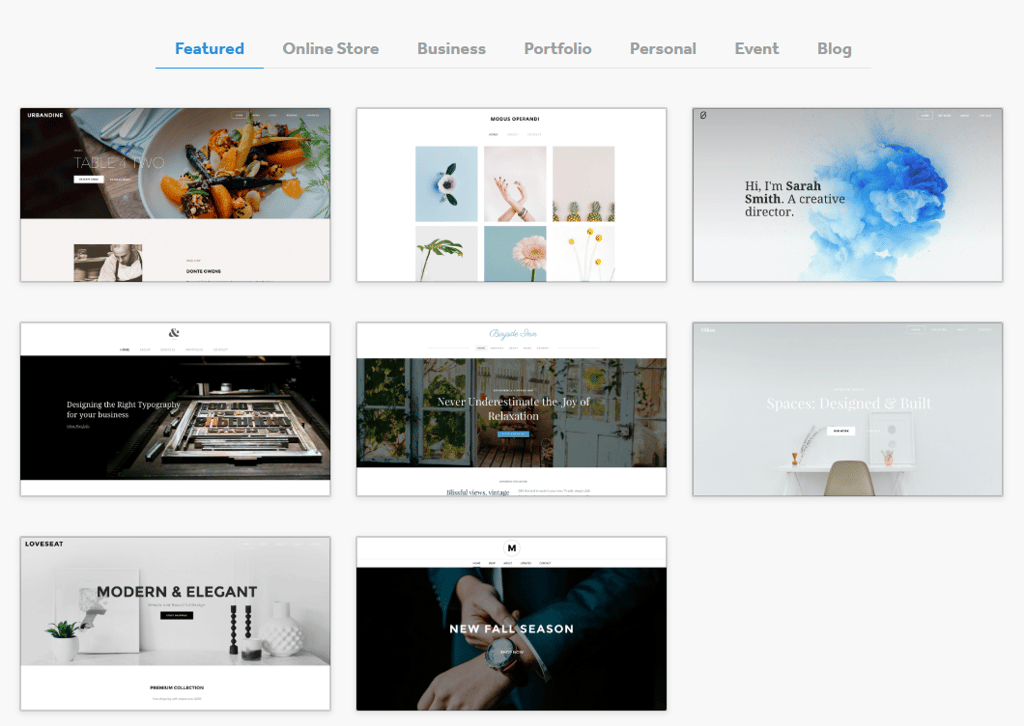
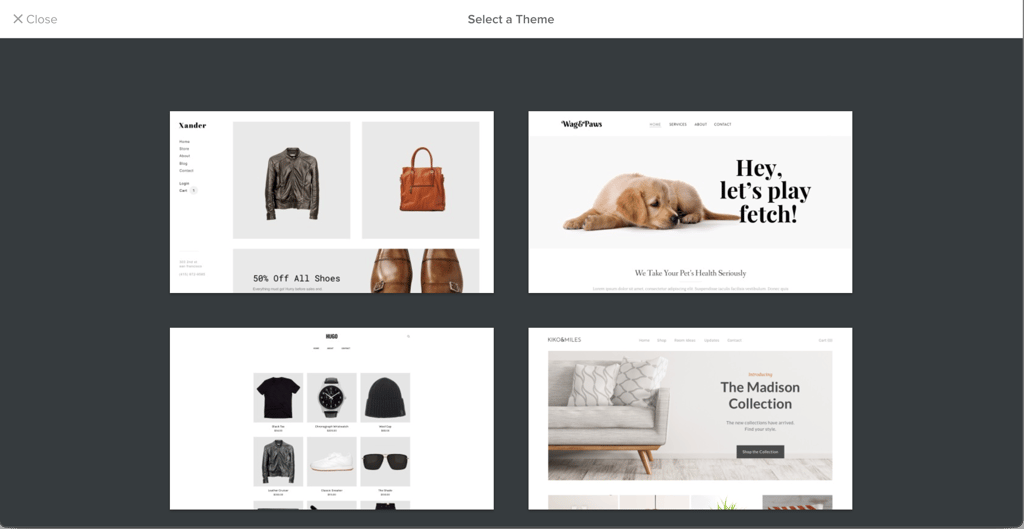
Weebly doesn’t offer templates specifically designed for nonprofit organizations, and in my experience, it also lacks built-in AI assistants to streamline the setup process. However, I was still able to create a clean, functional website for a nonprofit project with ease, thanks to its minimalist templates and straightforward design tools.
How much does it cost to build a non-profit website with Weebly?
Weebly's free plan provides core eCommerce functionality, basic SEO tools, and support for embeds. However, similarly to Wix, it comes with ads, a yournpo.weebly.com subdomain, and 500MB storage limits. While it’s rather modest, it’s still enough for nonprofits just getting started.
Weebly’s paid plans begin at $13.00/month, but if you want to eliminate ads and enable custom domains, then scale up to the Professional plan for $15.00/month with unlimited storage, enhanced selling features, and fewer restrictions. Upgrading fully to its Performance tier for $32.00/month unleashes Weebly's eCommerce capabilities for nonprofits looking to expand their fundraising efforts.
9. WordPress.com

| Free version: | ✅ Yes |
| Starting price: | $2.75/month |
| Discount for nonprofits: | ❌ No |
| Number of templates: | 13,000+ (100+ dedicated to nonprofits) |
| Current deal: | Get up to 69% OFF Wordpress! |
WordPress.com shines for nonprofits building content-rich sites with its powerful CMS, built-in donation blocks, and AI assistant. It’s by far the most robust free web builder on my list, allowing you to build complex websites even on the free version. However, that complexity also comes at the price of ease of use, making it a bit harder for beginners to set up.
My personal experience creating a non-profit organization site with WordPress
WordPress.com gives you the full CMS power right away, which means you can craft detailed pages, blogs, and donation sections without limits on the free tier. I used the block editor to stack content blocks – text, images, embeds – and added native donation buttons that integrate seamlessly with payment processors.
The AI assistant helped generate initial copy and layouts (up to 20 free requests), speeding up my workflow for mission statements and event pages. Customizing went deeper than basic builders, with theme tweaks and plugins for forms, calendars, and newsletters tailored to nonprofit needs.
It required more setup than point-and-click tools, but the flexibility paid off for content-heavy sites. From blocks to published pages, I had a professional-looking website ready in about 25 minutes, but using its AI toolkit speeds up the process.
Non-profit website examples created by me using WordPress
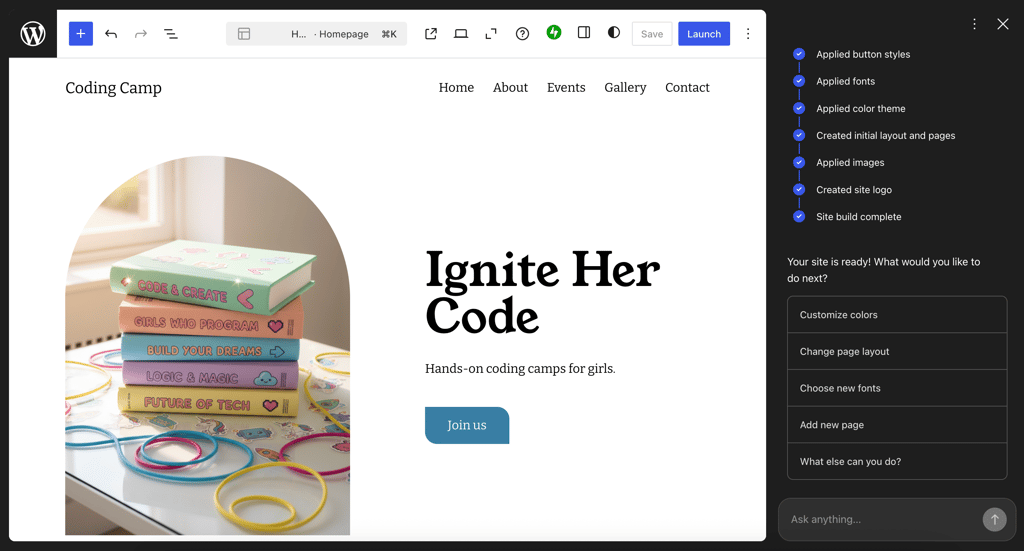
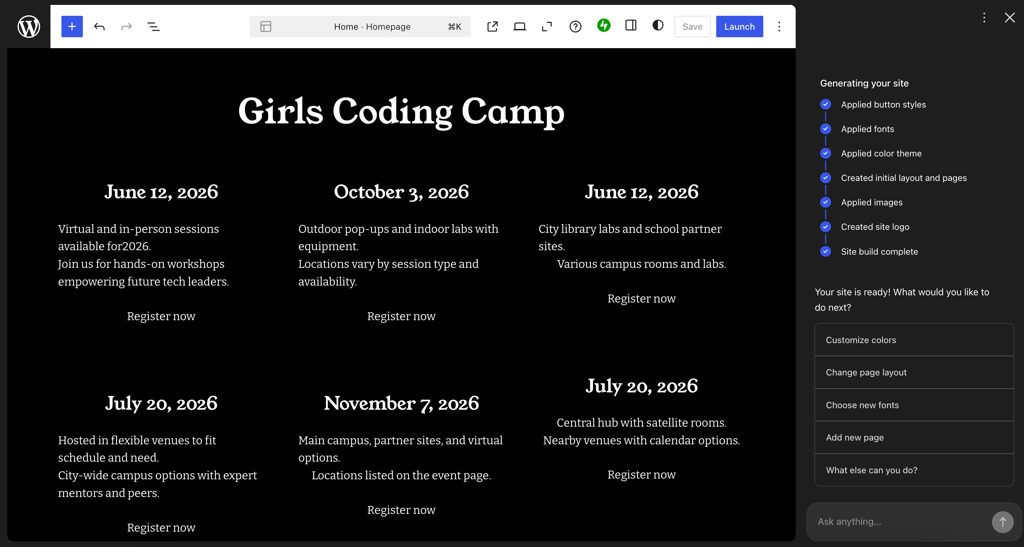
For the WordPress testing, I built a site for a nonprofit coding camp for girls using the WordPress AI builder. What I liked most about the coding camp site was the polished calendar it generated for camp sessions and registrations. Check out these pages below:
How much does it cost to build a non-profit website with WordPress?
WordPress.com's free plan unlocks the full CMS with donation features and AI assistance, but includes ads and a yournpo.wordpress.com subdomain. As such, you will be able to publish strong but less polished content.
If you’d consider upgrading, WordPress has affordable subscriptions. Paid plans start at $2.75/month for a custom domain, no ads, and premium themes, scaling to $25.00/month for the Business tier with plugins and advanced tools. Upgrades make it ideal for nonprofits ready to grow beyond basic blogging into full-scale operations.
Best web builders for nonprofits: compared list
| Brand | Rating | How many templates | Free domain name | Accepting donations | Nonprofit discount | Price starts from | Free hosting included |
| Wix | 900+ (44 for nonprofits) | ✅ Yes | ✅ Yes | ✅ Yes, 70% discount for TechSoup members | Free | ❌ No | |
| Hostinger web builder | 430 (27 for nonprofits) | ✅ Yes | ✅ Yes | ✅ Yes, with code CNHOSTINGER | $2.69/month | ❌ No | |
| IONOS | 49 (1 for nonprofits) | ✅ Yes | ✅ Yes | ❌ No | $1.00/month | ❌ No | |
| GoDaddy | 200 (9 for nonprofits) | ✅ Yes | ✅ Yes | ❌ No | $9.99/month, plus free version | ❌ No | |
| Shopify | 1200 () for nonprofits) | ✅ Yes | ✅ Yes | ✅ NPO pricing plans: NPO Lite and NPO Full | $39.00/month | ❌ No | |
| Squarespace | 200 (12 for nonprofits) | ✅ Yes | ✅ Yes | ✅ 10% discount with code NONPROFIT | $9.50/month | ✅ Yes | |
| Remixer | Access to WordPress templates (100+ for nonprofits) | ✅ Yes | ✅ Yes | ✅ Free shared hosting plan for nonprofits | $1.99/month | ✅ Yes | |
| Weebly | 65 (0 for nonprofits) | ✅ Yes | ✅ Yes | ❌ No | Free | ✅ Yes | |
| WordPress.com | 13,000+ (100+ for nonprofits) | ✅ Yes | ✅ Yes | ❌ No | Free | ✅ Yes |